Why our captions renderer draws every word five times
Painting each word completely before moving to the next seems obviously right — until the strokes get wide and every word join grows a seam. The fix didn't touch a single paint function. It swapped two loops.

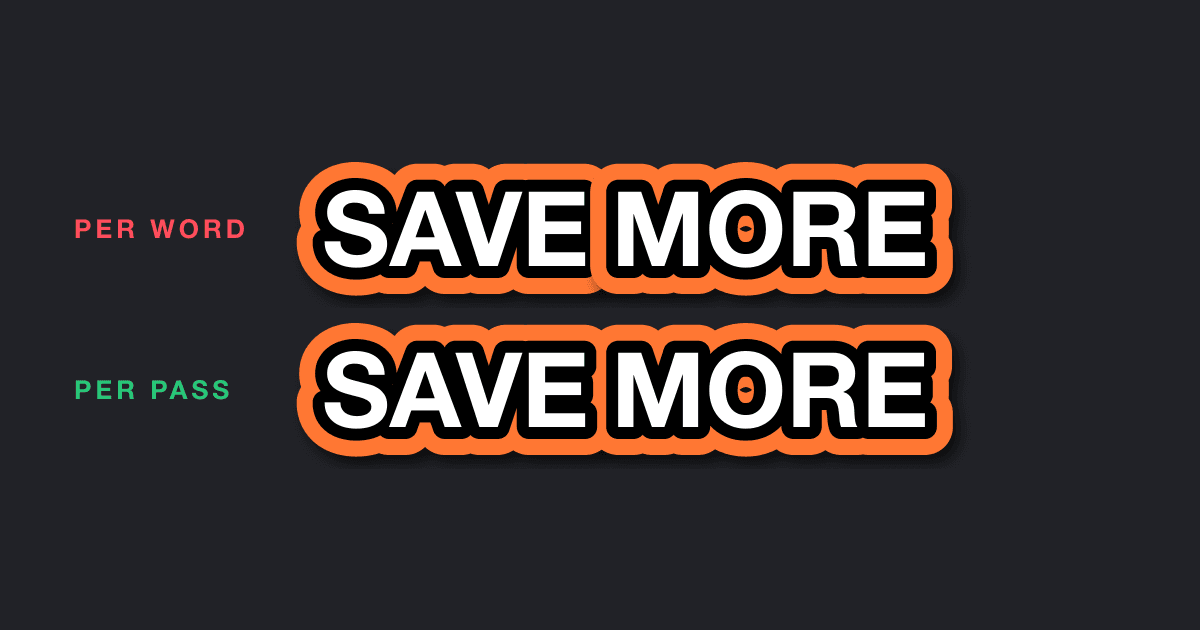
Until a few weeks ago, one line in our style panel was doing more work than it looked like:
Captions on social video are chunky. White fill, fat dark outline, a second colored outline around that, a drop shadow — the whole MrBeast. Our stroke slider stopped at 10 pixels, which is not that. So we raised the cap to 1000, raised the font-size cap from 72 to 1000 while we were at it, typed a nice wide stroke into a test caption, and watched every word join break.
The outline of each word bit a notch out of the word before it. Drop shadows smeared dark blotches across neighboring letters. Between every pair of words: a seam. The font was fine. The stroke math was fine. Every individual word, rendered alone, was pixel-perfect.
The bug was the order we drew them in.
A 2D canvas has no z-axis
Both of our renderers — the browser preview and the headless export engine — paint captions onto a plain 2D canvas. A 2D canvas is the painter's algorithm with no escape hatch: whatever you draw last is on top, forever. There is no z-buffer, no depth sorting, no compositor to appeal to. Draw order is the z-axis.
And our draw order was the one everybody writes first, because it mirrors the object model. A page has lines, a line has words, a word draws itself:
Loop over the words, done. Each word stacks its own layers correctly — shadow at the bottom, fill on top. It looks unimpeachable.
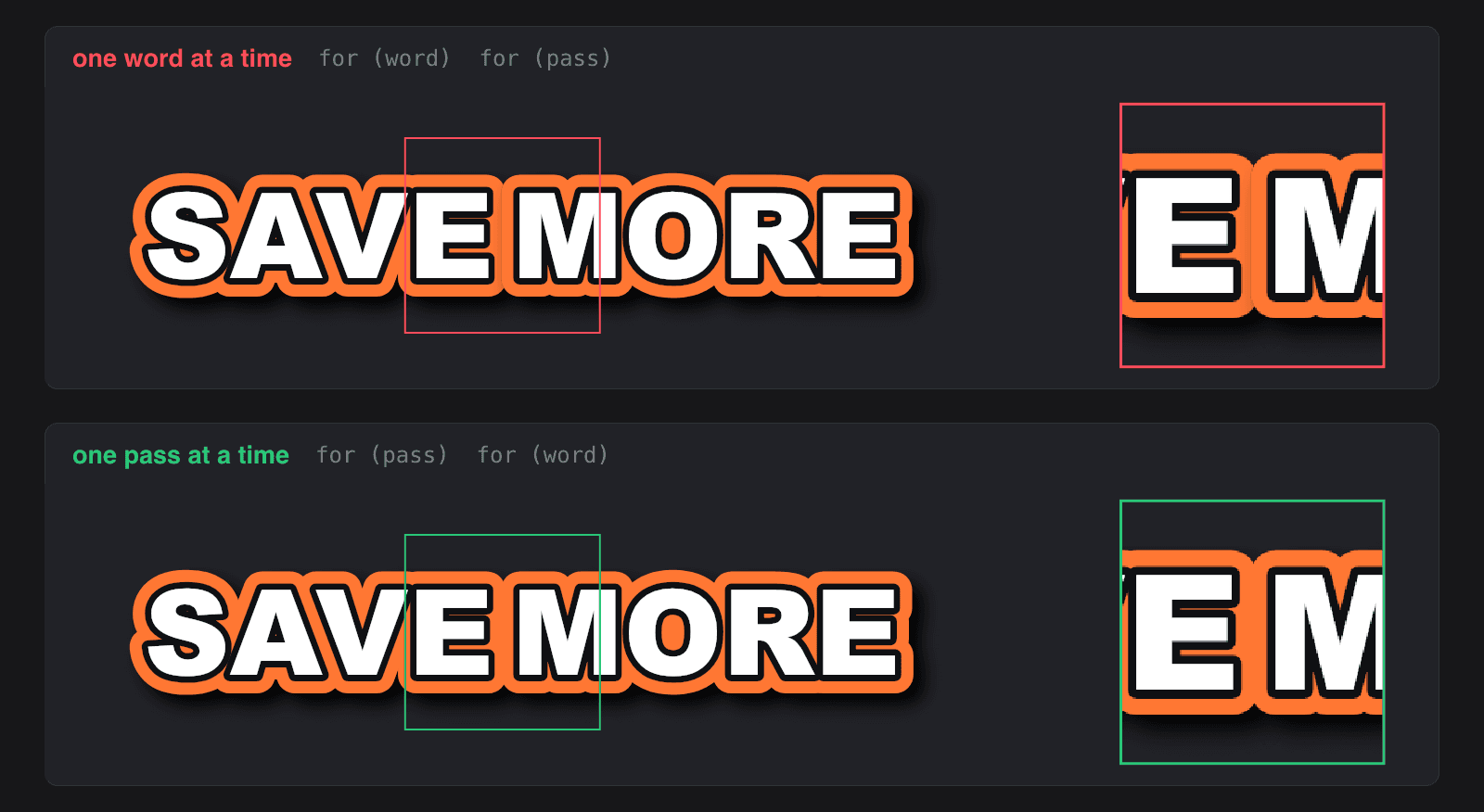
It's wrong, and here's the geometry of why. A stroke is centered on the glyph outline: half of its width lands outside the letter shapes. A drop shadow is the entire stroked silhouette, offset and blurred — it reaches even further. Neither decoration stays inside the word's own box. The moment two words sit closer together than that overhang, word painting order starts to matter: the next word's bottom layers get painted after — which on a canvas means on top of — the previous word's top layer.
Your neighbor's basement is sitting on your roof. With a 10-pixel cap on stroke width, the overhang was a few pixels and the damage hid inside the letterforms. At 40 pixels it eats half the preceding word:
Paint by layer, not by object
The fix is to stop treating "a word" as the unit of painting and start treating "a layer" as the unit. All the shadows. Then all the outer strokes. Then all the inner strokes. Then all the fills. Five passes over the page, each one sweeping every word:
Note what the fix is not. Not a smarter font renderer, not clipping, not measuring overhangs and padding the word boxes apart. Every paint primitive — the shadow, the strokes, the fill — stayed byte-for-byte identical. We hoisted a loop. The word loop used to be outside and the layer loop inside; now the layer loop is outside and the word loop inside. That single transposition is the entire difference between the two panels in the image above.
Remember: on a 2D canvas, layering is a global property of the frame. You can't get a global property right one object at a time.
The two-color outline made the ordering non-negotiable
The style with the most to lose is the two-color outline — DoubleStruck, in our schema: a dark stroke hugging the glyph with a second color flaring around it. We don't render it with any clever geometry. We render it with the oldest trick in 2D graphics — paint a wider thing, then cover most of it:
The outer stroke is painted at the combined width. The inner stroke then paints over its inner portion, and the fill covers the interior. The orange ring you see was never drawn as a ring — it's the part of a fat orange outline that the two later passes didn't bury. Watch the frame assemble, one global pass at a time:
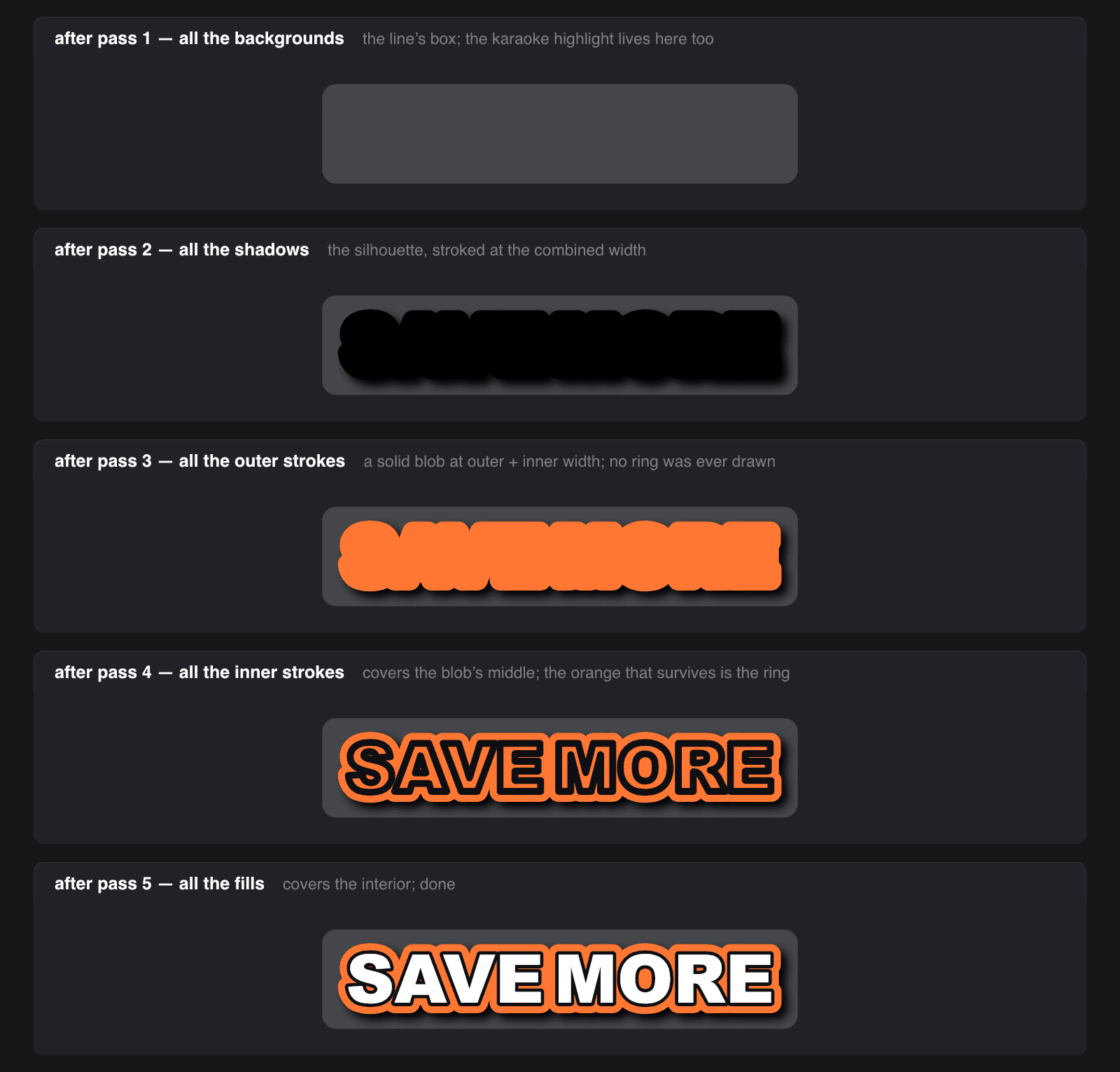
Which means no layer is finished until every later pass has run. That's a perfectly fine contract between passes — and a fatal one between words. Paint per-word, and word B's extra-wide outer stroke flattens word A's already-carved inner ring and fill wherever they overlap. Within a single word the trick survives any loop order. The moment two words touch, it only works globally.
The shadow pass plays the same game with the silhouette:
When a stroke is on, the shadow isn't cast by the skinny glyph — it's cast by the full stroked shape, because that's the object the viewer actually sees. Details like these are why "just draw text with an outline" quietly becomes five ordered passes.
We'd already fixed this bug once — we just didn't hear what it was saying
Here's the part that stings a little. This was the second time we shipped this exact bug.
Months earlier, the karaoke-style highlight — the word currently being spoken gets a rounded background box — taught us the lesson the first time. The box has padding, so it extends past the word's own glyphs, and per-word painting dutifully drew it over the finished neighboring words. A caption would render, and then a rectangle would sit on top of half of it.
We fixed it the obvious way: split painting into two passes. Backgrounds first, then everything else. Bug gone, PR merged, lesson — we thought — learned.
But we'd fixed the instance, not the class. The class is: any decoration that escapes its own bounding box breaks per-object painting. Background boxes escape via padding. Strokes escape via their outer half. Shadows escape via offset and blur. The background was simply the first one big enough to notice; the strokes and shadows had the same defect all along, hiding under a 10-pixel cap. Raising the cap didn't create the bug — it removed the camouflage.
Remember: when the same bug comes back wearing different clothes, you fixed an instance last time. Find the class.
Two renderers, one loop order
The reason this fix landed in two languages at once: the caption you see while editing is painted by TypeScript in your browser, and the caption in your exported MP4 is painted by C++ on a server. Same pixels, or a creator's approval means nothing. So the pass list exists twice, once per engine, and they are kept boringly identical:
Same five layers, same order, same combined-width trick for the double stroke, changed in the same pull request. Text overlays — the non-caption kind — run through the identical pass list too. Every piece of text in the product is drawn five times, everywhere, by construction.
Does drawing everything five times cost something? Sure — five text layouts per word instead of one. A caption page is a handful of words on screen for a second or two, sitting next to a video pipeline that decodes, composites, and encodes every frame; the text passes don't register on that scale. We'll take a free correctness guarantee that costs four extra loops over a dozen words.
The bug was never in the paint
Every individual paint call in that renderer was correct the whole time. The shadow was blurred right, the strokes were centered right, the fill was crisp. You could have stared at DrawTextOuterStroke for a week and found nothing, because the defect didn't live in any function — it lived between them, in the order the loops ran.
That's worth generalizing. On any canvas-like surface, program order is the depth axis, which means loop structure isn't plumbing — it's the scene graph. If there's one thing to steal from this: when overlapping shapes render wrong, don't debug the paint. Debug the order. The fix you're looking for might not be in a single function, because it might be a transposed loop — invisible in every unit, obvious in the whole.
Solid is an AI video editor. If swapping two loops to fix a renderer sounds like your idea of a good Friday, we're hiring.