Transform Box
An editor arrow cursor drags open a transform bounding box with eight hollow square handles to reveal or shrink the clip.

Parameters
5Apply Transform Box directly on your timeline or ask the Solid Agent to style it to match your Brand Hub.
Use Transform Box in SolidWipe intros & outros
More wipe
Hover any card to preview its motion or open it in the live parameter editor.
 Intro / Outro
Iris
WipeReveals or closes the clip through a scaling heart or circle iris mask against a solid colour backdrop.
 Intro / Outro
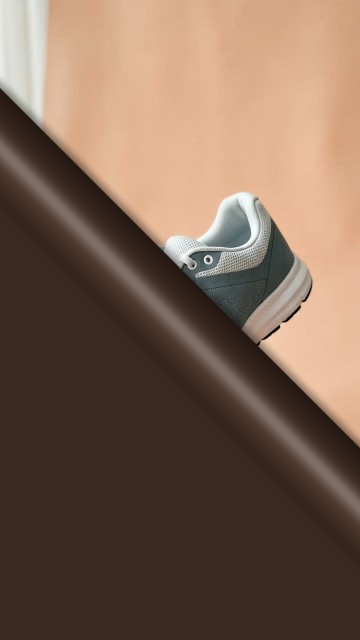
Page Peel
WipeA solid colour layer peels away diagonally as a shaded 3D cylinder with a specular highlight and soft drop shadow to reveal or cover the clip.
 Intro / Outro
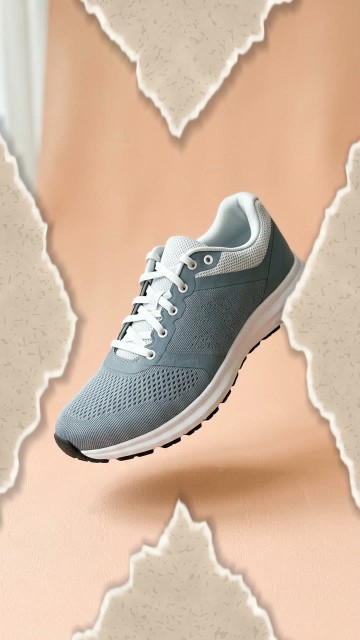
Paper Tear
WipeSplits a textured paper layer from the center into four jagged flaps that peel outward in stepped stop-motion to reveal or hide the clip.
 Intro / Outro
Pixel Stretch
WipeA split line wipes across the clip and stretches the row of pixels at the line into long streaks to the frame edge, revealing the shot on the way in and smearing it off the frame as it slides out.
 Intro / Outro
Scribble Wipe
WipeReveals or erases the clip with a diagonal zig-zag dry-brush stroke sweeping across the frame.
 Intro / Outro
Soft Wipe
WipeReveals or conceals a stationary clip with a directional feathered alpha wipe.
 Intro / Outro
Split Doors
WipeTwo kraft-textured panels with a dark inner seam slide inward from the edges to close at the center line with a pill button and 5-star review bar lockup as an outro, or slide outward from the center seam to reveal the clip as an intro.
 Intro / Outro
Flash
FlashFlashes the clip in or out with warm exposure, a soft blur and scale, and an additive radial light leak with horizontal lens flare streaks.
Start free
Use Transform Box in your next video ad
Start with 7 days free in a ready-made demo workspace. No credit card required.