One brief in. The Solid Agent does the rest.
The AI ad agent at the heart of Solid. It picks your footage, follows your Brand Hub and builds finished video ads.
How it works
From footage to finished ad in minutes
Bring your footage
Upload shoots, creator clips and past winners. Solid breaks them into scenes and tags every one, so every second of your footage is searchable.
 HOLYHomeProjectsAssetsStudioBrand
Assets
1,248 scenes

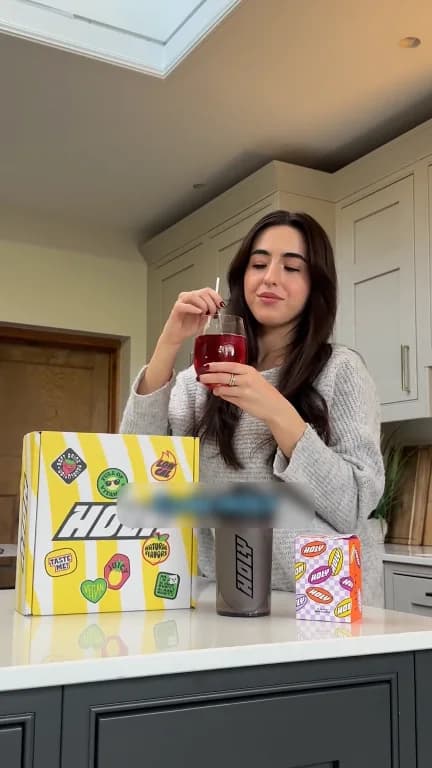
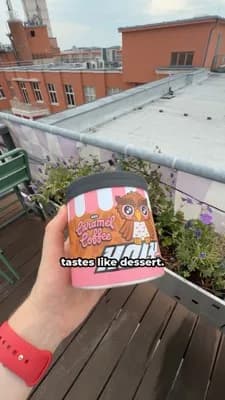




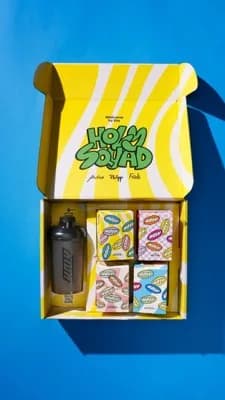
Hello Lena,
What do you want to create today?
Please build a HOLY coffee taste UGC ad
Recent exports
HOLY Coffee | Hazelnut Taste Test4:5, 9:16 · Oct 232UK | Three Flavors Launch9:16 · Oct 233Recent projects
 DE | Iced Latte First SipFeedback required · 3 hours agoHOLY Box | Unboxing OfferNeeds work · 16 hours ago
HOLY Coffee Taste Ad
Please build a HOLY coffee taste UGC ad
Worked on the ad·00:39
- Read brand guidelines0.7s
- Wrote the concept “Coffee taste test”HookCreator holds up the three cansBodyScoop, shake, first sipCTAAll three flavors stacked1.4s
- Picked the scene for the hookSearched “creator holding HOLY coffee cans” · 40 files · 1 picked
 +361.8s
- Picked the scenes for the bodySearched “scooping powder, first sip of iced coffee” · 40 files · 2 picked
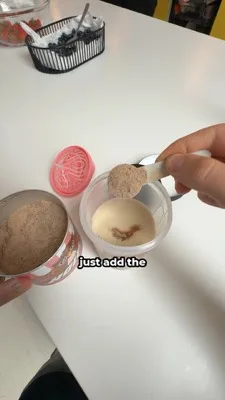

 +362.1s
- Picked the closing shot for the CTASearched “HOLY cans stacked” · 12 files · 1 picked
 0.9s
- Created video project “HOLY Coffee | Taste Test”0.2s
- Generated voice clips 4 clips3.4s
- Searched music “upbeat playful pop”0.9s
- Assembled the ad 9:16 · 0:362.6s
Brief the agent
The Solid Agent is your command center. Brief it in plain words, like a colleague, and it runs Solid for you: it writes the concept, picks the scenes, adds the voice and assembles the ad.
HOLYHomeProjectsAssetsStudioBrandAssets
1,248 scenesHello Lena,
What do you want to create today?
Please build a HOLY coffee taste UGC ad
Recent exports
HOLY Coffee | Hazelnut Taste Test4:5, 9:16 · Oct 232UK | Three Flavors Launch9:16 · Oct 233Recent projects
DE | Iced Latte First SipFeedback required · 3 hours agoHOLY Box | Unboxing OfferNeeds work · 16 hours agoHOLY Coffee Taste Ad
Please build a HOLY coffee taste UGC ad
Worked on the ad·00:39
- Read brand guidelines0.7s
- Wrote the concept “Coffee taste test”HookCreator holds up the three cansBodyScoop, shake, first sipCTAAll three flavors stacked1.4s
- Picked the scene for the hookSearched “creator holding HOLY coffee cans” · 40 files · 1 picked+361.8s
- Picked the scenes for the bodySearched “scooping powder, first sip of iced coffee” · 40 files · 2 picked+362.1s
- Picked the closing shot for the CTASearched “HOLY cans stacked” · 12 files · 1 picked0.9s
- Created video project “HOLY Coffee | Taste Test”0.2s
- Generated voice clips 4 clips3.4s
- Searched music “upbeat playful pop”0.9s
- Assembled the ad 9:16 · 0:362.6s
Review and export
Your team watches the finished ad and leaves comments, and the agent works them in. Approve when done, then export for Meta, TikTok and YouTube.
HOLYHomeProjectsAssetsStudioBrandAssets
1,248 scenesHello Lena,
What do you want to create today?
Please build a HOLY coffee taste UGC ad
Recent exports
HOLY Coffee | Hazelnut Taste Test4:5, 9:16 · Oct 232UK | Three Flavors Launch9:16 · Oct 233Recent projects
DE | Iced Latte First SipFeedback required · 3 hours agoHOLY Box | Unboxing OfferNeeds work · 16 hours agoHOLY Coffee Taste Ad
Please build a HOLY coffee taste UGC ad
Worked on the ad·00:39
- Read brand guidelines0.7s
- Wrote the concept “Coffee taste test”HookCreator holds up the three cansBodyScoop, shake, first sipCTAAll three flavors stacked1.4s
- Picked the scene for the hookSearched “creator holding HOLY coffee cans” · 40 files · 1 picked+361.8s
- Picked the scenes for the bodySearched “scooping powder, first sip of iced coffee” · 40 files · 2 picked+362.1s
- Picked the closing shot for the CTASearched “HOLY cans stacked” · 12 files · 1 picked0.9s
- Created video project “HOLY Coffee | Taste Test”0.2s
- Generated voice clips 4 clips3.4s
- Searched music “upbeat playful pop”0.9s
- Assembled the ad 9:16 · 0:362.6s
All Solid Agent features
12 features in Solid Agent
One chat runs the whole production. The agent finds your footage, writes the script, edits the ad and works through feedback.
Command center for all of SolidTell it what to do, it does it
The Solid Agent is your command center for Solid. Give it instructions in the chat and it carries them out across the whole platform: it searches your Asset Library, follows your Brand Hub, creates projects, writes scripts, generates voices, edits the video, works through review comments and translates ads.
- Runs every part of Solid from the chat
- No clicking through menus
- Works on the same projects your team edits
AI ad assistantA chat that knows your workspace
The Solid Agent knows your projects, footage, tags, people, review comments and brand guidelines, and you can open it from anywhere in Solid.
- Knows your whole workspace
- Available on every screen
- Thread history kept
Draft an ad from your footageB-roll for every line, end card and music
Give it a script and it covers every line with matching B-roll from your library, adds an end card and lays music underneath.
- Scenes picked per line
- End card added
- Music laid underneath
Concept options before it buildsIt asks before it builds
For a new ad the agent first suggests concept options, like a skeptical first sip or an afternoon treat ritual, and marks the one it recommends. Pick one, or write your own, and it builds from there.
- Several concepts to choose from
- A recommended pick
- Or write your own
Talking-head ads from your best takesThe right takes, cut in order
Pick your creator footage and an idea. The agent chooses the takes that tell the story and cuts them in order.
- Works from your A-roll
- Picks the strongest takes
- Ready to fine-tune
Scripts from an ideaBrief and script in 15 to 60 seconds
Describe the ad and get a brief plus a script in 15, 30, 45 or 60 second lengths, ready in a new project.
- Four standard lengths
- Brief and script together
- Opens as a project
Import your own scriptWord for word, split into variants
Paste a script you already wrote. It goes in word for word, split into hooks, body and CTA variants.
- Nothing rewritten
- Hooks, body and CTA detected
- Variants kept separate
Edit by askingChange the ad by typing what you want
Rewrite a line, add hooks, swap a clip, restyle captions, change motion or pick music by typing what you want.
- Edits across the whole timeline
- Plain-language requests
- Every change is undoable
Work through review feedbackSummarize, reply and resolve
Ask the agent to summarize the comments on a project, reply to reviewers and resolve what has been fixed.
- Feedback summaries
- Replies to reviewers
- Resolves fixed comments
Workspace skillsYour team’s tasks, one slash away
Save your team’s repeatable tasks as skills and start them with / in the chat.
- Team-specific shortcuts
- Started with /
- Same result every time
House Rules and memoryRules it always follows, things it remembers
Write the rules the agent always follows. It also remembers what it picks up from your chats, and you can review those memories in the Brand Hub.
- House Rules written by your team
- Memories you can review
- Lives in the Brand Hub
Point at anything with @Reference projects, files and people
Reference a project, file or person with @, drop footage onto a message, or dictate instead of typing.
- @ mentions
- Drop footage into the chat
- Dictation
The Solid Creative Engine
The other parts of the engine


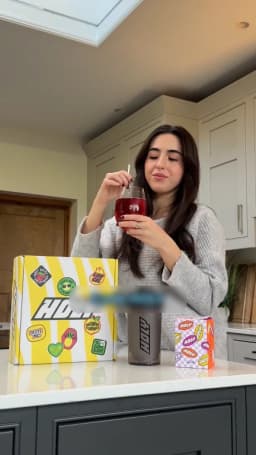
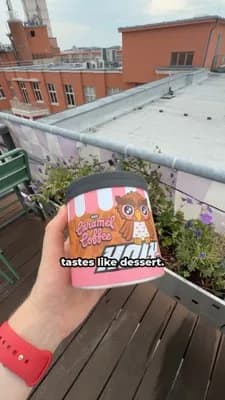




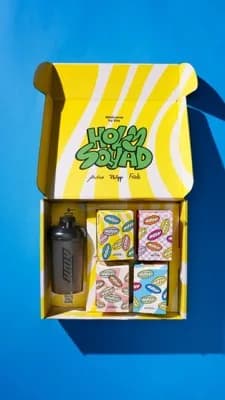
 Approved
Customer stories
What teams say about Solid
Making new ads and finding new winners used to be a real hassle. Today we just type what we need into the Solid chat, and it pulls everything together into a new ad we can refine and put live almost right away.
 Lisa Krapinger-RuetherSenior Vice President Digital, NEOH

The team at Solid built an AI tool that is actually usable for performance teams to run video campaigns at scale. It bridges perfectly how we can automate and go faster and more efficient in our content production.
 Cyriel Van SteenCo-Founder, Just Russel

FAQs
Frequently asked questions
Anything else? We’re happy to walk you through Solid with your own footage.
Book a demoWhat is the Solid Agent?
The chat at the heart of the Solid Creative Engine. You brief it in plain words, and it picks material from your Asset Library, follows your Brand Hub and assembles finished ads.
Can my team still edit by hand?
Yes. Every ad opens in the Video Editor, with the script, voice and video views.
Does the agent use generated avatars?
No. It builds ads from your real footage. AI Video Generator can generate B-roll when a shot is missing.
Can I use Solid from Claude or ChatGPT?
Yes. Connect Solid over MCP and work with your library from Claude, ChatGPT, Grok or Langdock.
Keep reading
Related pages
Solid is the AI creative engine for brands and their agencies. Its agent turns a brand’s own footage, creators and best ads into finished video ads for Meta, TikTok and YouTube, and generates only the shots that are missing.
Request access
Your next ads are one chat away
See what Solid makes from your own footage. Tell us about your team and we’ll set you up.