Pop-In Sound Effect
A short bubble or pop sound plays in sync as text boxes, badges or stickers appear on screen.
How to spot it
A crisp mouth-pop or UI bubble sound timed to graphics popping into the frame.
Verified on real video ads across 80 of 240 tracked brands (147 sightings across 79,497 ads).
Creative strategy
Why use Pop-In Sound Effect
Short pop sound effects give on-screen graphics physical weight and draw the viewer's eye straight to new information. In fast-scrolling mobile feeds, audio-visual synchronization resets attention during numbered lists, review overlays, and price reveals. That subtle tactile feedback makes dense product details easier to scan without pulling focus away from the main speaker.
When to use it
- Numbered benefit lists and ingredient callouts for skincare, supplements, and beverages become much easier to track with synced pops.
- Customer review screenshots, star-rating badges, and social proof overlays pull viewer focus faster when paired with crisp UI sounds.
- Mobile app and SaaS demos benefit from gentle pop cues whenever new interface tooltips, icons, or feature tags animate in.
When to skip it
- Skip cartoonish pop cues in serious healthcare, luxury jewelry, or emotional brand stories where playful UI audio breaks the mood.
- Avoid adding pop effects to rapid word-by-word captions where constant clicking quickly annoys sound-on viewers.
Production guide
How to produce Pop-In Sound Effect
- 1
Align the exact peak of the pop audio waveform to the first frame where the graphic scales onto screen.
- 2
Keep pop effects 8 to 12 decibels below your voiceover so they accent visuals cleanly without startling listeners.
- 3
Alternate between two or three subtle pitch variations during sequential callouts so repeated graphics sound lively and fresh.
- 4
Pair larger sliding overlays with a soft short whoosh leading directly into a muted pop at the resting frame.
Common mistakes
- Overusing loud pops on nearly all captions and cuts creates audio fatigue and triggers fast swipes on TikTok.
- Dropping the sound effect two or three frames late breaks the tactile link between graphic motion and audio.
- Choosing harsh, high-pitched cartoon pops clashes with natural creator voiceovers on Meta Reels and YouTube Shorts.
Field notes
Observed in real ads
- 1
Subtle pop sound effects punctuate the appearance of each review graphic on screen.
- 2
A crisp pop and whoosh sound effect accents the appearance of the floating product graphic.
- 3
Soft pop sound effects accent the sequential appearance of each numbered feature graphic.
Also called
Cross-layer recipes
Pairs well with
Combine Pop-In Sound Effect with patterns from other layers to assemble a complete ad.

Parent and Child
A parent and their baby, child, or adult offspring appear on screen together to use or react to the product.
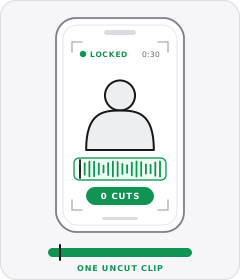
Single Take
The entire ad plays out in one continuous, uncut camera shot from start to finish.
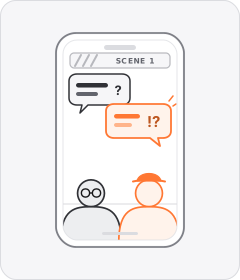
Comedy Skit
The ad plays out as a short scripted humorous scene with people in character before introducing the product.
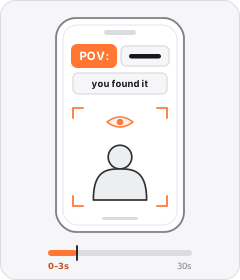
POV Hook
On-screen text starting with 'POV:' puts the viewer inside a relatable scene.
Start free
Build a Pop-In Sound Effect ad in minutes
Start with 7 days free in a ready-made demo workspace. No credit card required.