Time-Lapse
A slow task, build or transformation plays back at high speed so the whole process finishes in seconds.
How to spot it
Continuous accelerated footage compresses minutes or hours of activity into a few fast-forwarded seconds.
Verified on real video ads across 45 of 240 tracked brands (104 sightings across 79,497 ads).
Creative strategy
Why use Time-Lapse
Accelerating a slow physical process turns tedious setup or waiting time into satisfying visual momentum. Viewers watch a tangible change unfold from start to finish inside two or three seconds, which satisfies curiosity while proving how effortless the product looks in practice. That compressed proof works well in sound-off feeds because visible progress tells the story with zero explanation required.
When to use it
- Compress assembly, room makeovers, or cleaning demos for furniture, home decor, and household gadgets into quick visual payoffs.
- Speed up dissolving tablets, drink mixes, rising batters, or skincare mask drying so viewers see full transformation immediately.
- Condense full-day meal prep, workout setups, or mobile app onboarding workflows to highlight speed and daily convenience.
When to skip it
- Skip speed ramps during precision instructions or software tutorials where viewers must follow individual clicks and settings.
- Avoid time-lapses on shaky handheld footage because speeding up camera jitter produces disorienting motion blur.
Production guide
How to produce Time-Lapse
- 1
Lock the camera onto a sturdy tripod with manual exposure so the background stays steady and lighting never flickers.
- 2
Speed the middle of the task by four to sixteen times while holding normal speed on the start and final reveal.
- 3
Keep the accelerated sequence between two and five seconds so the transformation feels brisk and gratifying.
- 4
Pair the sped-up footage with upbeat percussion or subtle foley sounds while a crisp voiceover explains the benefit.
Common mistakes
- Cutting straight away from the finished result robs viewers of the satisfying payoff after watching the build.
- Speeding up handheld clips amplifies tiny hand tremors into chaotic bounce that drives viewers to scroll past.
- Leaving camera auto-exposure turned on causes brightness to pulse noticeably across the accelerated sequence.
Field notes
Observed in real ads
- 1
Footage of the cube dissolving and turning clear water dark brown is sped up so the full transformation happens in two seconds.
- 2
Speeds up footage of the kids and mother arranging the modular cushions into a tall structure and sliding across the floor.
- 3
Sped-up tripod shots condense painting walls, installing the range hood, applying marble foil, and laying vinyl flooring into fast visual progress.
Also called
Cross-layer recipes
Pairs well with
Combine Time-Lapse with patterns from other layers to assemble a complete ad.
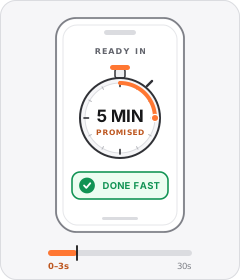
Timeframe Promise
The ad opens by promising a desirable task or result within a specific short amount of time.
 +4 sub
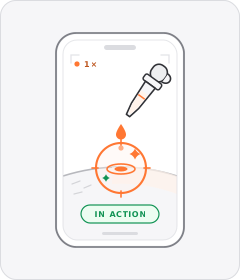
Product Demo
The product is shown working, close up and in real time.
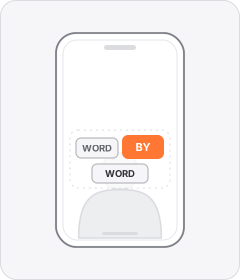
Word-by-Word Captions
Captions appear one word or a few words at a time, in sync with the speech.

Offer Up Front
The ad leads in the opening seconds with the discount or sale announcement before showing the product or benefits.
Start free
Build a Time-Lapse ad in minutes
Start with 7 days free in a ready-made demo workspace. No credit card required.