Wipe Transition
A sliding line, expanding graphic shape or passing foreground object sweeps across the frame to replace one shot with the next.
How to spot it
The incoming shot is revealed behind a moving edge, geometric graphic or object crossing the lens rather than a plain cut.
Verified on real video ads across 115 of 240 tracked brands (306 sightings across 79,497 ads).
Creative strategy
Why use Wipe Transition
Directional motion pulls the viewer's eye across the mobile frame and signals a clear shift between ad sections. When a brand-colored shape or passing object reveals the next shot, the edit keeps visual momentum high during big tonal shifts. Performance teams often pair wipes with closing offers so live footage transitions cleanly into a high-contrast end card.
When to use it
- Use expanding brand-colored shapes to bridge live lifestyle footage into an animated end card or discount slate.
- Pair horizontal slide wipes with home gadget or apparel ads that move from messy rooms into clean studio shots.
- Trigger foreground object wipes when a creator passes a bottle, box, or hand across the lens between skincare steps.
When to skip it
- Skip graphic wipes in raw testimonial or founder-story ads that depend on an unpolished organic look.
- Avoid frequent wipes in fast hook montages where rapid half-second cuts already supply plenty of visual movement.
Production guide
How to produce Wipe Transition
- 1
Keep each wipe transition between six and twelve frames so the visual sweep feels snappy on mobile feeds.
- 2
Match the wipe direction to existing on-screen motion, such as a creator walking left or sliding a package across a table.
- 3
Use a solid brand color or rounded shape for the final wipe so the closing offer card arrives cleanly.
- 4
Layer a subtle whoosh sound effect under the sweep to reinforce the transition for sound-on viewers.
Common mistakes
- Dragging a wipe across twenty or more frames slows ad pacing and gives mobile viewers a chance to scroll.
- Mixing three or four different wipe shapes in one ad creates visual clutter and looks like a preset slideshow.
- Wiping out too early cuts off product legibility before viewers finish reading the active caption or benefit callout.
Field notes
Observed in real ads
- 1
An orange circle expands from the toy in the park scene to flood the entire frame in brand-orange, wiping seamlessly into the animated end card.
- 2
A bright yellow graphic circle expands across the frame to transition cleanly from live footage into the static closing slate.
- 3
A solid red studio product screen slides in from right to left, wiping away the living room footage.
Also called
Cross-layer recipes
Pairs well with
Combine Wipe Transition with patterns from other layers to assemble a complete ad.
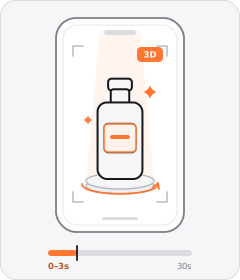
Product Hero Opener
The ad opens in the very first frame on a tight, polished studio or 3D shot of the product.
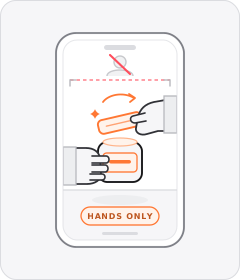
Hands-Only Demo
The product is handled and demonstrated with only a pair of hands visible in frame and no face shown.
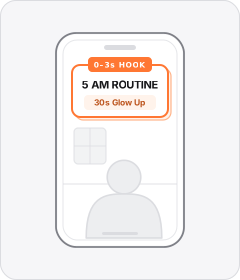
Opening Hook Banner
A bold static headline or title box sits over the opening shot to frame the topic in the first few seconds.
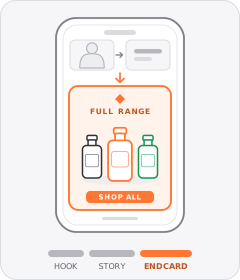
Lineup Packshot Endcard
The ad closes on a clean graphic card or studio shot displaying the full product range lined up together.
Start free
Build a Wipe Transition ad in minutes
Start with 7 days free in a ready-made demo workspace. No credit card required.