3D Product Render
A computer-generated 3D model of the product floats, spins, or pulls apart inside a virtual environment.
How to spot it
Hyper-clean CGI surfaces, impossible camera flyovers, or exploded-view product parts floating in stylized space.
Verified on real video ads across 76 of 240 tracked brands (624 sightings across 79,497 ads).
Creative strategy
Why use 3D Product Render
Computer-generated visuals execute exploded views, microscopic cutaways, and floating rotations that physical cameras cannot capture in a studio. That visual spectacle grabs attention quickly while letting brands reveal hidden engineering, internal layers, or active ingredients inside a closed product. Polished 3D rendering also elevates perceived quality for premium hardware, beauty, and consumer electronics launches.
When to use it
- You sell mattresses, footwear, headphones, or appliances where internal layers and hidden engineering justify a higher price.
- You are preparing a pre-order launch or product redesign before final factory inventory arrives for filming.
- Your skincare, beverage, or supplement brand wants surreal ingredient visuals orbiting spotless, glare-free packaging.
When to skip it
- Skeptical buyers demand physical proof of performance, fit, or skin results that CGI animations fail to validate.
- Your creative testing budget is tight and requires rapid weekly variations that expensive 3D render pipelines slow down.
Production guide
How to produce 3D Product Render
- 1
Build accurate 3D product geometry with crisp, high-resolution label artwork before animating any camera moves.
- 2
Choreograph one hero visual payoff in the opening two seconds, like an exploded-view burst or fluid splash.
- 3
Pair each mechanical cutaway or floating layer with a concise three-word callout naming the specific shopper benefit.
- 4
Match metallic textures, soft lighting reflections, and crisp sound design so virtual motion carries convincing physical weight.
Common mistakes
- Rotating a shiny bottle slowly in empty space looks like a generic screen saver and lacks persuasion.
- Using plastic-looking lighting or low-resolution label textures makes expensive CGI look cheap on high-density phone screens.
- Showing complex internal parts without plain-English callouts leaves viewers admiring the animation while missing the benefit.
Field notes
Observed in real ads
- 1
The entire ad is a computer-generated 3D rendering of the product box and jars against a stylized pink studio backdrop with a cylindrical pedestal.
- 2
A clean, digital 3D render of the product rotates and floats against a plain white background throughout the entire video.
- 3
The entire main segment consists of 3D-rendered product packages animated in a warm, virtual kitchen environment.
Also called
Cross-layer recipes
Pairs well with
Combine 3D Product Render with patterns from other layers to assemble a complete ad.

AI-Generated Talent
A computer-generated human avatar or synthetic model appears on screen instead of a real person.
 +1 sub
Quick-Cut Montage
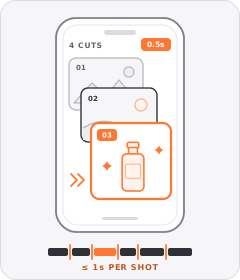
The ad strings together a rapid sequence of distinct shots lasting roughly a second or less each.

Q&A Sticker
The ad frames itself as an answer to a follower's prompt inside an Instagram- or TikTok-style Story question box.
Outfit Lookbook Montage
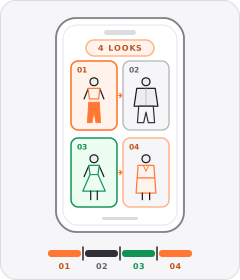
The ad cuts briskly through a model or creator wearing several different outfits one after another.
Start free
Build a 3D Product Render ad in minutes
Start with 7 days free in a ready-made demo workspace. No credit card required.