Image Slideshow
The ad cycles through a sequence of still photos or static catalogue cards one after another.
How to spot it
Hard cuts, swipes, or zooms stepping through still photographs rather than continuous motion video.
Verified on real video ads across 103 of 240 tracked brands (736 sightings across 79,497 ads).
Creative strategy
Why use Image Slideshow
Rapid cuts across distinct still photos create continuous visual novelty that keeps thumbs from scrolling past. Each slide delivers one clean proof point, colorway, or customer photo so viewers process catalog variety and multiple benefits quickly. Because the format uses existing photography, ecommerce teams can assemble and iterate new video concepts in a single afternoon.
When to use it
- You sell apparel, home decor, pet goods, or accessories with wide SKU variety and strong lifestyle photography.
- You have abundant customer review photos, before-and-after stills, or catalog assets with limited live video footage.
- You want to showcase five product features, flavors, or use cases in a tight fifteen-second rundown.
When to skip it
- Your product needs continuous motion to prove performance, such as cleaning gadgets, kitchen appliances, or fitness gear.
- You only have three plain white-background cutouts that feel repetitive when cycled in a sequence.
Production guide
How to produce Image Slideshow
- 1
Lead with your highest-contrast lifestyle photo or boldest customer result slide in the opening frame.
- 2
Time hard cuts tightly to an upbeat music track, switching slides within one to two seconds to hold pace.
- 3
Add subtle push-in scale motion and consistent headline placement so the sequence feels cohesive and easy to read.
- 4
End on a clear summary card featuring the product lineup, key offer, and strong call to action.
Common mistakes
- Leaving each still image on screen for four seconds makes the ad feel sluggish and loses mobile scrollers.
- Mixing blurry customer snapshots with mismatched aspect ratios and random fonts makes the brand look unpolished.
- Using flashy spinning or star-wipe transitions between photos distracts viewers from the product and headline copy.
Field notes
Observed in real ads
- 1
The entire ad is built from five static graphic slides cycling through product photos and text rather than live-action video.
- 2
The video is presented as a slideshow of still photos and product imagery without a spoken voiceover.
- 3
The video plays as a rapid slideshow montage of different pets posing with product packages at home.
Also called
Cross-layer recipes
Pairs well with
Combine Image Slideshow with patterns from other layers to assemble a complete ad.

Creator Voiceover
An unseen everyday speaker narrates the ad in a casual, first-person voice over product or lifestyle footage.
 +1 sub
Quick-Cut Montage
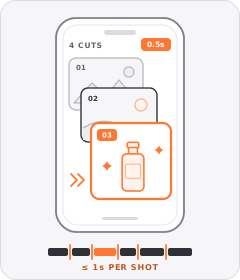
The ad strings together a rapid sequence of distinct shots lasting roughly a second or less each.

Native Text Box
On-screen copy uses the rounded-corner background pills of TikTok's or Instagram Reels' built-in text editor.
 +1 sub
Range or Variant Roll Call
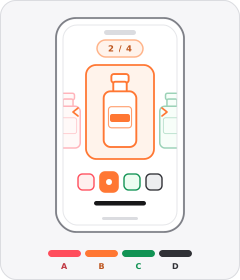
The ad steps one after another through several items, flavours, shades, or colourways from the brand's range.
Start free
Build a Image Slideshow ad in minutes
Start with 7 days free in a ready-made demo workspace. No credit card required.