Typewriter Text
A headline, question or slogan types itself onto the screen letter by letter, often behind a blinking cursor.
How to spot it
Characters appearing one keystroke at a time across the frame, sometimes paired with typing sound effects.
Verified on real video ads across 116 of 240 tracked brands (335 sightings across 79,497 ads).
Creative strategy
Why use Typewriter Text
Revealing letters one keystroke at a time triggers an automatic curiosity loop because viewers instinctively wait for the sentence to finish. The blinking cursor echoes search bars, notes apps, and text threads, helping the graphic blend smoothly into mobile feeds. Controlled character timing lets editors pause right before a twist or closing slogan for sharper impact.
When to use it
- Open skincare, wellness, or SaaS ads with typed question hooks that mirror what shoppers type into a search bar.
- Use letter-by-letter reveals for minimalist closing slogans and simple product taglines layered over calm lifestyle B-roll.
- Build notes-app or text-thread creative formats for mobile apps and supplements that lean into personal, confessional storytelling.
When to skip it
- Skip typewriter reveals in fast flash-sale montages where gradual letter animation slows the tempo and kills urgency.
- Avoid character-by-character typing for long multi-sentence claims that force impatient scrollers to wait too long for the point.
Production guide
How to produce Typewriter Text
- 1
Keep typed headlines brief at three to eight words so the full message completes within one to two seconds.
- 2
Set typing speed briskly around fifteen to twenty-five characters per second and add a visible blinking vertical cursor.
- 3
Mix subtle phone tap or mechanical key clicks low under your music track to reinforce the visual typing cadence.
- 4
Split two-part headlines with a brief pause before the payoff phrase so viewers anticipate and absorb the key claim.
Common mistakes
- Typing opening hooks too slowly lets TikTok and YouTube Shorts viewers swipe past before the third word finishes.
- Center-aligning live typed text makes the line jitter sideways with each new letter and strains mobile eyes.
- Cutting away right after the final character appears denies viewers a full beat to read the completed phrase.
Field notes
Observed in real ads
- 1
The opening sub-question types onto the screen letter by letter behind a blinking vertical cursor.
- 2
The headline builds in two beats, starting with "DARUM KANNST DU NICHT" before adding "DURCH-SCHLAFEN." underneath.
- 3
The closing slogan types itself onto the screen letter by letter with a blinking cursor.
Also called
Cross-layer recipes
Pairs well with
Combine Typewriter Text with patterns from other layers to assemble a complete ad.
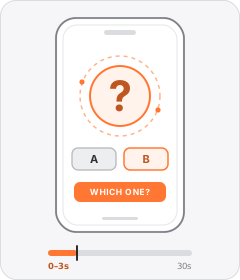
Question Hook
The ad opens by asking the viewer a direct or rhetorical question.
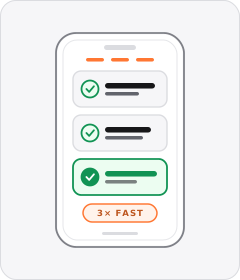
Benefit Stack
The ad rattles off a rapid-fire sequence of product benefits or specs one after another, often in a rule-of-three burst.
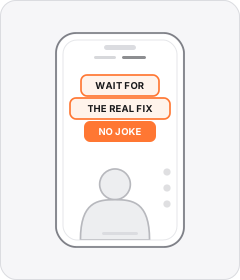
Native Text Box
On-screen copy uses the rounded-corner background pills of TikTok's or Instagram Reels' built-in text editor.
 +1 sub
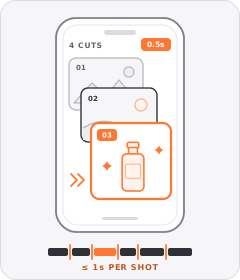
Quick-Cut Montage
The ad strings together a rapid sequence of distinct shots lasting roughly a second or less each.
Start free
Build a Typewriter Text ad in minutes
Start with 7 days free in a ready-made demo workspace. No credit card required.