Variant Label
An on-screen text tag names each specific product, flavour, dish or shade as it appears on camera.
How to spot it
Short item, shade or flavour names changing cleanly with each swatch, outfit or taste-test shot.
Verified on real video ads across 140 of 240 tracked brands (1,681 sightings across 79,497 ads).
Creative strategy
Why use Variant Label
Multi-SKU ads move fast, and viewers quickly lose track of which shade, style, or flavor caught their eye. Tagging each item on screen removes buying friction so interested shoppers remember the exact option to select when they arrive on your product page. Those crisp changing labels also double as visual pacing markers that showcase catalog breadth cleanly for sound-off viewers.
When to use it
- Tag exact shade names, finishes, or sizes during cosmetics swatches, nail demos, and multi-outfit apparel try-on hauls.
- Identify specific flavors, meals, or bundle tiers during food, beverage, and meal-kit taste tests or unboxings.
- Label individual models or attachments when a home gadget or footwear ad cycles quickly through several lineup options.
When to skip it
- Skip variant tags in single-SKU hero ads where repeating the same product name adds clutter with zero clarity.
- Avoid tiny labels over fast half-second montage cuts where text flashes off screen before viewers can read it.
Production guide
How to produce Variant Label
- 1
Match each on-screen label to the exact shade, flavor, or style name listed on your store product page.
- 2
Lock the tag to one consistent screen anchor, such as upper left or lower center, so the eye tracks swaps easily.
- 3
Swap the text cleanly on the exact cut frame where the new variant enters so labels stay synced to footage.
- 4
Pair a solid background pill or strong text shadow with short labels so names stay readable across bright and dark shots.
Common mistakes
- Using clever shorthand in the ad that differs from store dropdown names causes shoppers to bounce on the product page.
- Letting a previous flavor or shade tag linger two frames into the next clip mislabels the product shown.
- Jumping label positions randomly around the frame forces viewers to hunt for text while trying to watch the demo.
Field notes
Observed in real ads
- 1
Simple white uppercase text appears on the green wall background to name each product as it is shown.
- 2
On-screen text labels identify each featured snack brand and product name as it appears.
- 3
On-screen text identifies the specific dishes being sampled by the interviewees.
Also called
Cross-layer recipes
Pairs well with
Combine Variant Label with patterns from other layers to assemble a complete ad.
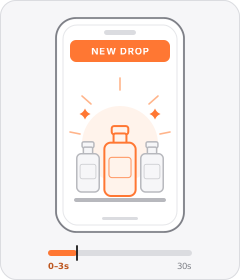
Launch Announcement
The ad opens by announcing that a brand-new product, flavour, or collection has just dropped.
 +1 sub
Audience Callout
The ad explicitly names who the product is built for, either qualifying a specific group or welcoming everyone.
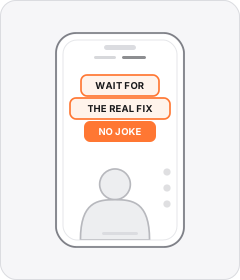
Native Text Box
On-screen copy uses the rounded-corner background pills of TikTok's or Instagram Reels' built-in text editor.
 +1 sub
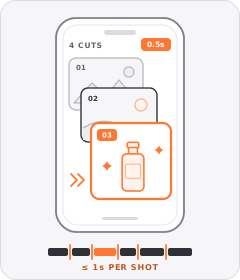
Quick-Cut Montage
The ad strings together a rapid sequence of distinct shots lasting roughly a second or less each.
Start free
Build a Variant Label ad in minutes
Start with 7 days free in a ready-made demo workspace. No credit card required.