Search Bar
The ad shows a query being typed into a simulated search bar or search-engine results screen.
How to spot it
A rounded search input box with a magnifying-glass icon, live typing cursor, autocomplete suggestions or AI search results.
Verified on real video ads across 48 of 240 tracked brands (363 sightings across 79,497 ads).
Creative strategy
Why use Search Bar
Typing a relatable question into a search bar mirrors how shoppers actually hunt for solutions online. Seeing letters appear beside a blinking cursor creates quick curiosity that holds attention through the opening two seconds. Cutting directly from that typed query to your product presents it as the exact answer viewers were looking for.
When to use it
- Problem-solving skincare, supplement, and pet care ads can open with a typed search query voicing the viewer's exact frustration.
- SaaS platforms and mobile apps use animated search bars to introduce high-intent workflow searches before showing the product.
- Closing end cards for apparel and home gadgets can show your brand name inside a search box to boost recall.
When to skip it
- Skip slow letter-by-letter typing hooks when your visual product reveal is already striking enough to stop the scroll.
- Avoid simulated search screens for visual impulse items where shoppers rarely type descriptive problem queries first.
Production guide
How to produce Search Bar
- 1
Draft a natural four to seven word search query using the exact phrasing buyers type when researching the problem.
- 2
Animate a crisp rounded white input pill with a magnifying glass icon, blinking cursor, and brisk typing speed.
- 3
Add soft keyboard tap sounds synced to the letters so sound-on viewers feel the tactile search rhythm.
- 4
Transition straight from the completed query or search-button tap into your product hero clip without wasting a beat.
Common mistakes
- Animating slow typing that takes four seconds causes impatient TikTok and YouTube Shorts viewers to swipe early.
- Stuffing buzzwords into the search box feels unnatural and breaks the discovery illusion on Meta feeds.
- Rendering tiny low-contrast text inside the search bar makes the hook unreadable on smaller phone displays.
Field notes
Observed in real ads
- 1
The closing frame mimics a web browser search bar displaying the brand's URL alongside a Shop Now prompt.
- 2
A search bar graphic asking about dog food for small spaces appears over footage of a giant bag of kibble.
- 3
A simulated search bar graphic displays a query for a simple, holistic morning routine directly above the product.
Also called
Cross-layer recipes
Pairs well with
Combine Search Bar with patterns from other layers to assemble a complete ad.
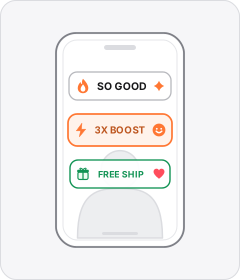
Emoji Text Overlay
On-screen hooks, captions or callouts pair words with inline emojis that illustrate what is being said.

Customer Testimonial
A single customer or creator speaks to the camera about their personal experience and results with the product.
 +2 sub
Expert in a Coat
A qualified specialist, academic, or seasoned practitioner vouches for or explains the product on camera.
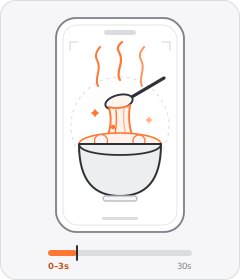
Food Porn Hook
The ad opens on a tight, mouth-watering shot of food sizzling, melting, steaming, or being pulled apart.
Start free
Build a Search Bar ad in minutes
Start with 7 days free in a ready-made demo workspace. No credit card required.