ChangelogJuly 21, 2026
AI Content Credentials, Flexible Scenes & Audio Controls
This update introduces built-in AI content disclosure tools, gives you total editing flexibility with source-linked scenes, and brings a full audio-effects channel strip to the editor.
 Keanu Born
- AI Provenance & C2PA Credentials: Automatically detect, declare, and sign AI-generated content to stay fully compliant with global transparency standards.
- Flexible Scenes: Scenes now link directly to your original source file, giving you total control to adjust boundaries anytime without worrying about perfect initial cuts.
- Audio Effects Channel Strip: Polish voiceovers, music, and sound effects with a dedicated per-clip audio effects suite.
AI Provenance & Content Credentials
Stay compliant with transparency regulations like the EU AI Act. Solid now tracks whether uploaded or generated media contains AI content, preserving cryptographic origins and applying required disclosure tags.
- Automatic C2PA Detection: Uploaded files are scanned instantly for C2PA metadata to detect AI origins from tools like Veo or Sora.
- Manual AI Declarations: Mark or retract AI status on existing media files whenever you need to clarify their origin.
- Visible AI Marking: Optionally burn a subtle "Generated with AI" disclosure badge onto exported videos to meet brand or regulatory requirements.
- File Details Transparency: View digital source types, producers, and credential statuses directly in the file details sidebar.
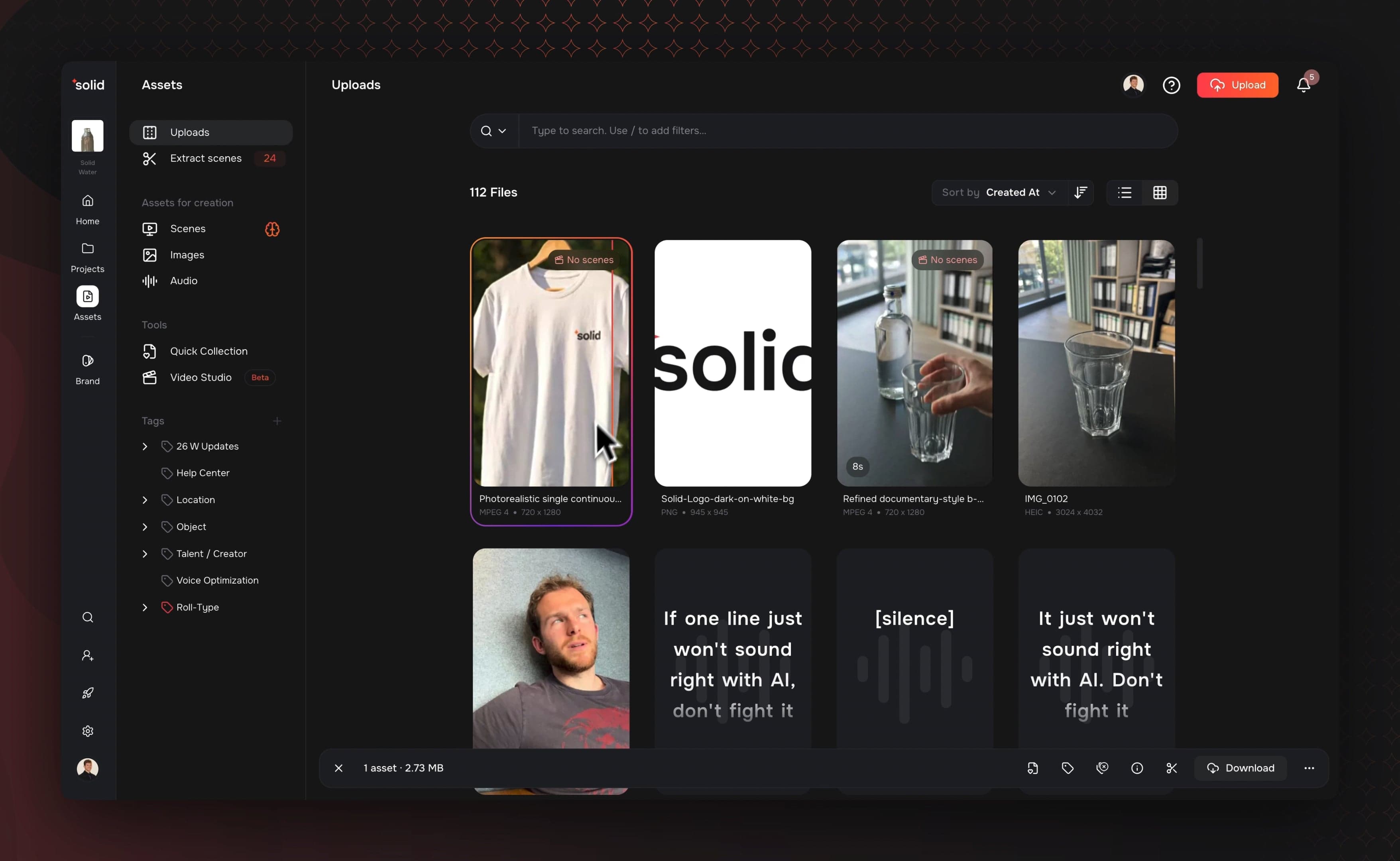
Flexible Scenes
Scenes are no longer set in stone. Because scenes now act as flexible windows onto your original source file, you always have full access to your original media while editing and can adjust your clips at any time.
- Full Editorial Control: Never worry about picking the perfect scene upfront, since you can expand or adjust scene boundaries at any point in your workflow.
- Zero-Duplication Storage: Scenes reference the original video file directly, saving disk space and speeding up exports without creating redundant clips.
- Smarter Auto-Tagging: Scene tags now analyze the clip's exact visual content rather than echoing overall video themes.
- Intelligent Focus Points: Center-of-attention detection automatically calculates the key focal point of every scene for better auto-framing.
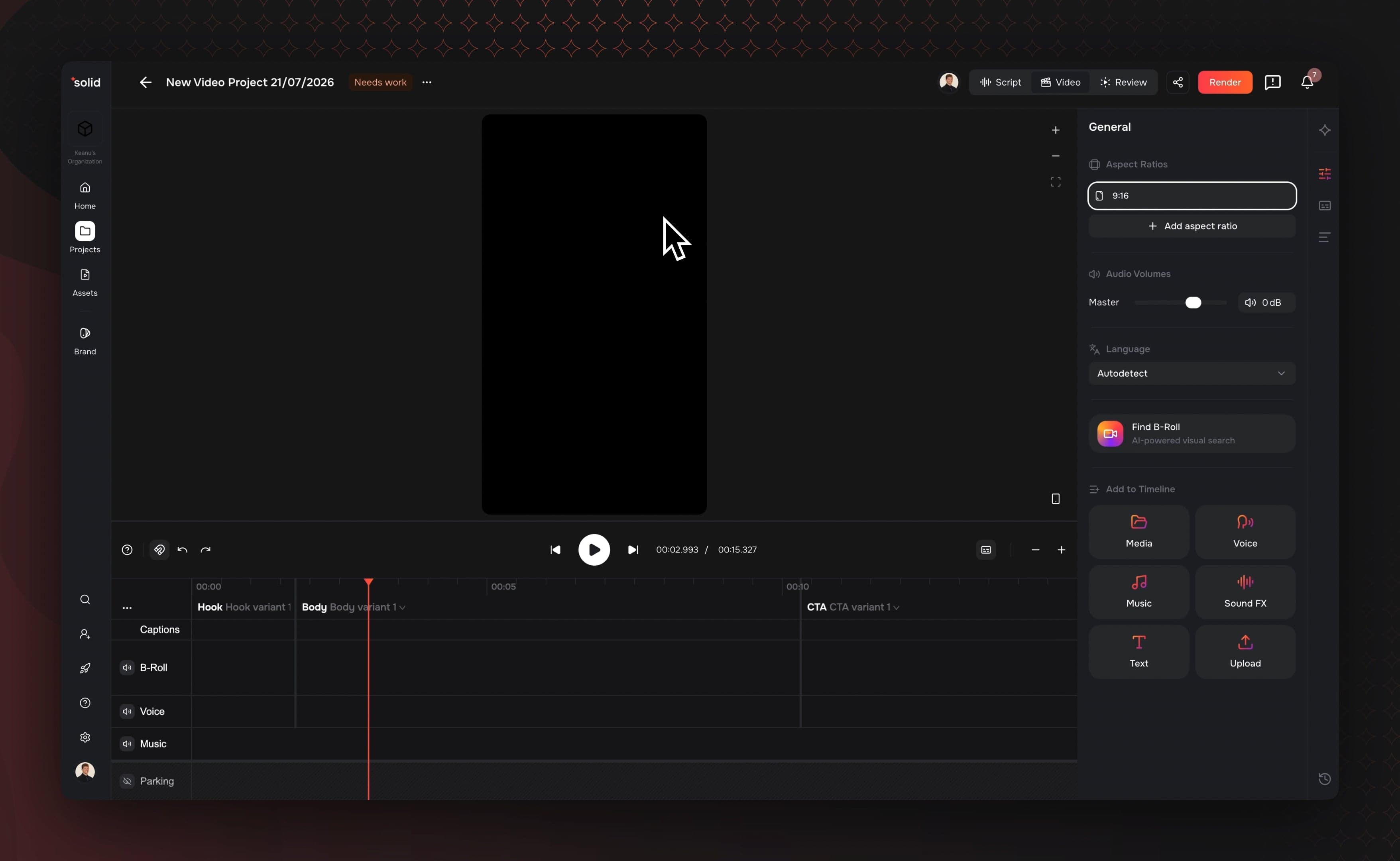
Audio Effects Channel Strip
Fine-tune your project sound directly inside the editor without exporting to an external audio application. Every audio-capable clip now features a dedicated channel strip to sculpt and balance your tracks.
- Dedicated Effects Tab: Adjust equalizer, compressor, delay, and reverb controls directly inside the clip properties panel.
- Built-in 6-Band Equalizer: Clean up muddy background noise or boost vocal clarity using a precise 6-band EQ.
- Dynamic Compression & Reverb: Smooth out uneven volume levels with a zero-latency compressor and add spatial depth using delay and reverb settings.
- Exact Export Matching: Audio processing runs identically across all browsers, guaranteeing your live preview matches the final exported render.
More Good Stuff
- Script & A-Roll Text Controls: Split A-roll clips mid-silence with Enter, or hit Backspace at the edge to merge adjacent takes back together.
- AI Voice Clip Fallbacks: Unmatched script lines during A-roll assembly now automatically populate with ungenerated AI voice clips.
- Refined Voice Picker: A simplified sidebar makes finding workspace, exclusive, and favorite voices faster.
- DNG Camera Raw Support: Upload Adobe DNG camera raw photos directly to the media library without manual conversion.
- Smarter B-Roll Generation: Track model and aspect ratio settings directly on generated video studio clips.
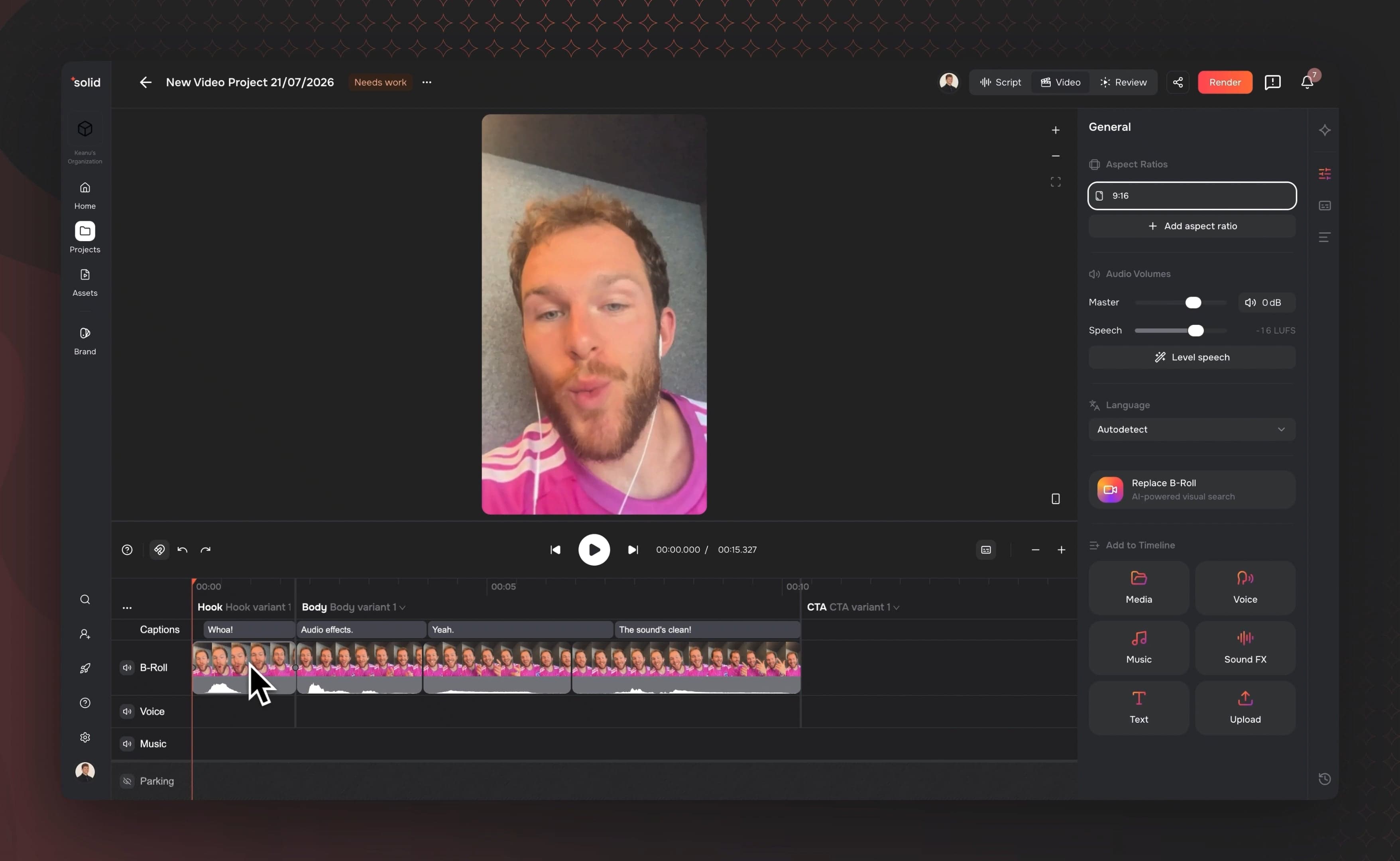
- Upgraded Timeline Properties: General project settings, history, and caption controls are now reorganized into a single properties rail for cleaner navigation.
- Guest Review Approvals: Share links can now grant reviewers specific approval permissions without letting them edit or export your project.
- Self-Serve Plans & Billing: Easily manage team plans, usage allowances, and billing directly inside account settings.
Fixes & under the hood
- Fixed a canvas rendering bug where transparent pixels left visual trails during clip movement.
- Rebuilt video decoding and playback fetch loops to prevent lag when scrubbing complex timelines.
- Improved A-Roll extraction by automatically keeping single talking-head takes whole instead of chopping them into unnecessary sub-scenes.
- Fixed an issue where backspacing the last item in search dropdowns kept the menu closed while typing.
- Resolved audio token expiration bugs to prevent Epidemic Sound music connections from breaking unexpectedly.
- Improved background error handling to prevent broken application states after temporary network drops.
- Fixed sideways orientation and dimension bugs on portrait smartphone photo uploads.