ChangelogSeptember 14, 2026
Filter by Face, Chat Review Comments & Caption Detection
This update works out who is in your footage so you can filter by them, lets Chat work through your team's review comments, and flags which videos already have captions burned into the picture.
 Keanu Born
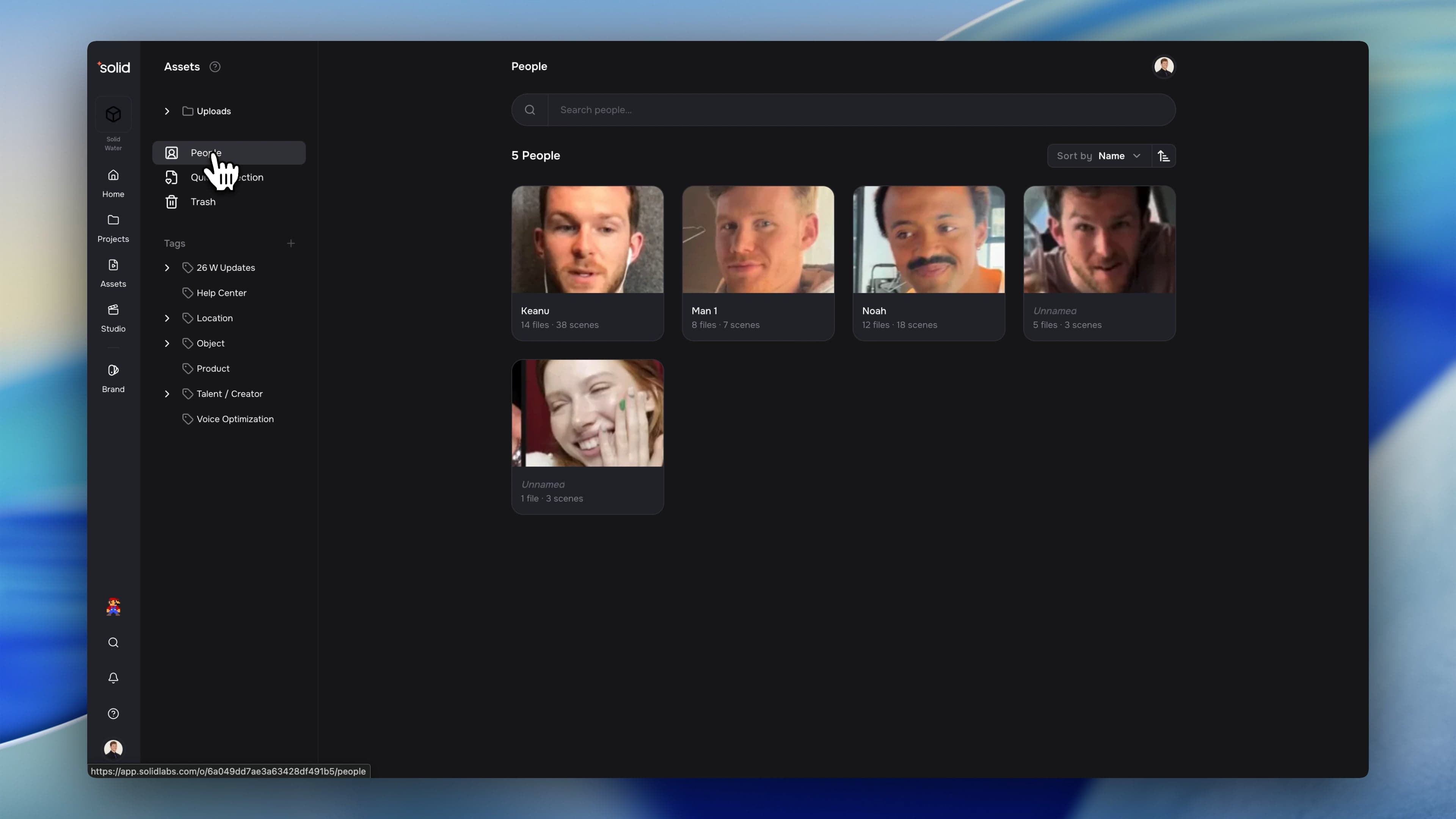
- Filter by Face: Solid works out who is in every clip, so you can name someone once and pull up all of their footage in one go.
- Chat Review Comments: Ask Chat to read your team's review comments, answer them, and make the edits they asked for.
- Burned-In Caption Detection: Every video you upload is checked for captions burned into the picture, so you can pull up footage that already has them or footage that does not.
Filter by Face
Solid works out who appears in each of your clips, so finding every video with a particular creator in it takes one filter instead of a scroll through your uploads.
- Put a Name to a Face: Each file shows who appears in it, on the timeline and in the sidebar. Solid groups the faces, you give them names, and a name you set once follows that person into every other file they appear in.
- Filter by Who Is On Screen: Pick a person the way you would pick a tag, and your library narrows to the footage they appear in.
- Fix What the Grouping Got Wrong: Move faces onto the right person, create a new person from a face, merge two entries that turned out to be the same, or take a face off someone entirely.
- Choose the Face You See: Pick which crop stands for a person, or upload a portrait of your own.
- Switch It Off Entirely: If your organization would rather not group faces at all, ask us and we will turn it off for your whole workspace.
Chat Review Comments
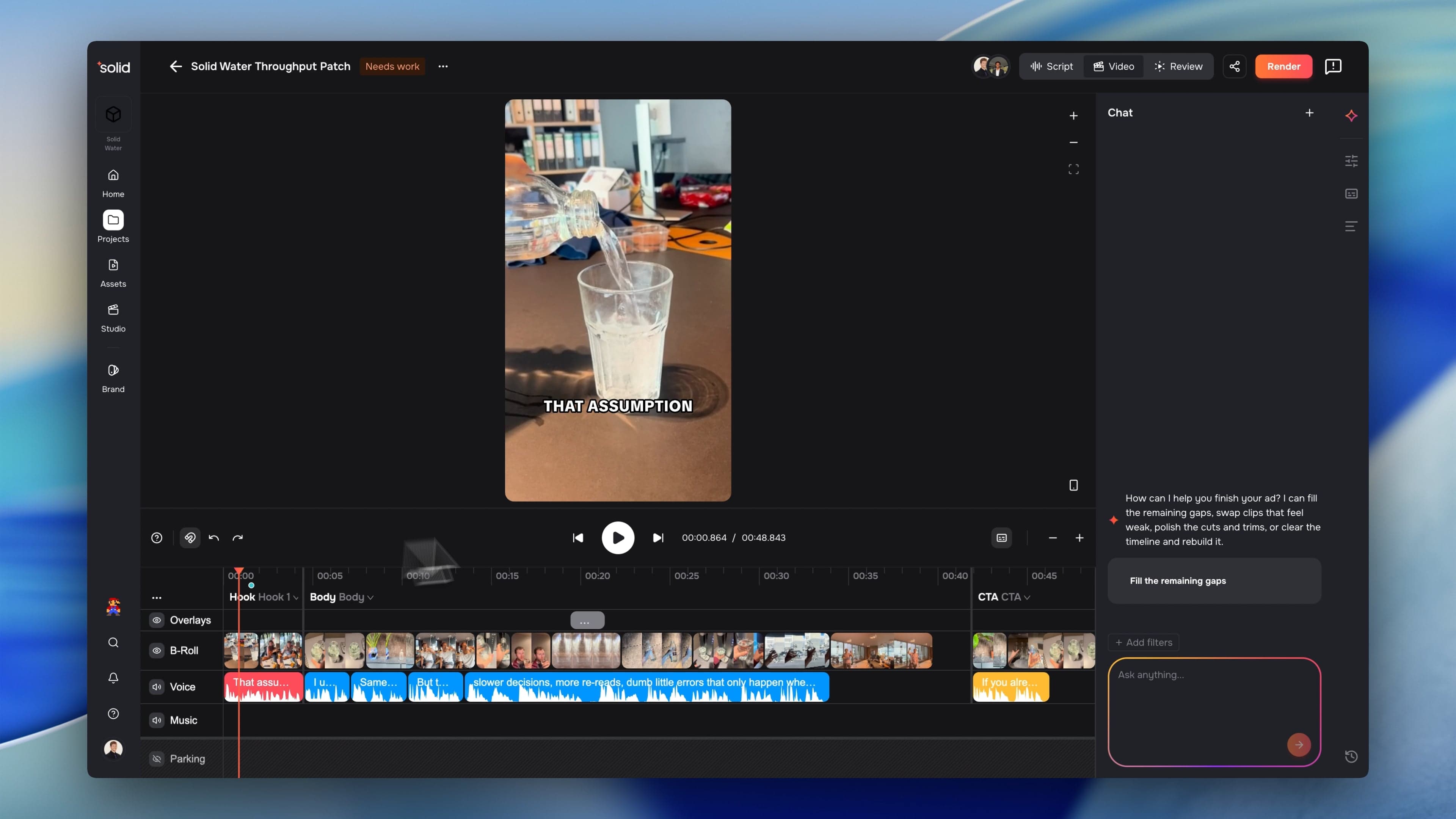
Chat can now work through the review comments your team left, rather than you translating each one into an edit by hand.
- Read the Whole Review: Chat picks up the comments on a script or a video, including exactly where each one points.
- Answer and Resolve: It replies in the thread and marks it resolved once the point has been handled.
- Make the Edit: Because a comment names the script line or the clip it sits on, Chat can go straight there and change it.
- Replies Come From You: Chat posts under your name rather than a separate bot account, so the thread reads as one conversation.
Burned-In Caption Detection
Every video you upload is now checked for captions burned into the picture, so you can tell at a glance which footage already carries them before you reuse it.
- Checked on Upload: Processing reads the text composited onto your video and compares it against the voiceover, which is what tells a subtitle apart from a hook headline or an end card.
- Filter Both Ways: Burned-In and None Detected split your video library between them, so you can pull exactly the footage that suits the edit you are making.
- Its Own Filter Chip: Captions sit beside Roll-Type as an attribute, narrowing your results alongside your tags instead of competing with them.
More Good Stuff
- Voices by Accent and Use Case: Filter the voice library by accent and by what a voice is suited to, with accents curated per language rather than lumped into one list.
- Faster Media Analysis: Video, image and audio analysis moved to a quicker model. Median analysis time dropped from 8.1 seconds to 3.6.
- People Over Your AI Assistant: List and rename people from a connected assistant, and filter your library by who is in the footage.
- Search by File or by Scene: A switch beside the result count flips your results between scenes and whole files, and it sticks from one search to the next.
- One Filter Group, Several Kinds: A single group can name a tag, a roll type and a person together, so "a scene with Anna or a product shot" is one rule instead of two.
- Untagged as a Filter: Pull up everything that never got tagged, and keep untagged footage out of an assembly when you do not want it.
- Clearer Tag Picker: Each option now spells out which scenes it will and will not pull into the ad, and the picker gained a search field.
- Rename an Export From the Menu: Rename an export from its actions menu, whether you are in the drawer, the tiles or the table.
Fixes & under the hood
- Fixed uploads sitting at "Processing" long after the work had finished, by having the app ask for status rather than waiting to be told.
- Fixed the translate wizard finishing in a folder you never chose.
- Fixed a file counting as A-roll only in part, so a file now counts as A-roll as soon as any one of its scenes is.
- Fixed a malformed filter matching your whole library instead of matching nothing.
- Fixed caption detection marking plainly clean files as unanalysed.
- Fixed the voice picker showing empty rings where the country flags should be.
- Fixed the old wordmark still showing on the login, invite, share and unsubscribe pages.
- Fixed a background service crashing on a small share of requests.
- Fixed truncated file and export names having no way to show themselves in full, which they now do on hover.