ChangelogAugust 4, 2026
Timeline Clip Controls, Generated with AI Watermark & Audio Voice-Overs
This update introduces an overhauled timeline clip design for easier trimming and transitions, an option to add a "Generated with AI" watermark to exported videos, and direct audio voice-over support in the A-Roll flow.
 Keanu Born
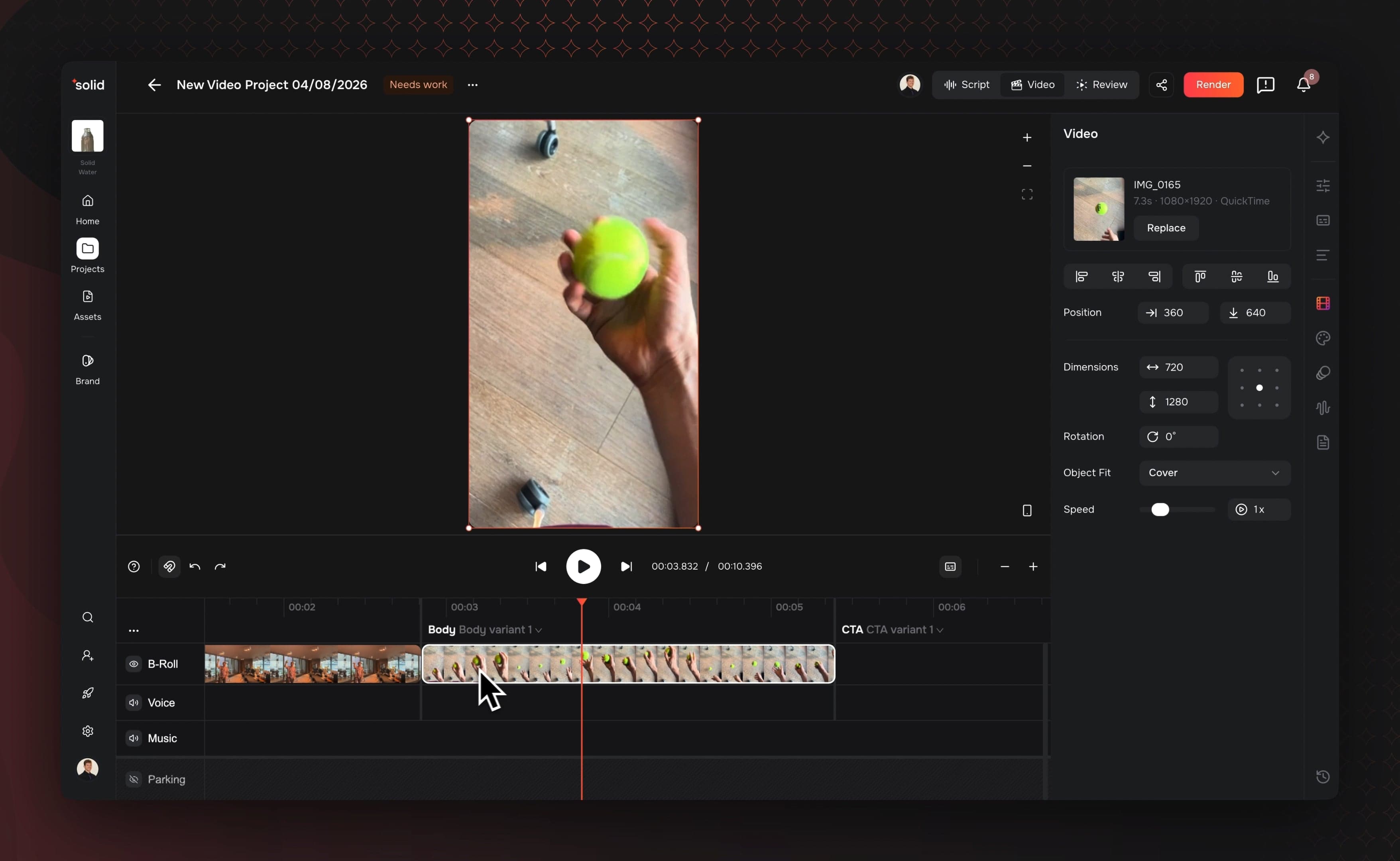
- Redesigned Timeline Clips: Separate vertical zones for trim handles and transition markers make changing clip lengths effortless.
- Generated with AI Watermark: Toggle an optional watermark to clearly mark AI-generated content on exported video assets.
- Direct Audio Voice-Overs: Import standalone audio recordings directly into the A-Roll workflow without needing matching video files.
- Per-Segment Caption Styling: Apply distinct font styles, colors, and layouts to specific video segments.
Redesigned Timeline Clips & Transitions
We updated how clips appear on the timeline to eliminate handle overlap and speed up your trimming workflow.
- Dedicated Trim Zones: Edge trim handles now sit in their own central vertical zone, keeping them clear of top and bottom clip controls.
- Docked Transition Markers: Transition controls now dock cleanly to the bottom edge of clips so you can add transitions without blocking clip length adjustments.
- Precise Edge Dragging: Clip handles remain easy to grab and adjust even on short or heavily zoomed-out timeline segments.
Generated with AI Watermark
Maintain full transparency across your marketing channels with built-in asset labeling. You can now toggle a watermark on exported videos that contain synthetic media.
- One-Click Disclosure: Enable or disable the disclosure watermark directly from your export settings before rendering.
- Clear Labeling: Keep your team aligned with platform guidelines by clearly marking generated visual content.
- Consistent Export Styles: Watermarks render cleanly across all aspect ratios without obscuring key video elements.
More Good Stuff
- Per-Segment Caption Styling: Customize fonts, colors, and box positions for individual text segments while leaving the rest of the project on default styles.
- Direct Audio Voice-Overs: Import standalone audio recordings directly into the A-Roll workflow without needing matching video files.
- In-App Subscription Management: Upgrade or downgrade your subscription tier directly from the settings tab with clear plan ladders and transparent pricing.
- Zoom-Aware Timeline Thumbnails: Video frame previews on the timeline now load faster and render sharper based on your zoom level.
- Pasted Clip Selection: Newly pasted clips on the timeline are selected automatically so you can move or edit them immediately.
- Audio Effects Parity: Per-clip equalizer, compressor, delay, and reverb adjustments render identically between preview playback and final video exports.
- Direct Transcript Selection: Script alignment now selects precise sentence lines to prevent timing errors during video generation.
Fixes & under the hood
- Fixed an issue where transition pills overlapped clip trim handles on the timeline.
- Reduced overall page load times by removing unnecessary background data queries in the editor toolbar.
- Excluded non-verbal markers like [music] from spoken captions while keeping them accessible for script generation tools.
- Fixed a bug where applying tags to assets reset the scroll position in your library view.
- Streamlined setup workflows so team invites and brand hub assets commit reliably without losing progress.
- Enhanced backend notification systems for faster delivery of account emails and updates.