Redesigned Exports Page & Accurate Color Grading

This update cleans up your editing workflow with an organised exports dashboard and an improved and visually accurate color grading engine.

Key Points
- Redesigned Exports Page: Group variations by video project, preview videos instantly, and download all your variants with one click.
- Accurate Color Grading: A rebuilt color engine guarantees your timeline preview matches your final exported file perfectly.
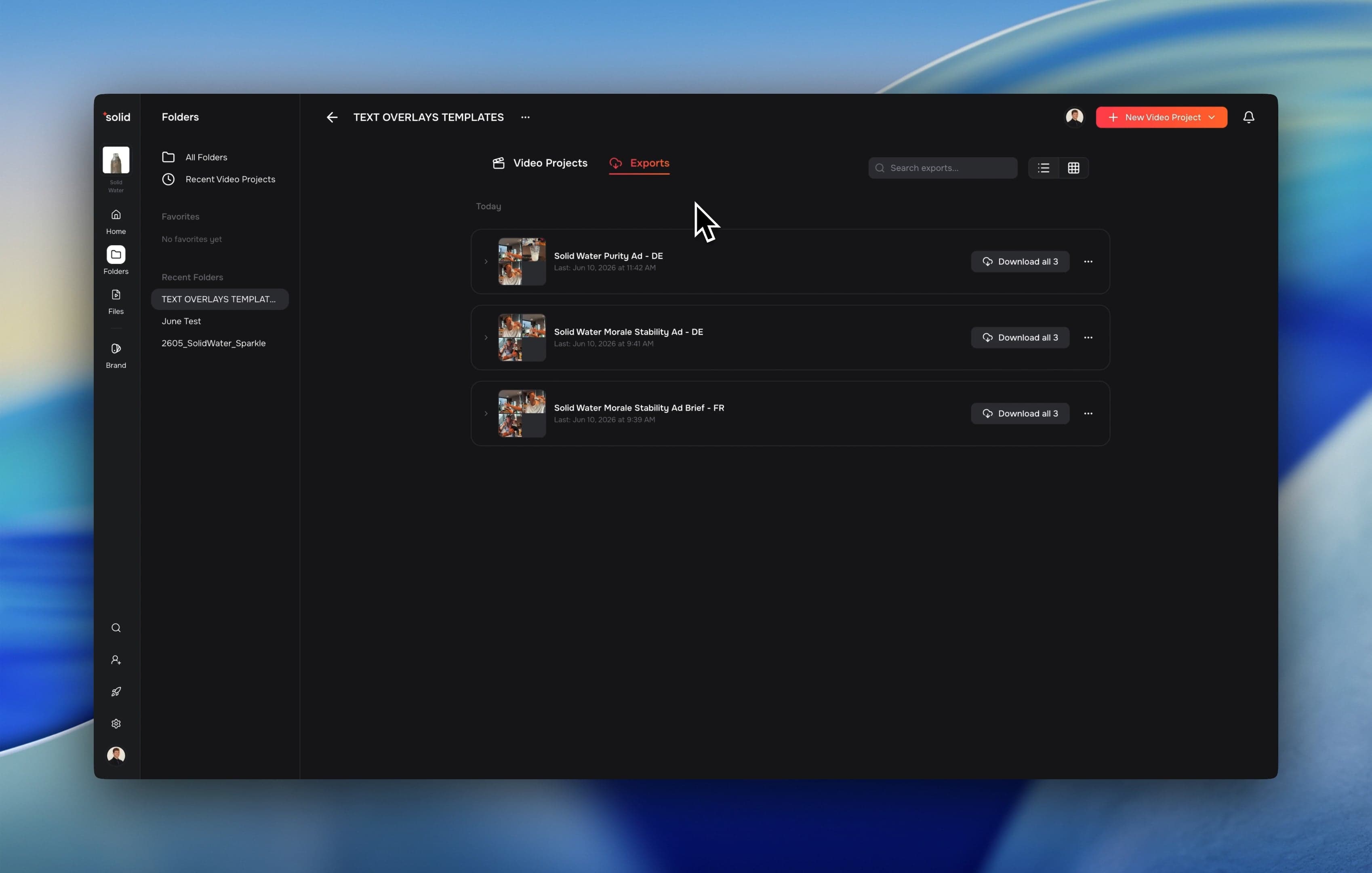
Redesigned Exports Page
Managing your video outputs is now much cleaner. We overhauled the export page into a centralized hub to help you organize, preview, and download your rendering jobs faster.
- Project-Based Grouping: All your video variations are automatically grouped under their specific video project to keep your workspace organised.
- One-Click Bulk Downloads: You can now download all video variants from a single video project simultaneously with one click.
- In-App Previews: Watch completed exports directly inside the exports view before downloading them to your device.
- Dedicated Search Bar: Quickly locate specific exports or video projects by typing the project name directly into the new search field.
Accurate Color Grading
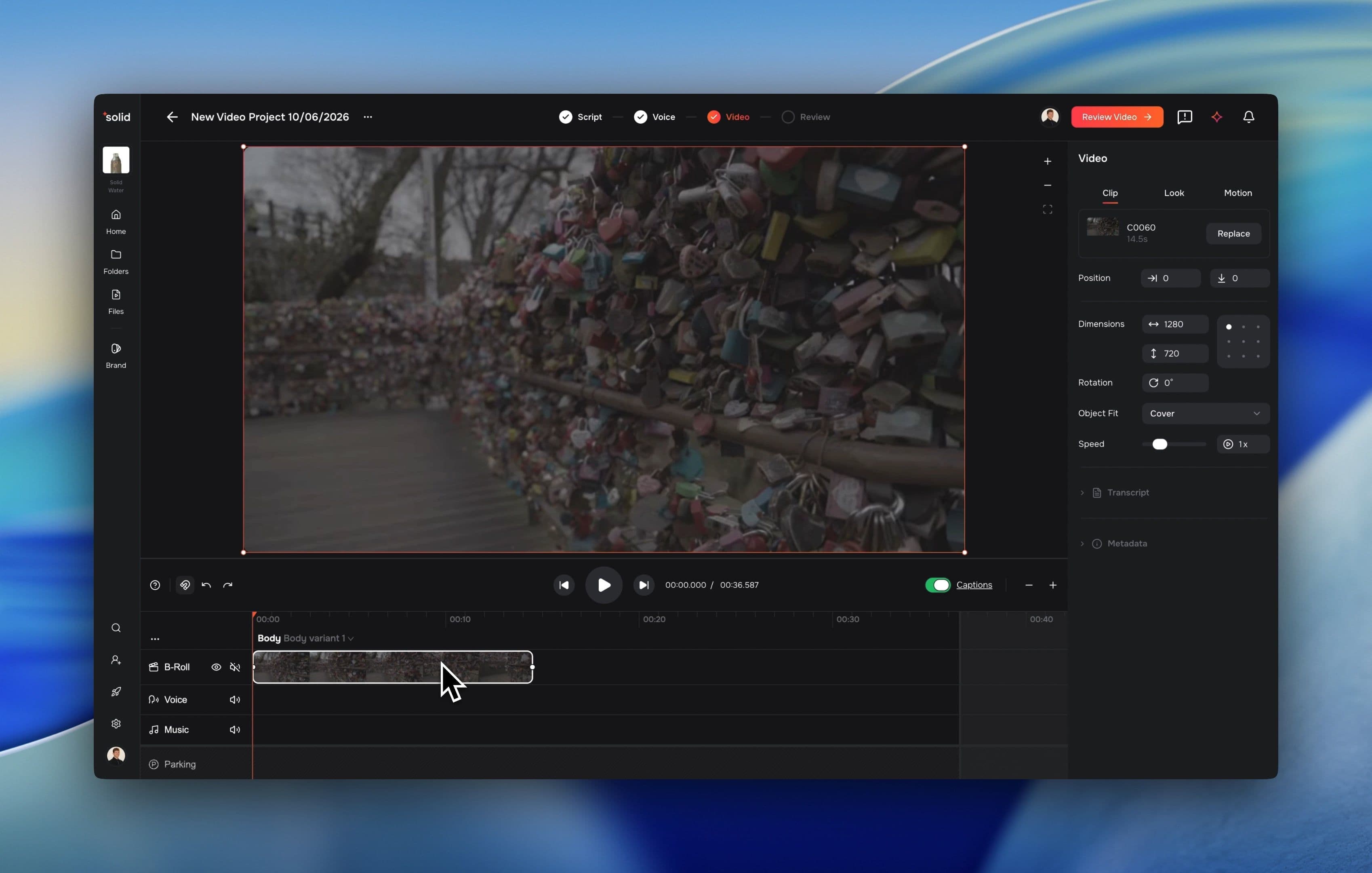
We completely updated our color and exposure controls to ensure absolute visual accuracy. Your exported video will look identical to what you see on your editing timeline.
- Synchronized Rendering Core: The editor timeline and the final export rendering tool use the exact same color science pipeline, eliminating unexpected shifts in contrast or tone.
- Neutral Centered Sliders: Exposure and gain adjustments now start at zero, allowing you to accurately scale exposure up or down by four stops.
- Camera Log Tracking: The system now recognizes specific camera log color spaces, like ARRI LogC3, directly from your footage.
More Good Stuff
- Projects to Folders Rename: We changed the word projects to folders across the interface and routing to simplify asset management, old project links route automatically.
- Targeted Search Precision: We separated transcript text search from file name search, making it easier to find exact keywords without unrelated clips getting in the way.
- Large File Warnings: Uploading footage files larger than 30 GB now opens an alert panel with a link to get direct technical guidance from our team.
- Inline Pronunciation Tweaks: Modify AI generated text phonetics directly from the playback bar without generating an entirely new voice track.
Fixes & Under the Hood
- Fixed an interface bug where updating workspace settings accidentally cleared out existing organization names.
- Upgraded our video search engine to cut asset query latency in half while keeping your existing tags valid.
- Tuned cloud processor allocations to stabilize file upload speeds and avoid processing timeouts.
- Optimized database file storage to strip background data bloat, making overall app browsing faster.
- Standardized database sorting metrics and internal definitions to ensure consistent file ordering across the app.