ChangelogMarch 2, 2026
Cinematic Filters, Script Comments & Omni-Search
This week is all about speed and teamwork. We’ve added AI-generated brand guidelines, 12 cinematic LUTs, inline commenting, and a universal Cmd+K search so you can find anything in seconds.
 Christoph Schütte
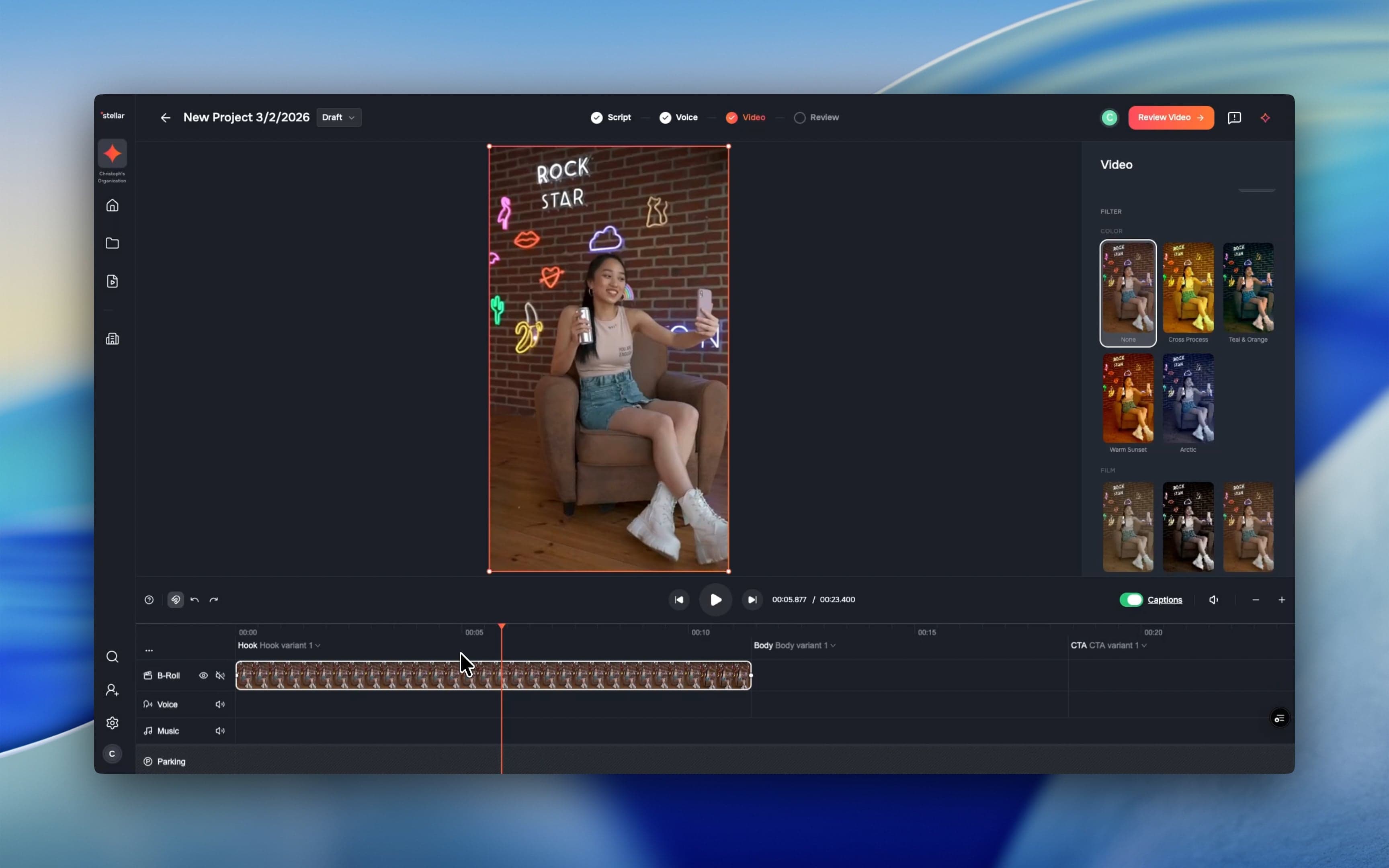
- 12 Cinematic LUT filters: Dial in the perfect mood. Choose from a dozen curated looks across four categories, complete with live previews and an intensity slider for ultimate control.
- Automated brand onboarding: Let AI do the heavy lifting. Just enter your URL and Solid will crawl your site, capture your homepage, and build a comprehensive brand document your team can refine together.
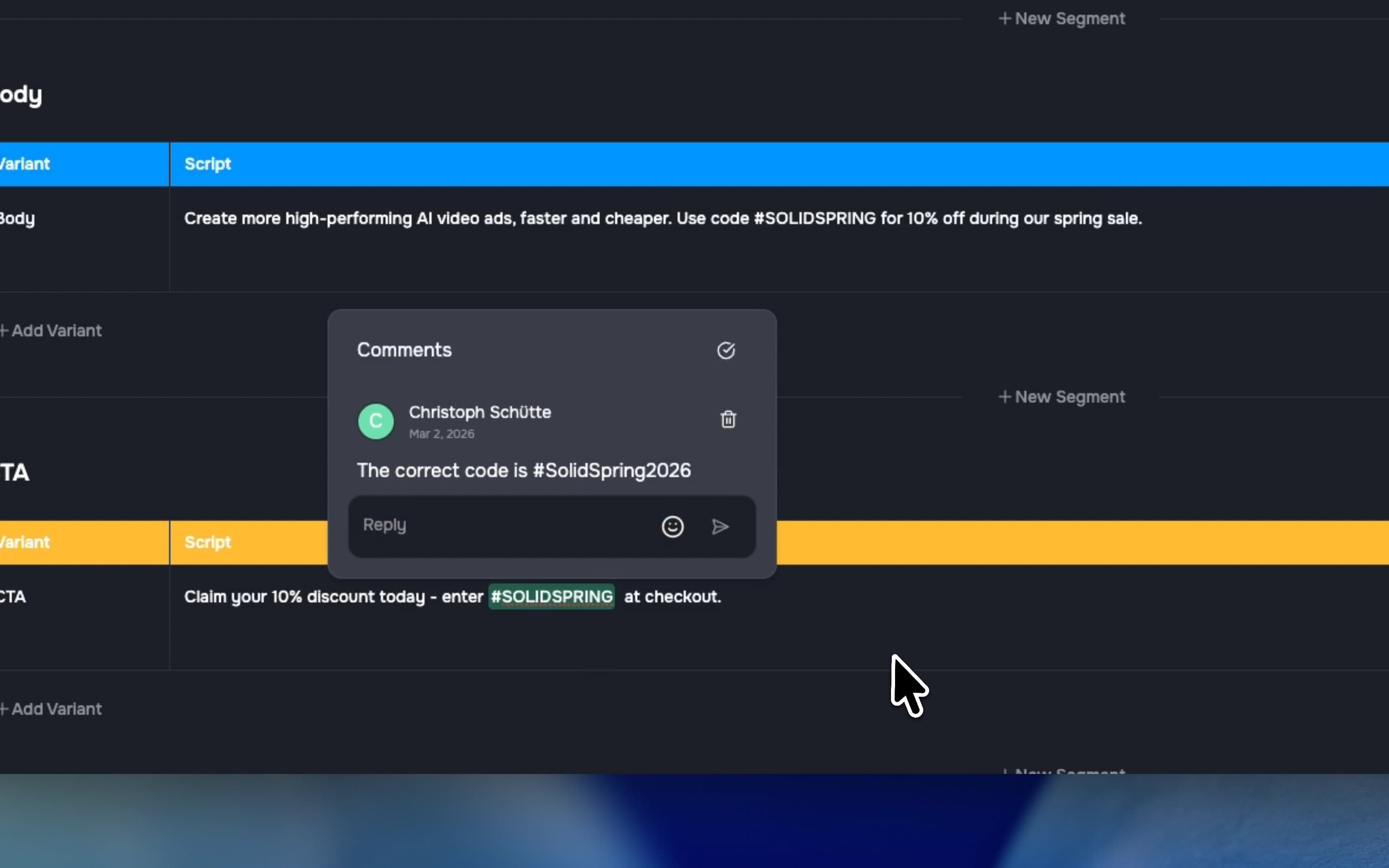
- Real-time collaborative commenting: Keep your team in sync. Leave inline comments on scripts and voiceovers with color-coded highlights that update instantly for everyone.
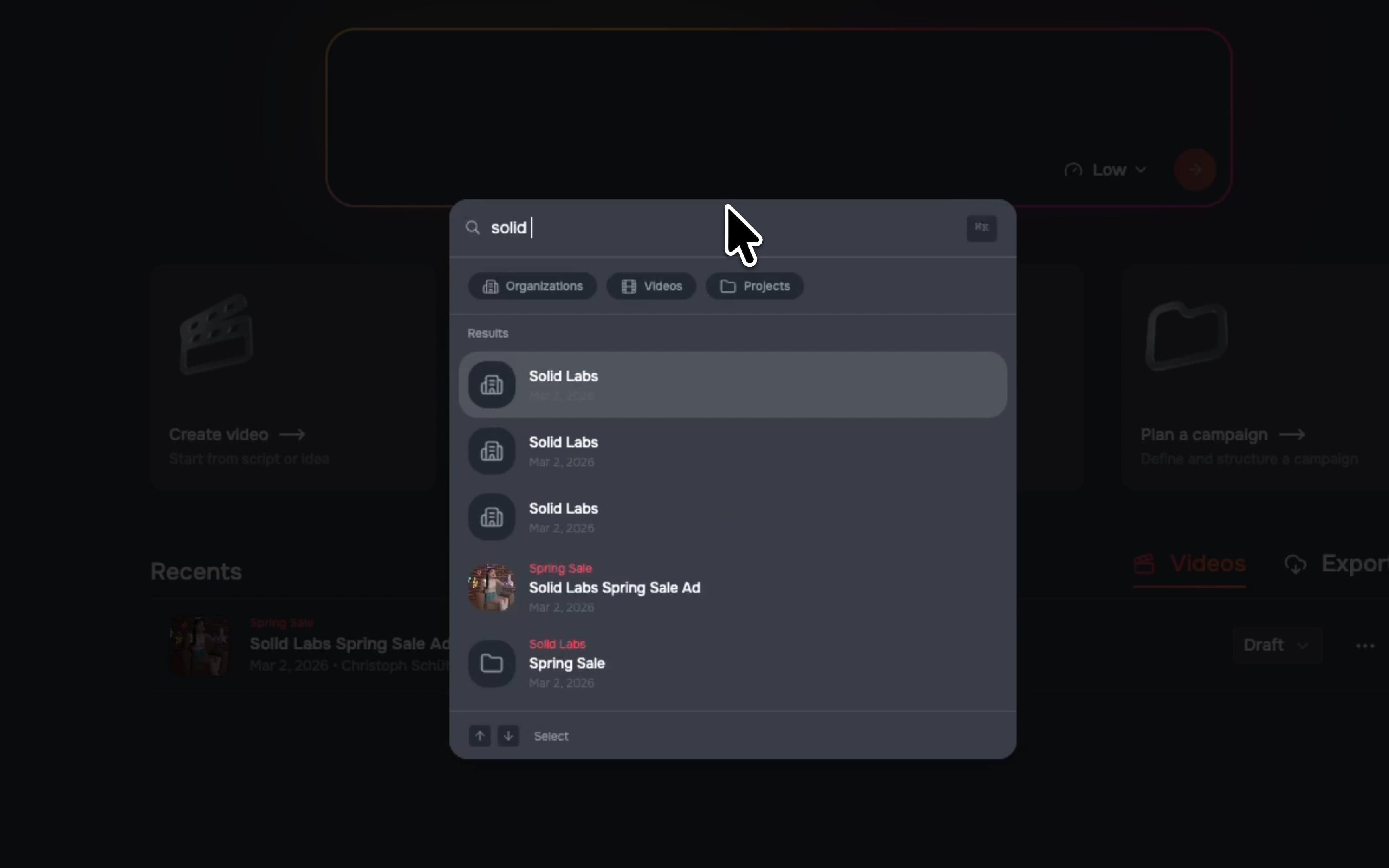
- Global Cmd+K search: Find anything in seconds. Press Cmd+K from anywhere to instantly search across organizations, projects, and videos with smart ranking and quick filters.
- Plus a ton of workflow upgrades: We’ve also added video clip uploads, timeline comments, a redesigned script editor, scrubbing video cards, asset attributes, and major under-the-hood performance boosts.
Cinematic Video Filters
Skip the round-trip to external grading tools and set the perfect mood directly in the editor. We’ve added 12 professional-grade LUTs—the same tech used in film and TV—organized into Color, Film, Monochrome, and Creative categories (yes, including classics like Portra 400 and Teal & Orange). Finding the right vibe is fast: browse live thumbnail previews of your actual frame, click your favorite, and use the intensity slider to dial in the exact look. Everything applies in real time and bakes perfectly into your final render.
Automated Brand Onboarding
Getting a new brand set up used to mean tedious manual data entry. Now, our guided onboarding ensures your entire team is aligned and your content is on-brand from day one. Just enter your URL and let Solid automatically crawl your site, capture a homepage screenshot, and instantly generate a comprehensive brand memory document directly into a collaborative editor. Already have manual guidelines set up? No worries—the new AI insights merge seamlessly into your existing setup without overwriting your hard work.
Collaborative Script & Voice Commenting
Whether you're fine-tuning voice-over copy or coordinating last-minute script changes, your feedback now lives exactly where it belongs. You can now highlight specific words and phrases inside the script and voice editors to leave inline comments. Every team member gets their own color-coded highlights, and the conversation updates in real time for everyone viewing the document. Best of all, your comments are smart—they stay anchored to the exact words you selected, even if your team is actively editing the surrounding text.
Global Omni-Search
Finding the right file shouldn't break your flow. With our new Global Omni-Search, just press Cmd+K (Ctrl+K on Windows) from anywhere in the app to instantly search across all your organizations, projects, and videos. Smart results populate in real time, complete with video thumbnails and parent folder context, so you always know exactly what you’re looking at. With quick filters and full keyboard navigation, you can find what you need and jump straight to it without ever touching your mouse.
✨ Improvements & Polish
We didn't stop at the big features. This week’s release is packed with workflow upgrades across the board:
- Direct Video Uploads: Drop MP4s directly into your timeline. They process automatically in the background so you can keep working without missing a beat.
- Timeline Comments: Feedback is now visual. Spot color-coded comment markers right on your timeline—click one to jump the playhead to that exact moment.
- Hover-to-Scrub Cards: Find the right clip instantly. Just hover your mouse over any video card to smoothly scrub through a visual preview without opening the file.
- Pro Video Player & Asset View: Review assets in a new full-screen dialog featuring a custom video player with speed controls (0.25x–2x) and frame-by-frame stepping.
- Script Editor Refresh: A cleaner, more powerful editing experience featuring fresh typography, collapsible sections, and a one-click "Copy as Markdown" button.
- Custom Asset Attributes: Organize your way. Create and assign custom metadata attributes to your assets to make filtering and searching a breeze.
- Dedicated Duplicate Detection: Cleaning up your library is faster than ever with a new dedicated review page featuring side-by-side previews and similarity scores.
Fixes & under the hood
We’re always working under the hood to make Solid faster and more reliable. Here are a few notable fixes this week:
- Smarter AI Video Suggestions: A-roll clips now intelligently match the natural length of spoken sentences, and we’ve bumped AI B-roll suggestions up to five options for richer visual variety.
- Rock-Solid Uploads: We fixed a bug that occasionally created duplicate files during upload, and improved our processing so super-short video clips no longer fail.
- Reliable Transcriptions: We've upgraded our background retry logic, so automatic transcriptions will succeed even when the system is under heavy load. Plus, we've added better support for
.wavfiles. - Accurate Comment Avatars: Fixed an issue where avatars and names were getting shuffled in the comments. The right face now matches the right feedback!
- Editor Stability: Hardened the brand memory editor to prevent unexpected crashes when loading complex data.