ChangelogMarch 22, 2026
Brand Hub, Text Overlays, Music Picker & Raw Material Scrubbing
This week’s Double Donut release puts brand consistency and faster creative workflows at the center of the editor, with a new Brand Hub, native text overlays, an upgraded music picker, and raw material scrubbing—plus a host of UX improvements and under-the-hood fixes.
 Christoph Schütte
- Brand Hub centralizes brand colors and fonts, with automatic extraction from your website and quick-select palettes in the editor.
- Text overlay clips let you design and style text directly on the canvas with native C++ rendering for WYSIWYG exports.
- Music picker now supports browsable collections, moods, genres, and pagination, with clear upgrade paths for free-tier users.
- Raw material scrubbing enables hover-and-scrub previews of raw video right from the asset library.
- Additional improvements include voice deletion, redesigned auth pages, better blog navigation, smarter harvested material filtering, and multiple reliability and infrastructure fixes.
Brand Hub: Your Brand, One Source of Truth
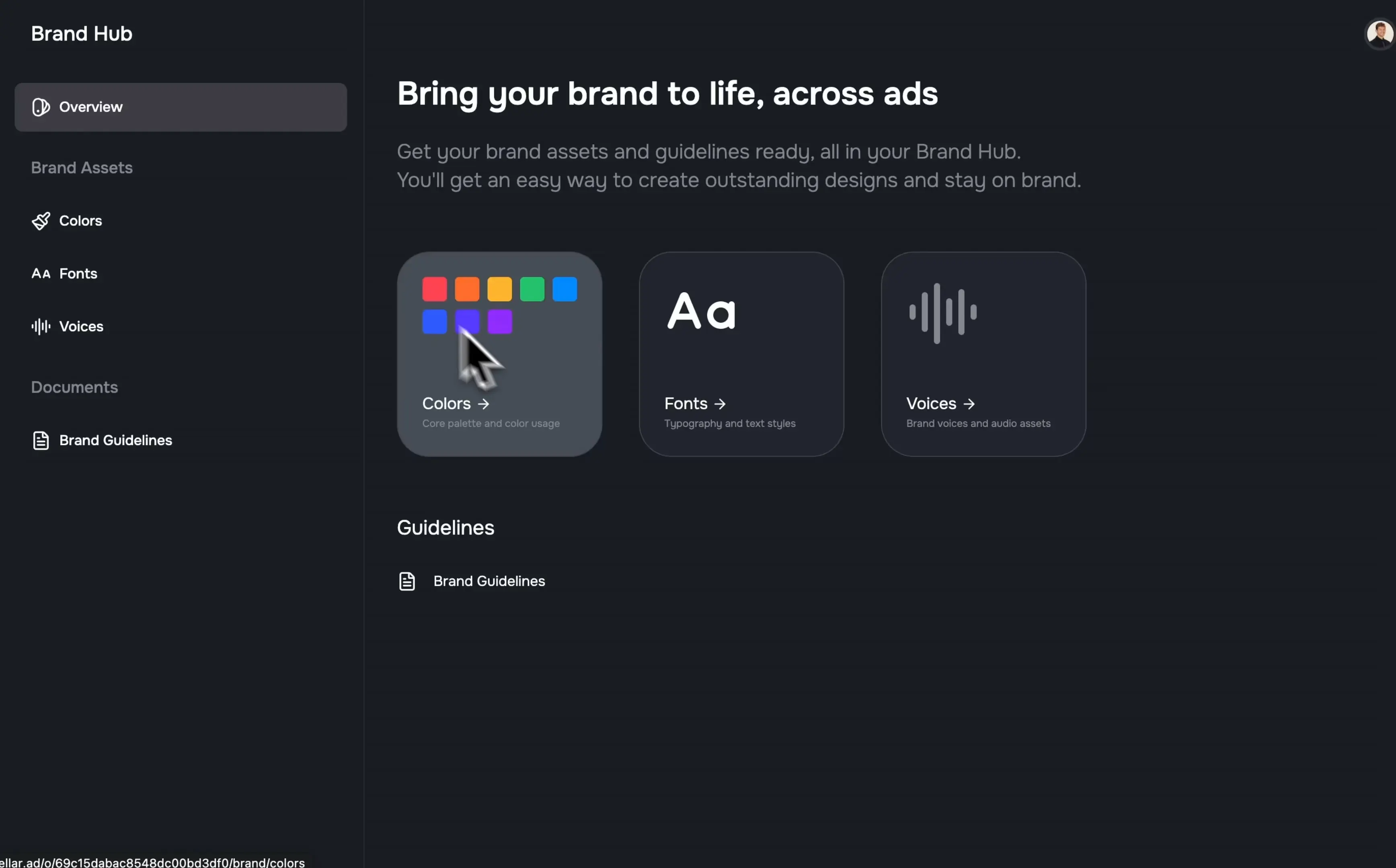
The new Brand Hub gives you a dedicated home for your visual identity. Define and manage your brand colors and fonts once, then access them instantly across the editor.
- Centralized brand library: Store all brand colors and fonts in a single, organized space.
- Quick-select palette: Your saved colors surface directly inside the color picker, so staying on-brand is as fast as a single click.
- Automatic brand extraction: During onboarding, paste your website URL and the system will automatically detect and extract your colors and fonts.
- Guided import flow: A multi-stage review flow walks you through confirming and importing everything into your brand library—no manual setup or guesswork.
This makes it dramatically easier to keep every project visually consistent without hunting for hex codes or font names.
Text Overlay Clips: Native, Precise Text on Canvas
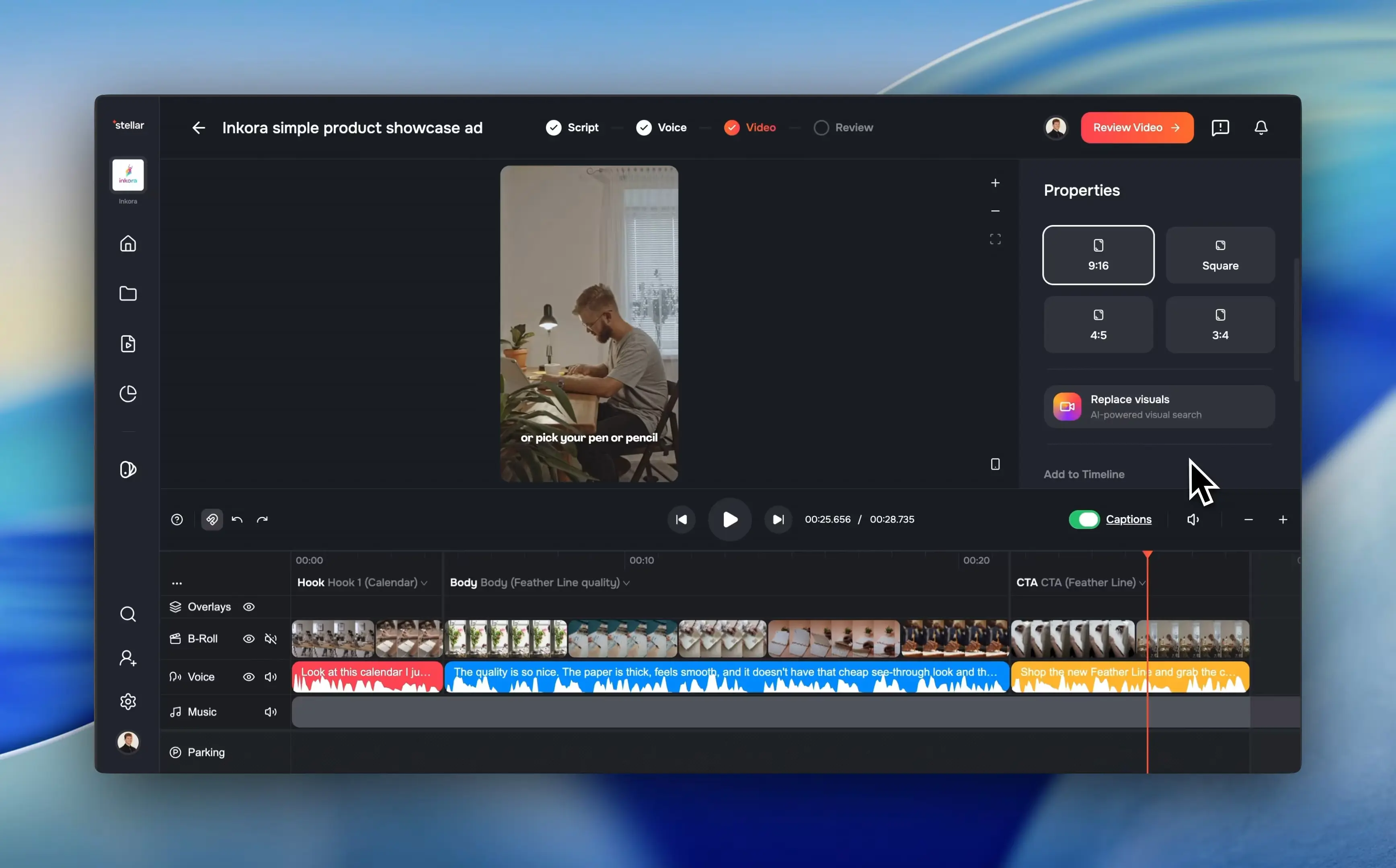
Text is now a first-class citizen in the editor with a new text overlay clip type.
- Full styling control: Choose font, size, weight, alignment, color, stroke, shadow, and background styling from a dedicated properties panel.
- Direct canvas editing: Add and adjust text overlays right on the canvas for precise placement.
- Native rendering pipeline: Every text element renders natively in the C++ pipeline, so the editor preview matches the final export exactly—no more discrepancies between what you see and what you ship.
Music Picker: Browse by Collections, Moods, and Genres
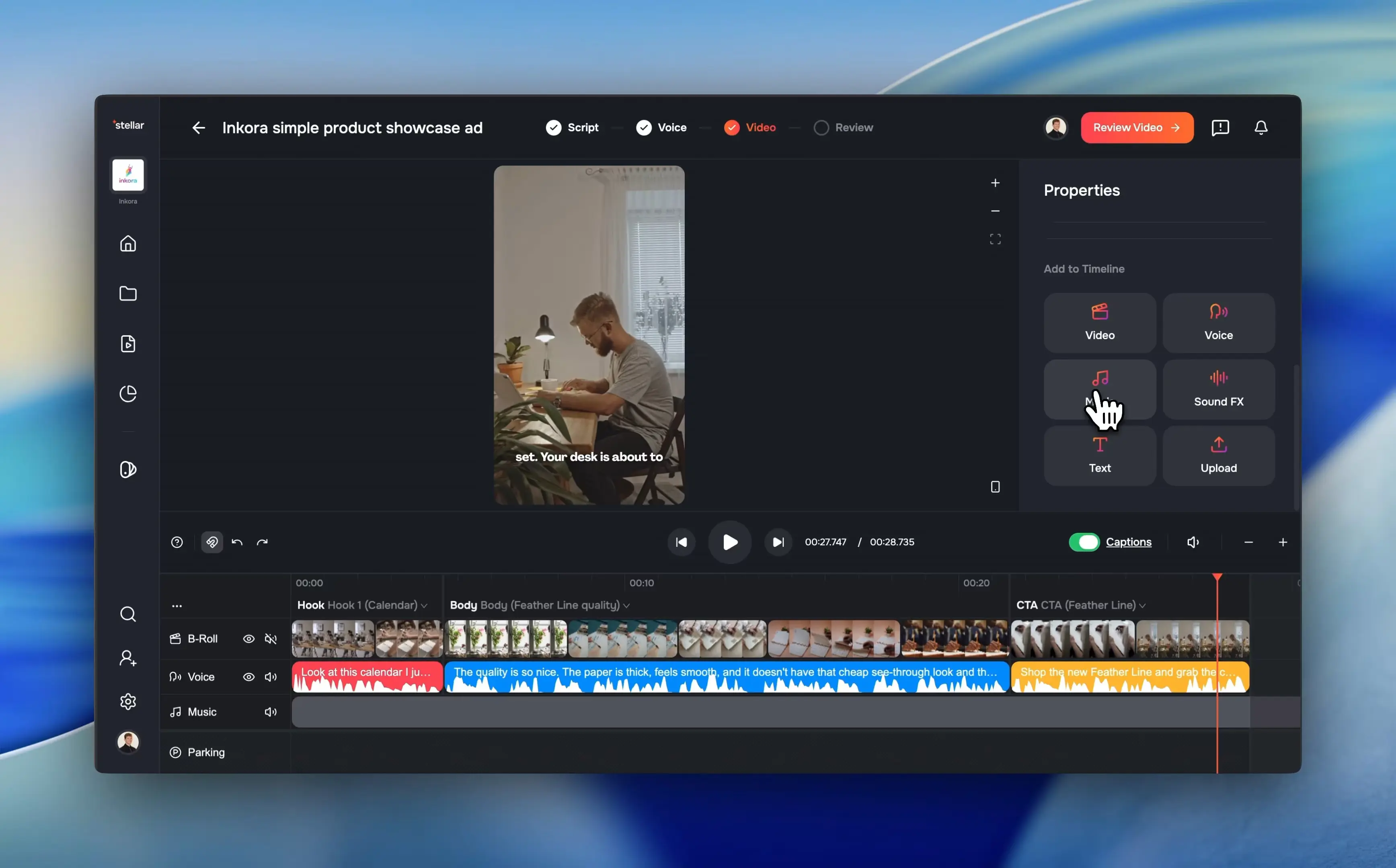
Finding the right soundtrack is now faster and more structured with the updated music picker.
- Browsable collections: Explore curated sets of tracks without endless scrolling.
- Moods & genres: Filter by how a track feels or what style you need to quickly narrow down options.
- Proper pagination: Navigate the full catalog page by page instead of relying on infinite scroll.
- Free-tier clarity: Free users can see the broader library and are prompted to connect their account to unlock full access, creating a clear upgrade path.
Raw Material Scrubbing: Faster Scene Discovery
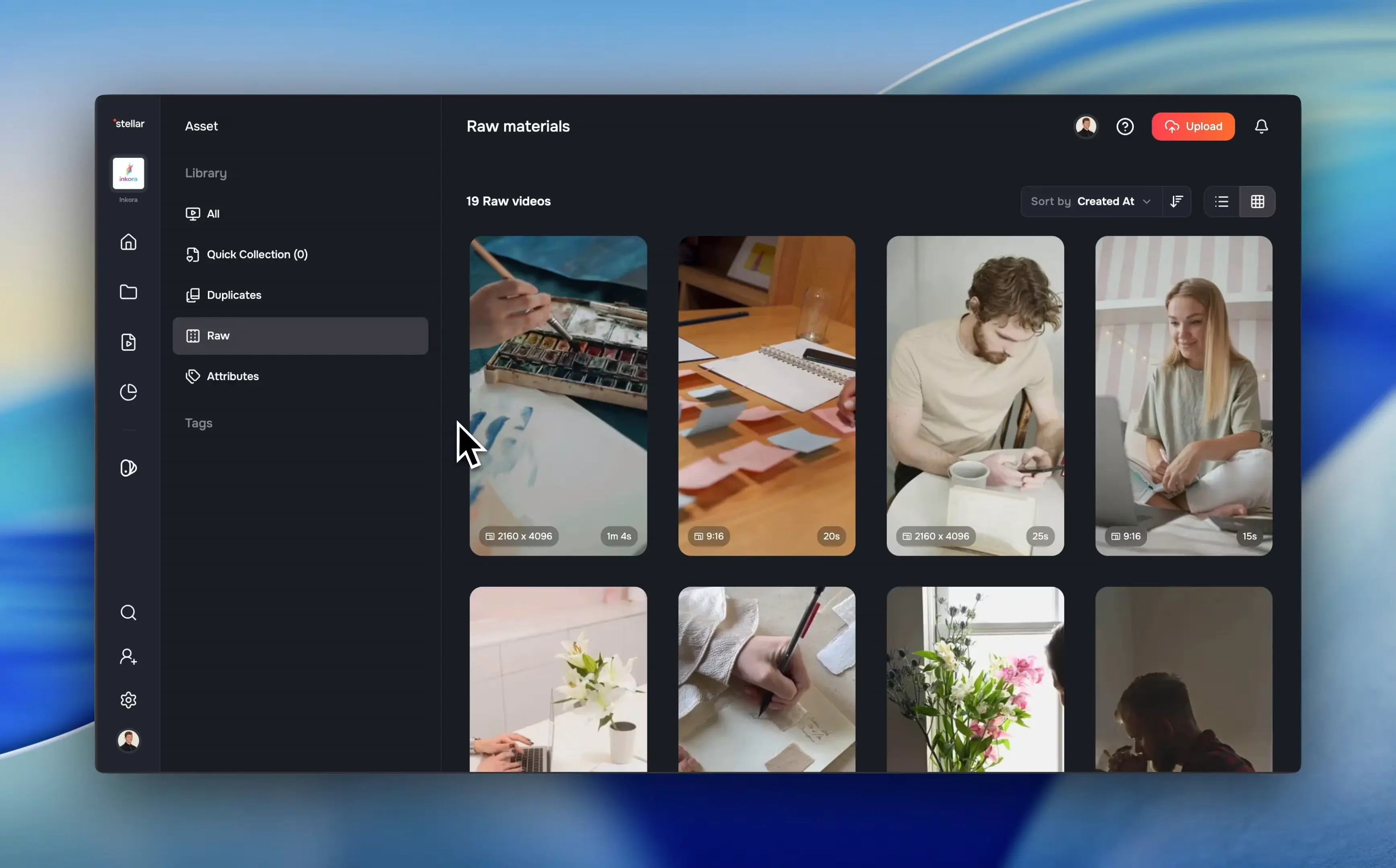
Raw footage is now much easier to work with thanks to timeline scrub previews in the asset library.
- Hover and scrub: Move your cursor over a raw video thumbnail and scrub through the timeline to preview content.
- No full player required: Quickly find the right moment without opening a separate player.
- Consistent behavior: Scrubbing works the same way it already does for processed assets, extending a familiar interaction to raw materials.
This significantly speeds up scene harvesting and early-stage editing.
✨ More Good Stuff
Alongside the major features, several workflow and UX improvements shipped this week:
- Delete voices: Clean up your brand voices by removing ones you no longer need from the brand voices page.
- Auth page redesign: Login and signup now share a consistent, polished layout with a customized Google button for a smoother first impression.
- Blog navigation: Articles now include a table of contents sidebar and a dark/light theme switcher for better readability and navigation.
- Harvested material tracing: Scene suggestions that overlap more than 50% with previously harvested material are automatically filtered out, reducing duplicates.
- Selection backdrop: Click the background behind asset cards to reset your selection—a small but meaningful UX improvement.
- Script generation: Prompts are now restructured into separate brief and script phases, leading to better ad copy output.
This Double Donut release focuses on brand consistency, creative control, and workflow speed—from automatic brand asset extraction and quick-select colors to smarter music discovery and faster raw footage review.
Fixes & under the hood
A number of reliability, performance, and infrastructure updates also landed in this release:
- Display matrix rotation: Fixed video rotation rendering for videos missing a translation component in the display matrix.
- Time-based cropping: Batch transcode now uses time-based instead of frame-based cropping, improving scene extraction for variable frame rate videos.
- Ad assembler reliability:
- Dynamic model routing with Gemini in production.
- Retry logic with exponential backoff.
- Planner output validation.
- Graceful handling of empty shots.
- Custom scrollbars: Replaced native scrollbars with styled versions for consistent visuals across the app.
- Image ingestion: Fixed an issue where newly ingested images did not have the
deletedAtfield properly initialized. - Folder upload filtering: Uploads now respect accepted file types and suppress empty notifications when all re-uploads are skipped.