Audio Leveling, Parking Lane Visibility & Text Overlay Controls

This update adds automatic volume balancing for voice clips, a new keyboard shortcut to preview your parking lane, and simpler sizing controls for text overlays.

Key Points
- Automatic Audio Leveling: Balance the volume of all your voice clips at the same time with a single click.
- Parking Lane Visibility: Hold down a single key on your keyboard to look at and listen to your parked clips instantly.
- Adaptive Text Boxes: Text boxes now automatically change their height based on the words you type, making the editing experience for text overlays more intuitive.
- AI Voice Control: Gain faster control when switching between your original voice recording and the AI voice on any clip.
Audio Leveling Controls
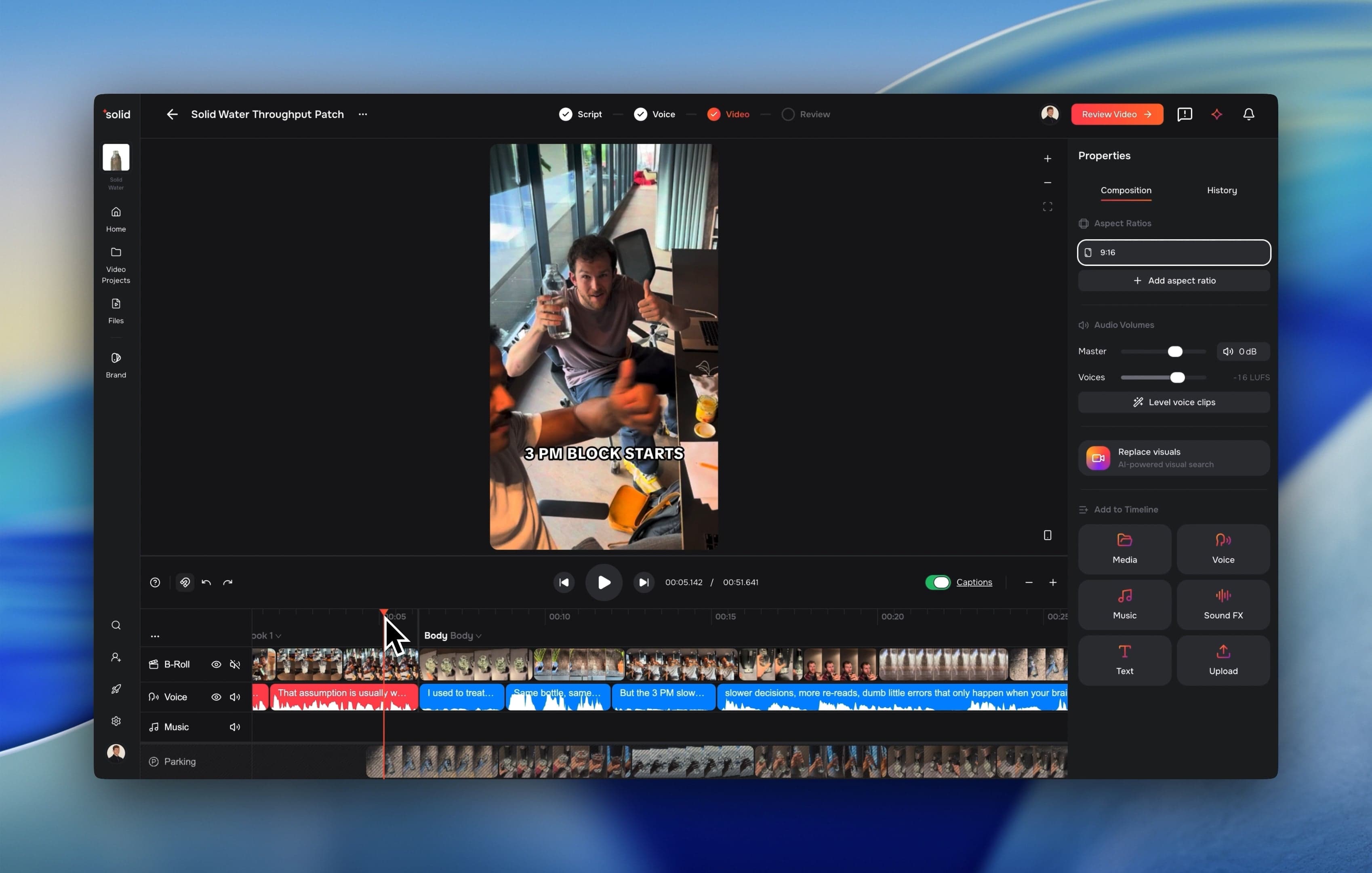
Adjusting your project volume is now faster and more accurate. We moved the main volume controls into the properties panel on the right side of the screen for quick access.
- One-Click Voice Leveling: Fix your timeline audio instantly using a new button that evens out the volume of all your voice clips.
- New Volume Sliders: Fine-tune your clip volumes with decibel-based controls that show clear sound levels.
Parking Lane Visibility
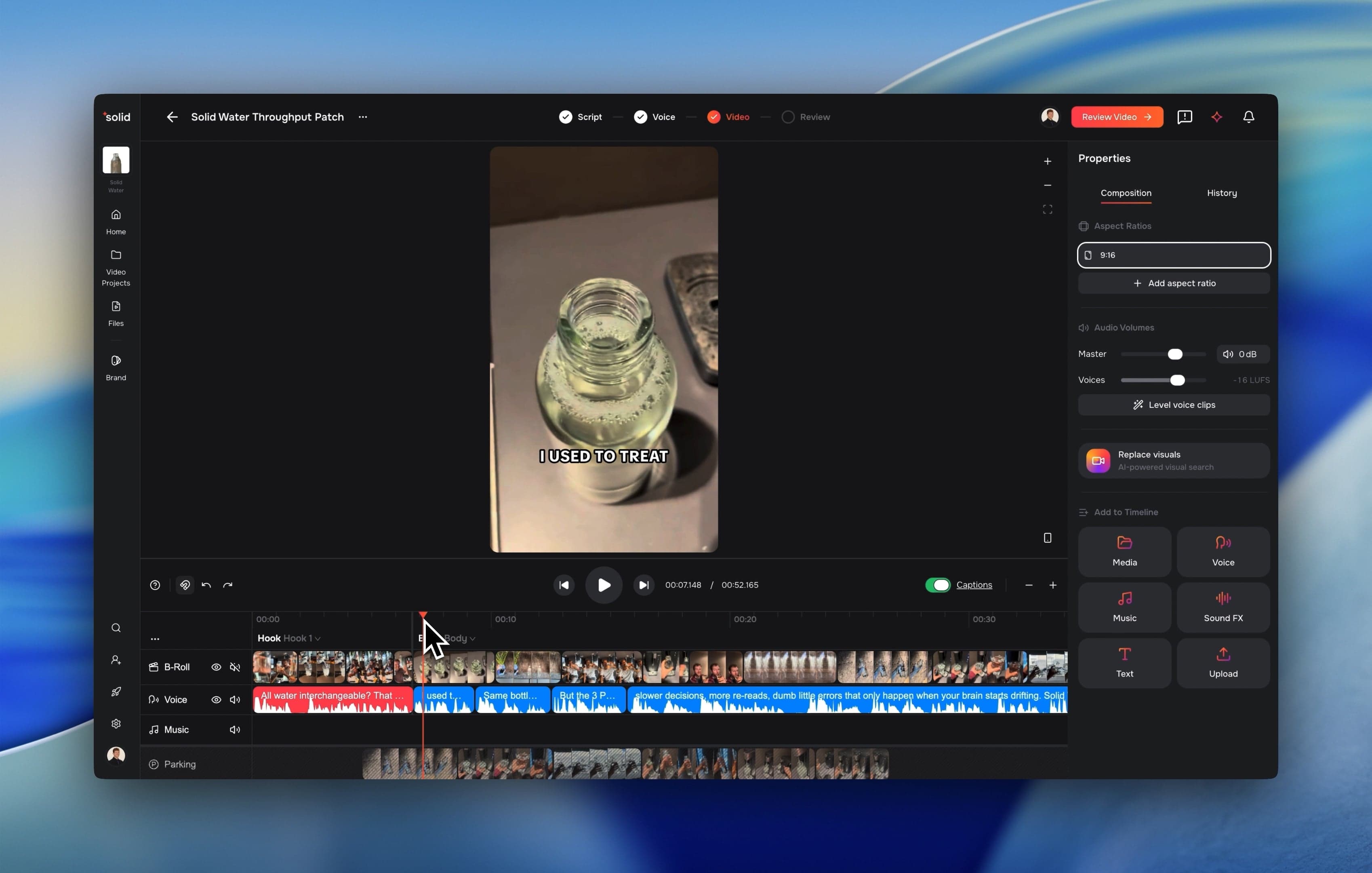
Previewing and organizing your alternative video clips has become much easier and faster through new features.
- Instant Keyboard Preview: Hold down the P key on your keyboard to temporarily isolate, watch, and listen to only your parking lane clips.
- Pasting onto Parking Lane: Press Cmd+Shift+V to paste your copied clips back-to-back directly into the parking lane right at your timeline playhead.
Text Overlay Improvements
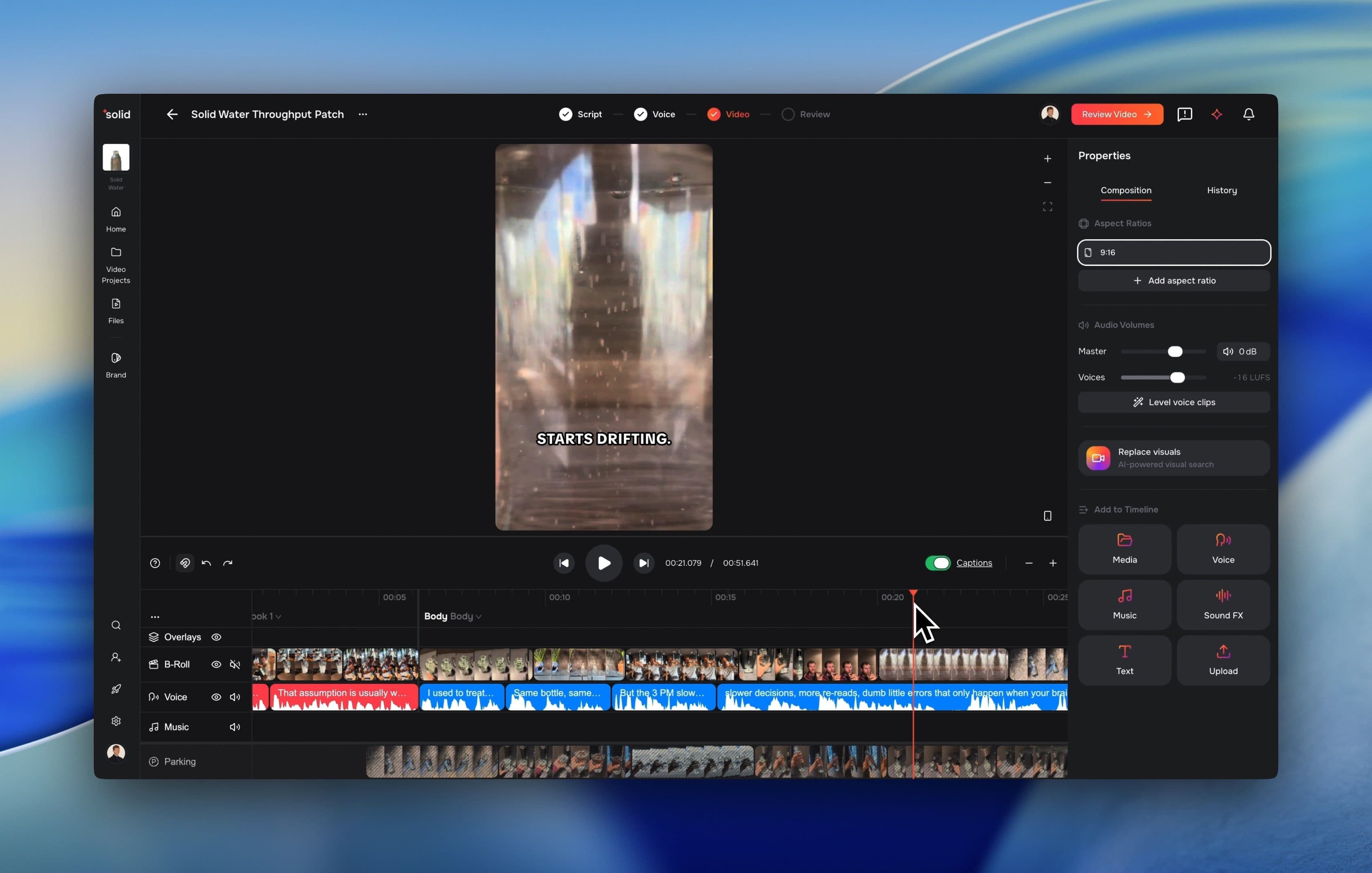
Editing text overlays and captions is now much simpler and acts like standard typing tools.
- Automatic Height Sizing: Text boxes now grow or shrink their height automatically to fit the text you write.
- Double-Click to Fit: Double-clicking the right edge of a text box instantly snaps the border to your last letter. This changes the box so it automatically grows wider sideways as you keep typing, instead of forcing your text to jump to a new line. If you drag the edge manually, it automatically switches back so you can control the width yourself again.
AI Voice Control
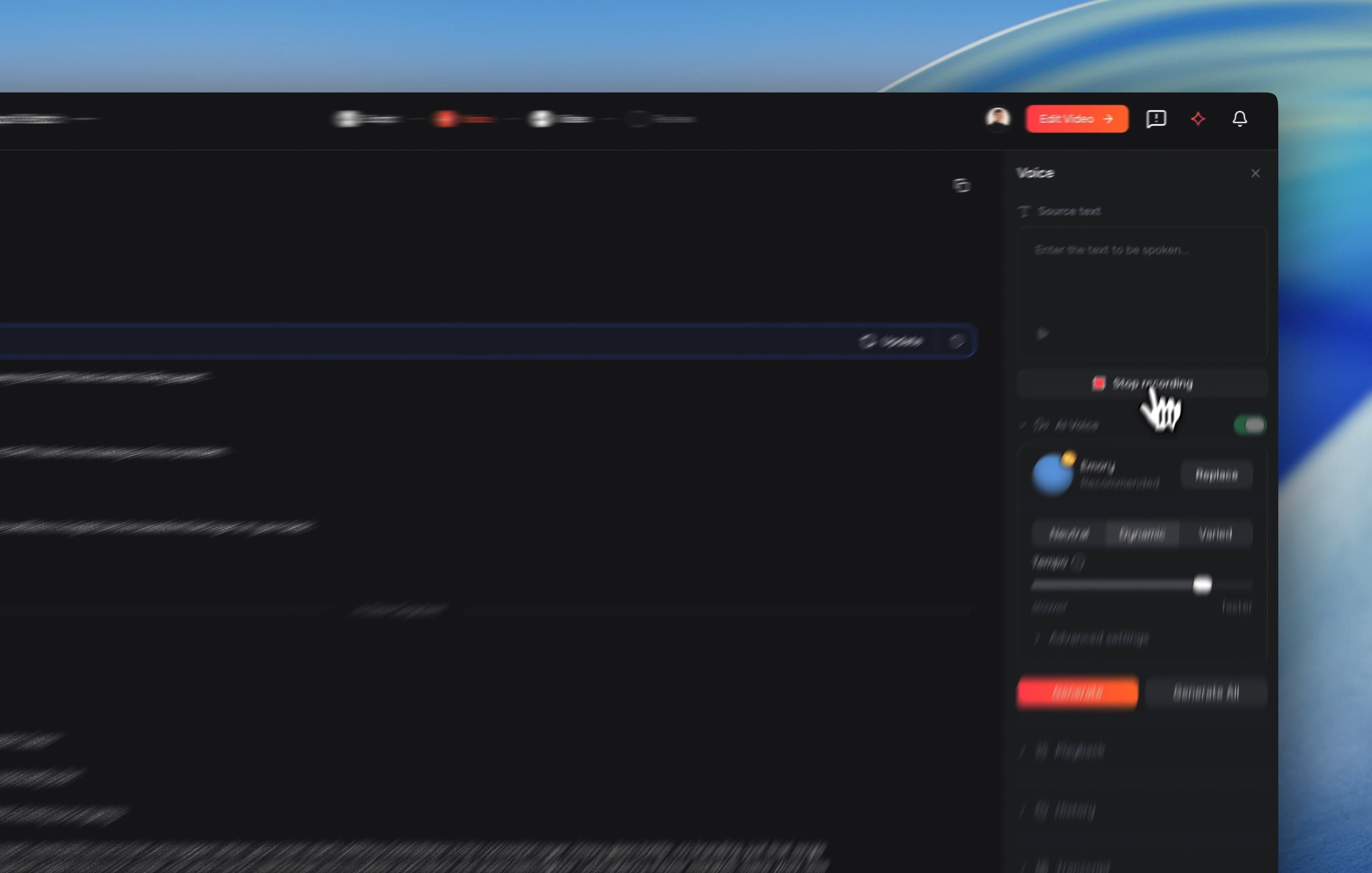
Gain faster control when switching between your original voice recording and the AI voice on any clip.
- Toggle for faster control over AI Voice: Switch back and forth faster between your original audio file and the AI voice while keeping your text layout in place.
More Good Stuff
- Instant File Reuse: Uploading a video file you already used in the past skips the upload wait time by checking file signatures.
- Export Row Previews: Hover over your export history list to click a play icon and watch your completed videos in a quick popup window.
- Project Workspace Rename: We changed the word folders to Projects across the navigation to make finding your video files easier.
Fixes & Under the Hood
- Automated layout rules now place text-heavy video scenes at the end of the video to keep your opening video hooks clear.
- The uploader now automatically filters out hidden system files from Apple computers so your media uploads do not trigger errors.
- Brand terms now generate exactly six clear spelling options without translating or cutting off your words.
- Added the backend system for tracking subscription plan usage and video export counters.
- Moved multiple asset data systems to a native driver configuration to make file searches faster.
- Fixed a file ingestion bug that caused certain uploaded video files to get permanently stuck on the processing step.
- Resolved an infinite redirect loop during Microsoft login by streamlining the authentication check.
- Fixed a search bug where empty asset filters incorrectly searched through your entire team history.
- Patched timeline layout errors to fix selection box visibility, text clipping, and clip resizing boundaries.