ChangelogMarch 9, 2026
Trim Preview, Lasso Selection & Notification Center
This week's Production Loop focuses on making editing feel smoother and more hands-on: live trim previews on the timeline, a brand-new voice selection dialog, tactile lasso selection with a floating action bar, and a notification center that keeps your uploads and system events in one reliable place.
 Christoph Schütte
- Live trim preview on the timeline with Ctrl to temporarily disable snapping for precise edits.
- Redesigned voice picker: Browse, search, and favorite voices in a completely new selector with categories, language tags, and inline speech history.
- Lasso selection & floating bottom action bar for faster multi-select and bulk operations on assets and raw materials.
- Notification center replaces the old upload bar with persistent, database-backed notifications.
- Additional improvements: canvas pan & zoom, easier segment resizing, faster thumbnails and editor loading, image drag & drop, approvals expansion, org invites, and smarter AI chat.
Live Trim Preview
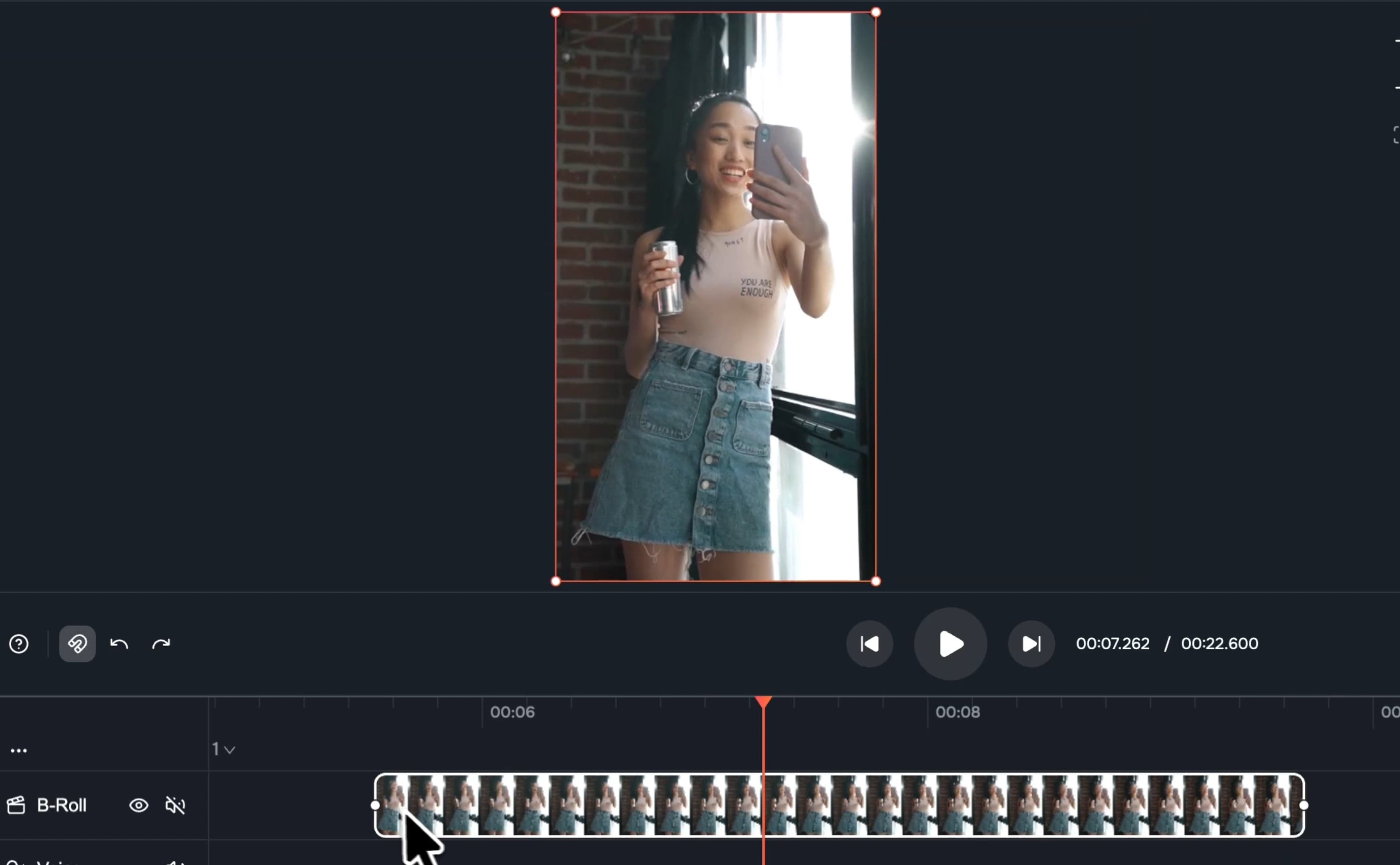
Trimming on the timeline is now much more visual and precise. When you drag the edges of a clip, you’ll see a live preview of the exact frame at your trim point. This removes the guesswork and lets you dial in cuts without constantly scrubbing back and forth.
For fine-grained control, you can now hold Ctrl to temporarily disable snapping while trimming. This makes it easy to switch between fast, snap-based editing and pixel-precise adjustments without changing any settings.
New Voice Selection Dialog
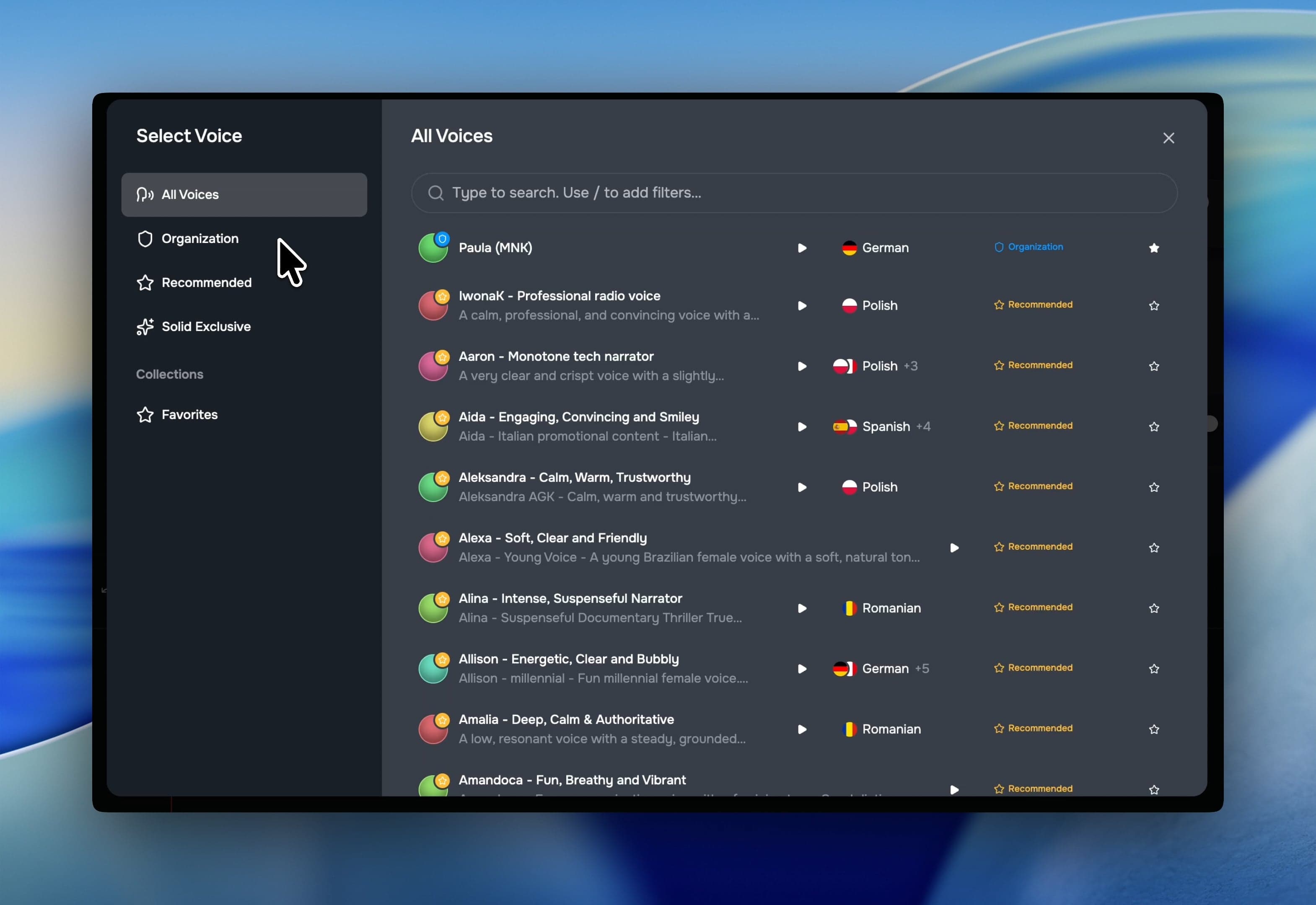
Finding the perfect voice is now faster and more intuitive. We’ve completely rebuilt the generation dialog with improved search and robust filters for category, provider, and language. For quicker access, you can now favorite your go-to voices and view inline speech history directly on each voice card.
Additionally, playback now waits for all clips to load before starting, ensuring a smooth, stutter-free listening experience.
Lasso Selection & Floating Action Bar
Managing large asset libraries is now faster and more tactile. You can quickly click and drag to lasso-select multiple items in any view, backed by improved and predictable shift-click and double-click behaviors.
Once your assets are selected, your tools are exactly where you need them. We’ve replaced the old sidebar with a floating bottom action bar for assets and raw materials, complete with new bulk-delete capabilities. To further minimize context switching, you can also remove assets directly from the script editor’s visual panel without losing your focus.
Notification Center
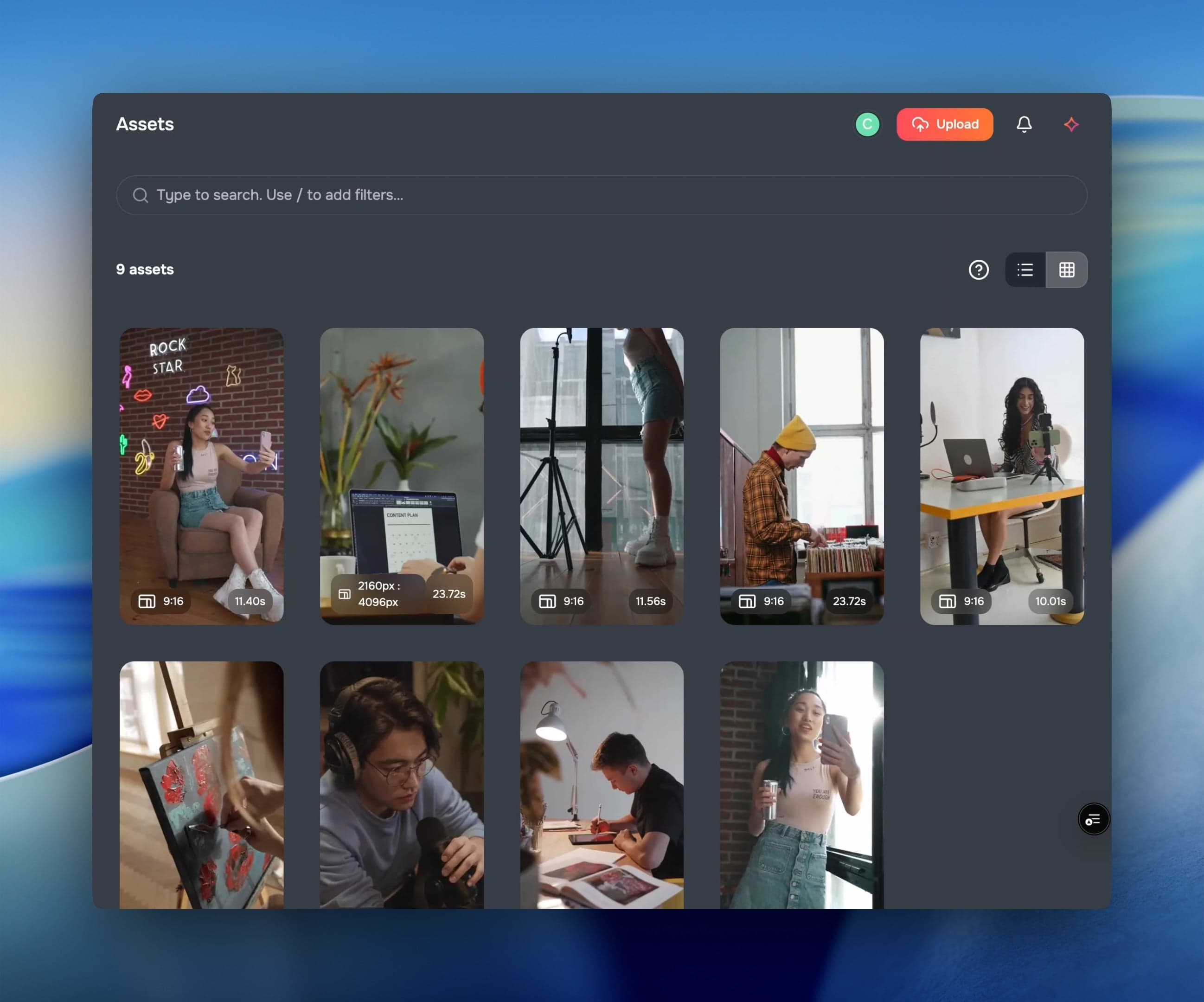
We’ve replaced the old progress bar with a full notification center, giving you a single, reliable place to track system activity. Upload progress, completions, and errors now appear as persistent notifications. Thanks to a new local database, you can freely navigate away or switch views without ever losing track of your background tasks.
✨ More Good Stuff
A collection of quality-of-life improvements and performance upgrades:
- Canvas pan & zoom: Navigate your canvas with zoom controls and keyboard shortcuts for faster layout work.
- Easier segment resizing: Wider hitboxes (8px), labels moved to the bottom, and thicker dividers make segments easier to grab and adjust.
- Faster thumbnail decoding: Thumbnails now decode in a dedicated web worker, reducing main thread jank.
- Faster editor loading: React Suspense with eager worklet loading shows a skeleton instantly while content streams in.
- Image drag & drop: Drop images directly onto your timeline to speed up visual assembly.
- Inactive track overlay: Inactive tracks now show a dashed overlay so they’re easy to distinguish at a glance.
- Step progress indicators: The editor action bar tracks which steps have content and marks them as started.
- Script & voice approvals: The approval system now covers script and voice statuses, not just visuals.
- Invite users without accounts: Invite people to your org even if they haven’t signed up yet; they’ll be guided through onboarding and auto-added.
- AI chat improvements: Org-scoped chat history, better tool selection UX with cancellation support, and a nested slash menu for browsing attribute values.
All together, these changes make editing more responsive, voice workflows more organized, asset management more tactile, and system behavior more transparent and reliable.
Fixes & under the hood
A lot of infrastructure and reliability work landed this week:
- Better ingestion: Assets are created in a soft-deleted state and only surface after processing completes. Duplicate detection now works for scene-split videos, and short scenes are handled correctly.
- Resource fetching rewrite: Replaced ~500 lines of manual MP4 decoder code with the Web Audio API for a cleaner, faster audio pipeline.
- Microsoft SSO fix: Authentication issues with Microsoft SSO have been resolved, alongside various editor stability improvements.
- Missing thumbnail fallback: Video cards now have a safe fallback when thumbnails are unavailable, preventing crashes and broken layouts.