ChangelogOctober 28, 2026
The Rebuilt Brand Hub, Better Sound & A Redesigned Help Center
This update puts chat at the centre of your workspace, rebuilds the Brand Hub around topic pages, sorts out sound that only played from one speaker, and gives Solid Help and Solid State a fresh design.
 Keanu Born
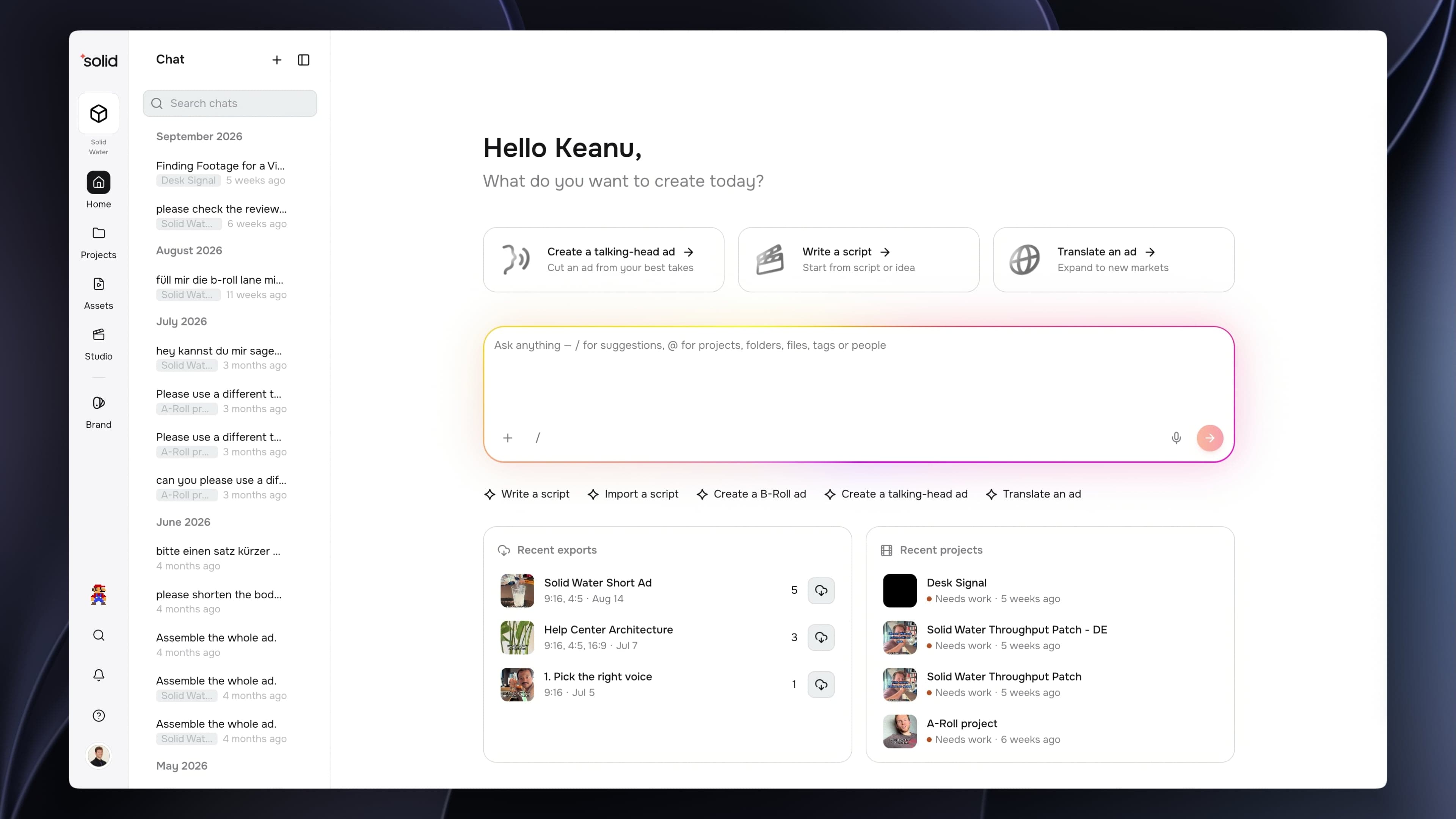
- The New Home Screen: Chat now sits at the centre of your workspace, live for everyone with an account ahead of next week's launch.
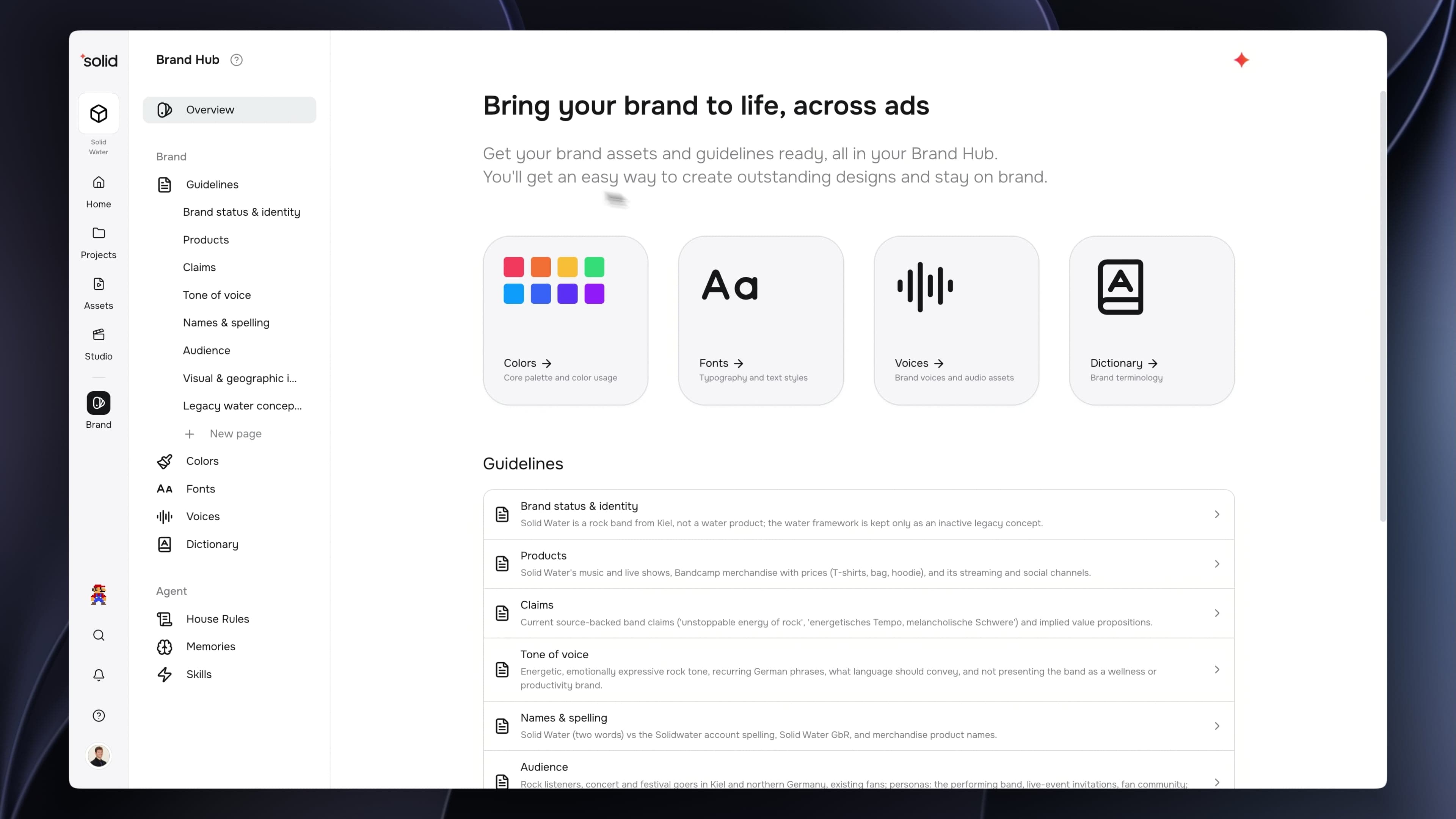
- The Rebuilt Brand Hub: Your guidelines are now topic pages with their own history, beside a new Agent section for instructions, memories and skills.
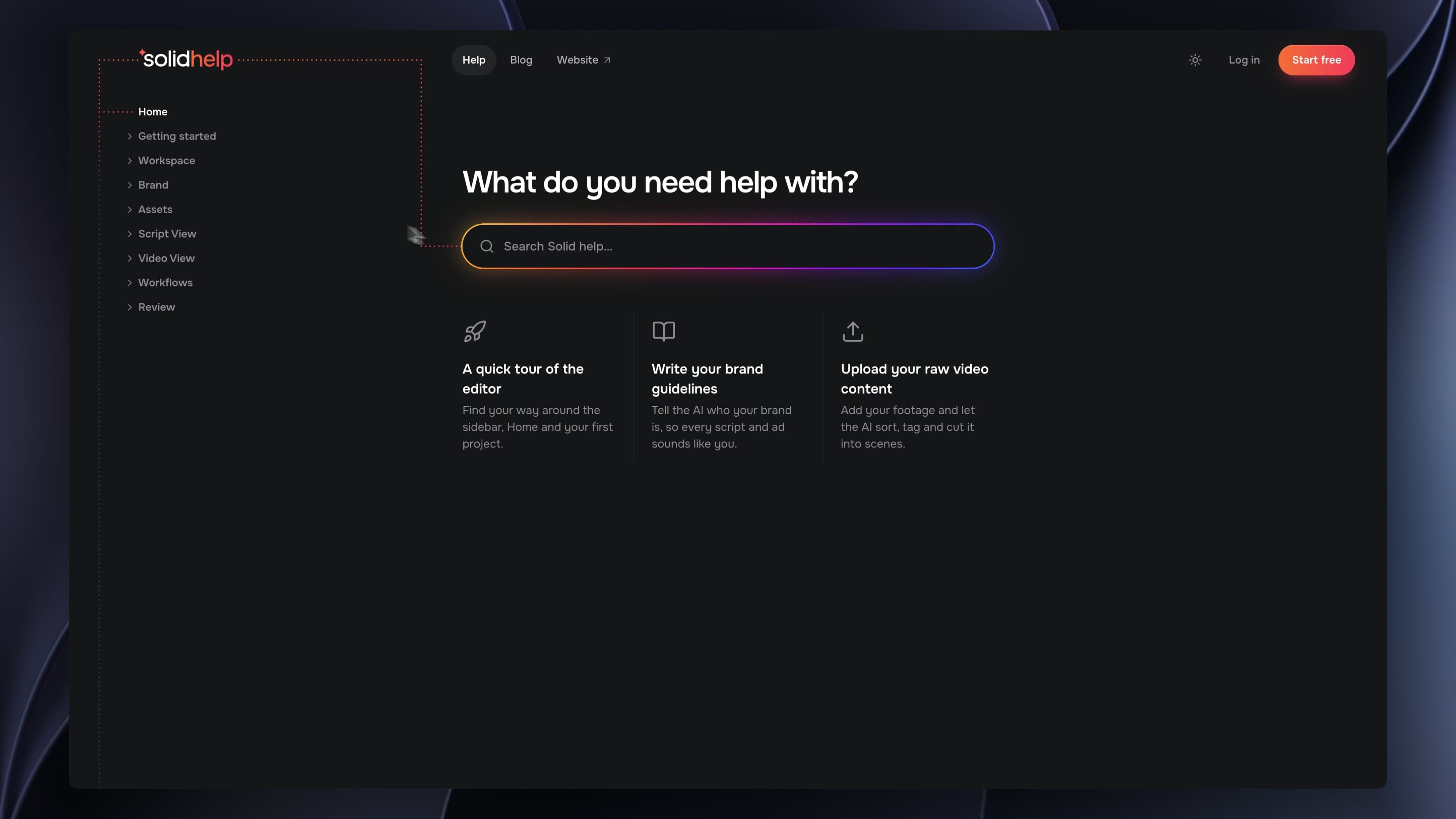
- A Redesigned Help Center and Blog: Solid Help and Solid State have been rebuilt to look like the rest of Solid and to be searched rather than browsed.
- Better Sound: Sound that only played from one speaker now plays from both, and new voice lines sound better.
The New Home Screen
If you have opened Solid this week, you may have noticed the home screen looks a little different. Chat now sits at the centre of your workspace, and it can do most of what you used to set up step by step.
Go and talk to it. Ask it to find footage, write a script, or put a video together. Drop a file in and ask what to do with it. Type "/" and it will show you what it already knows how to do.
It is live for everyone with an account now, and on Thursday 5 November we open Solid up to everybody else. We will properly introduce your new teammate then, and show you what it can really do.
If you feel like helping out on the day, a share, a like, or a word to a colleague goes a long way for our team. Thank you.
The Rebuilt Brand Hub
Your brand guidelines are now a set of topic pages rather than one document, and a new Agent section holds everything that shapes how the AI writes for you.
- Guidelines by Topic: Products, Claims, Tone of voice, Names and spelling, Audience, plus any topic your brand needs. Each page keeps its own history.
- Already Moved Across: Your existing guidelines are in the new pages. There is nothing to migrate by hand.
- See What the AI Changed: When the AI edits a guideline during a chat, the change is highlighted, and you can keep it or undo it for 14 days.
- Instructions, Memories and Skills: Agent instructions replace Creative direction, now capped at 1,500 characters. Memories are the lasting preferences the AI saves from what you tell it, and you can read, edit or delete them. Skills are the ready-made ones plus whatever your workspace writes.
A Redesigned Help Center and Blog
Solid Help and Solid State have both been rebuilt, and you are reading one of them right now.
- It Looks Like Solid: Both sit alongside the app and the rest of our branding, rather than feeling like somewhere else you got sent to.
- Built to Be Searched: Finding the answer you came for starts with a search box, not a hunt through a menu.
- Simple to Move Around: Fewer places to get lost, so you find what you need and get back to work.
- Groundwork for More: This is the base. There is a lot more going into both, and now there is somewhere good to put it.
Better Sound
Audio that only came out of one speaker now plays properly, and new voice lines sound better.
- Both Speakers, On Its Own: Sound that was only recorded on one side now plays from both. This works on videos you upload from now on.
- Or Choose Yourself: Set any clip to play on the left, the right, or both.
- Better Voices: New voice lines use a newer model.
More Good Stuff
- Upgrades Keep Your Credits: Upgrade and you keep the credits you already have, plus the new plan's credits straight away.
- Credit Packs Outlive a Cancellation: Cancel a paid plan and its remaining plan credits end with it. Your credit packs stay.
Fixes & under the hood
- Fixed videos with a transparent background looking different in the editor than in the finished export.
- Fixed a failed chat request offering only Retry, so it now tells you what to change instead.
- Fixed a chat's title reflecting only your opening message rather than the whole first exchange.