Jump Cuts
Every pause or breath is cut out of a continuous shot so the speaker never stops talking.
How to spot it
A single speaker on the same camera setup visibly jolts slightly between phrases with zero dead air between sentences.
Verified on real video ads across 167 of 240 tracked brands (987 sightings across 79,497 ads).
Creative strategy
Why use Jump Cuts
Dead air is the fastest trigger for a viewer to swipe away on mobile feeds. Trimming silences and filler words out of a talking-head clip raises spoken energy and packs more persuasion into the opening seconds. That slight visual jolt between phrases also matches the editing grammar of organic creator videos, helping paid ads feel familiar and direct.
When to use it
- Creator UGC, founder stories, and customer testimonials benefit from brisk spoken pacing across talking-head hooks.
- Direct-response ads with dense benefit stacks need tight trims to fit core claims under thirty seconds.
- Unscripted interview footage becomes punchy and coherent when editors cut rambling pauses and filler phrases.
When to skip it
- Cinematic brand films or emotional storytelling need natural breathing room so key moments can sink in.
- Calm guided tutorials or sleep products feel jarring when constant audio cuts remove restful pauses.
Production guide
How to produce Jump Cuts
- 1
Zoom in on the audio waveform and slice out silences, deep breaths, and verbal stumbles right up to the next word.
- 2
Add a tiny audio crossfade of two or three frames at each splice to eliminate sharp clicking noises.
- 3
Pair longer stretches of talking-head jump cuts with occasional product B-roll so viewers see visual proof alongside the speech.
- 4
Leave a brief quarter-second pause right after your hook question or offer reveal so key claims register clearly.
Common mistakes
- Chopping off the first syllable or tail end of words makes the speech sound clipped and exhausting.
- Over-cutting into rapid micro-stutters turns a conversational speaker into a stressful wall of noise.
- Forgetting to sync captions closely after heavy trims causes on-screen text to lag behind the speaker.
Field notes
Observed in real ads
- 1
Quick cuts every couple of seconds transition seamlessly between unboxing, close-ups of the packaging, product handling, and machine loading.
- 2
Tight jump cuts remove pauses between sentences while keeping the creator in the same spot by the pool.
- 3
Frequent jump cuts remove pauses between sentences while keeping the exact same camera framing throughout.
Also called
Cross-layer recipes
Pairs well with
Combine Jump Cuts with patterns from other layers to assemble a complete ad.
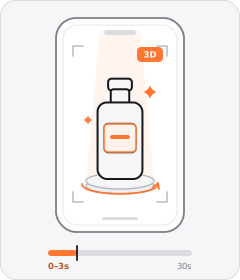
Product Hero Opener
The ad opens in the very first frame on a tight, polished studio or 3D shot of the product.
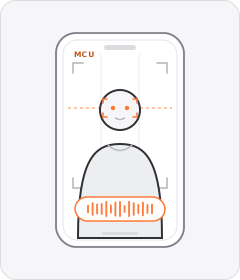 +5 sub
Talking Head
A single speaker looks straight into the lens and delivers the pitch directly to the viewer.
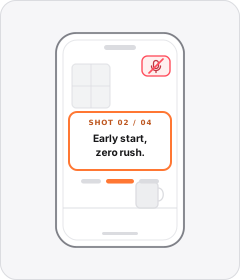
Silent Text Narration
Sequential lines of on-screen text tell the whole story from shot to shot without a spoken voiceover.
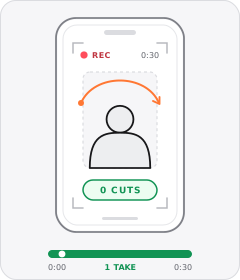
Single Take
The whole ad is one uncut shot.
Start free
Build a Jump Cuts ad in minutes
Start with 7 days free in a ready-made demo workspace. No credit card required.