Motion Graphics
The entire ad is built from animated 2D graphics, bold typography, and product cutouts with no live-action footage.
How to spot it
Designed graphic layouts, sliding shapes, and product renders moving across flat or textured digital backgrounds.
Verified on real video ads across 151 of 240 tracked brands (2,106 sightings across 79,497 ads).
Creative strategy
Why use Motion Graphics
Bold kinetic type and clear visual hierarchy let viewers grasp an offer or product benefit within two seconds, even with sound off. Designers control exact frame timing, color contrast, and pacing so attention flows directly from hook to call to action. Because modular animation templates swap copy and product cutouts quickly, growth teams can test many angles without booking a new shoot.
When to use it
- You market SaaS, fintech, or mobile apps where abstract features need clear diagrams and animated callouts.
- You run promotional sales, bundle offers, or subscription discounts that rely on punchy headline copy.
- Your team needs rapid creative iteration across multiple value propositions without scheduling creators or studio days.
When to skip it
- Shoppers need to see physical fit, skin results, or texture before trusting apparel, cosmetics, or home textiles.
- Your audience responds best to candid human stories where a polished graphic layout triggers immediate ad fatigue.
Production guide
How to produce Motion Graphics
- 1
Write a tight script of four to six short headlines with five words or fewer per screen.
- 2
Design high-contrast vertical frames while keeping headlines and product cutouts clear of bottom caption and button overlays.
- 3
Animate transitions with snappy easing curves so key phrases and graphics lock into place within half a second.
- 4
Pair visual beats with rhythmic music and subtle pop or whoosh sound effects to reinforce each copy change.
Common mistakes
- Cramming dense paragraphs onto animated slides makes mobile viewers swipe away before the next beat arrives.
- Using slow fades and gentle dissolves lowers visual energy and fails to stop fast thumb scrolling.
- Overusing busy background patterns and spinning icons pulls focus away from the product and main offer.
Field notes
Observed in real ads
- 1
The entire ad is a clean digital motion-graphics layout without any live-action camera footage.
- 2
The entire ad is a flat-design 2D illustration with simple sliding and popping animations rather than live-action footage.
- 3
The entire ad is presented as a fast-paced animated motion graphic without live-action footage or a speaker.
Also called
Specializations
Child patterns under Motion Graphics
Specific variations of Motion Graphics verified across multiple brands.
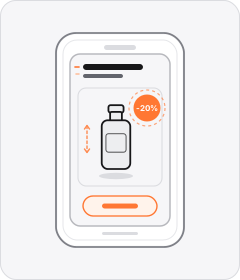
Cross-layer recipes
Pairs well with
Combine Motion Graphics with patterns from other layers to assemble a complete ad.

Animated Mascot
A cartoon character, brand mascot, or anthropomorphised product with a face and limbs acts out a scene or delivers the pitch.
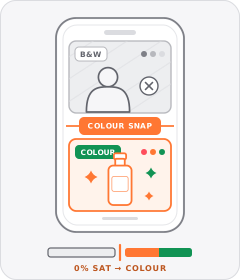
Black-and-White Problem Footage
Clips depicting the viewer's hassle or the 'before' state are drained to black and white before snapping to full colour for the solution.

Native Text Box
On-screen copy uses the rounded-corner background pills of TikTok's or Instagram Reels' built-in text editor.

Static Poster Ad
The entire video plays on a single unchanging graphic layout showing the product, offer, and call to action all at once.
Start free
Build a Motion Graphics ad in minutes
Start with 7 days free in a ready-made demo workspace. No credit card required.