Store Walkthrough
A creator or host walks through a physical retail store browsing shelves, aisles, and displays.
How to spot it
Handheld camera movement past retail signage, shopping baskets, racks, or shelves inside a brick-and-mortar shop.
Verified on real video ads across 40 of 240 tracked brands (387 sightings across 79,497 ads).
Creative strategy
Why use Store Walkthrough
Seeing stocked retail shelves, branded endcaps, or inviting boutique racks builds instant legitimacy that online-only claims struggle to match. Moving handheld through real aisles mirrors popular shopping-haul vlogs on TikTok and Instagram, which keeps viewers watching naturally. For omnichannel brands, highlighting exact aisle placement and packaging on shelf also primes shoppers to spot the product on their next store run.
When to use it
- CPG food, beverage, skincare, and household brands announce new national retail rollouts and show shoppers which aisle carries them.
- Flagship apparel, beauty, and home-goods boutiques promote seasonal launches, pop-ups, and in-store exclusives to geo-targeted local audiences.
- Direct-to-consumer brands expanding into brick-and-mortar use real shelf presence as third-party validation inside online acquisition campaigns.
When to skip it
- Purely digital SaaS products and online-only services have no physical retail footprint to showcase credibly inside store aisles.
- Brands with cramped, dim, or sparsely stocked shelf placements undermine perceived demand by filming an underwhelming display.
Production guide
How to produce Store Walkthrough
- 1
Film a brisk opening shot walking through the entrance or turning into the target aisle to set context quickly.
- 2
Move smoothly past store signage and racks straight toward a tight close-up of a hand grabbing the product off the shelf.
- 3
Confirm filming permissions early and shoot during quieter morning hours to avoid crowded aisles and copyrighted store radio.
- 4
Pair the tour with a clear store-locator callout or online shopping link so viewers know how to buy right away.
Common mistakes
- Wandering aimlessly through unrelated aisles for five seconds delays the product reveal and wastes peak opening retention.
- Capturing loud background store radio under creator speech creates messy audio clashes and risks music copyright takedowns.
- Forgetting to clarify whether shoppers should buy in store or online creates friction at the call to action.
Field notes
Observed in real ads
- 1
The ad follows a creator's point-of-view trip into a retail store, browsing racks and trying on items.
- 2
A presenter walks the floor of a retail store while speaking directly to the camera.
- 3
A presenter walks around a physical retail store showing racks and displays of the new collection.
Also called
Cross-layer recipes
Pairs well with
Combine Store Walkthrough with patterns from other layers to assemble a complete ad.

One Creator, Multiple Roles
A single creator plays two or more characters in the same ad, cutting back and forth between themselves.
 +1 sub
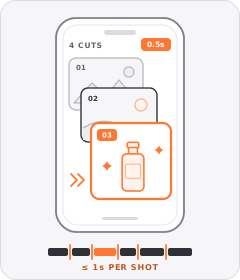
Quick-Cut Montage
The ad strings together a rapid sequence of distinct shots lasting roughly a second or less each.
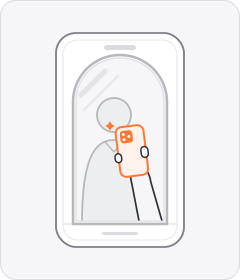
Mirror Selfie
A creator films themselves in a mirror with their phone visible in hand, mimicking a casual outfit or routine post.
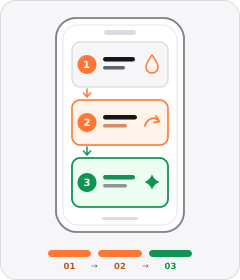
Step-by-Step Walkthrough
The ad breaks preparing, applying, or using the product into distinct chronological stages.
Start free
Build a Store Walkthrough ad in minutes
Start with 7 days free in a ready-made demo workspace. No credit card required.