Floating Product Cutout
A background-removed studio photo of the product floats over live-action footage or a graphic backdrop.
How to spot it
A crisp PNG cutout of the bottle, box or device hovering over a creator clip or animated card.
Verified on real video ads across 110 of 240 tracked brands (381 sightings across 79,497 ads).
Creative strategy
Why use Floating Product Cutout
Floating a sharp studio cutout over handheld footage lets viewers inspect exact packaging even while a presenter moves quickly. Removing the photo background gives the bottle, box, or device clean contrast against cluttered rooms or solid color cards. Keeping the item visible during spoken claims ties product benefits directly to what shoppers will look for at checkout.
When to use it
- Pop product cutouts beside talking creators in skincare, supplement, or beverage ads when hands never hold the bottle steady.
- Introduce individual SKU cutouts during multi-step routines or bundle breakdowns so viewers match each spoken benefit to the right item.
- Overlay hero device cutouts onto problem-focused B-roll in home gadgets or pet care to connect daily frustrations to the fix.
When to skip it
- Skip floating PNG cutouts during clean macro demos where the physical product already fills the center of the frame.
- Avoid flat cutout overlays on texture-led apparel or hot food shots where natural motion and lighting sell better.
Production guide
How to produce Floating Product Cutout
- 1
Mask high-resolution studio packshots cleanly on transparent PNG backgrounds, refining tricky edges around glass bottles and translucent caps.
- 2
Add a soft drop shadow or faint outer glow so the floating item separates cleanly from busy live-action backgrounds.
- 3
Bring the cutout into an open corner or beside the speaker's shoulder with a snappy scale pop timed to the mention.
- 4
Pair each floating cutout with a compact SKU title when featuring multiple products so shoppers tell variants apart quickly.
Common mistakes
- Leaving rough white halo edges from sloppy auto-cutout tools makes overlays look cheap on sharp mobile screens.
- Floating a large PNG over the speaker's face or subtitle track creates messy collisions on Meta and TikTok.
- Freezing an oversized cutout across half the frame for ten seconds blocks the live footage viewers want to watch.
Field notes
Observed in real ads
- 1
A digital cutout of the product box pops onto the screen over the presenter's shoulder while she reacts.
- 2
Clean studio cutouts of individual bottles and transparent travel pouches appear against the solid black background beneath the offer text.
- 3
A clean cutout of the bottle and its product name appears over the left side of the live-action footage.
Also called
Cross-layer recipes
Pairs well with
Combine Floating Product Cutout with patterns from other layers to assemble a complete ad.
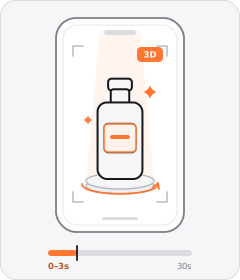
Product Hero Opener
The ad opens in the very first frame on a tight, polished studio or 3D shot of the product.
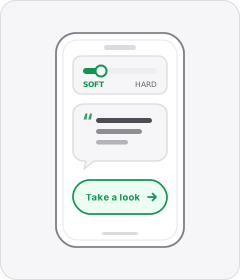
Soft Call to Action
The ad wraps up with a casual, low-pressure suggestion to check the product out rather than a hard sales push.

Native Text Box
On-screen copy uses the rounded-corner background pills of TikTok's or Instagram Reels' built-in text editor.

Green-Screen Reaction
The speaker's background is keyed out so their floating figure sits over B-roll, a website or replacement visuals.
Start free
Build a Floating Product Cutout ad in minutes
Start with 7 days free in a ready-made demo workspace. No credit card required.