Native Text Overlay
On-screen text mimics the fonts and rounded background boxes of TikTok, Reels or Stories editing tools.
How to spot it
Classic in-app rounded text pills over UGC footage that make the ad look typed inside the social app.
Verified on real video ads across 75 of 240 tracked brands (317 sightings across 79,497 ads).
Creative strategy
Why use Native Text Overlay
Viewers scroll past polished motion graphics because studio title cards signal a commercial immediately. Familiar platform fonts and light emoji accents keep copy legible on small mobile screens while blending with surrounding posts. Pairing casual captions with raw creator clips also lets silent viewers follow the premise and offer from frame one.
When to use it
- Skincare and supplement ads built from casual phone footage benefit from quick, readable captions that frame the problem early.
- Food and beverage demos running without a spoken voiceover can use sequential text overlays to tell the full product story.
- Apparel try-ons and home gadget demos work well when short text lines call out fit or bundle details.
When to skip it
- Skip casual text styling in luxury apparel or high-ticket SaaS campaigns where buyers expect refined brand typography to signal quality.
- Avoid full-screen caption layers on complex mobile app walkthroughs that already display dense interface text in the footage.
Production guide
How to produce Native Text Overlay
- 1
Write a short premise line of five to eight words that sets up the hook inside the first two seconds.
- 2
Style the text in clean sans-serif lettering with a contrasting rounded backdrop and at most one emoji per line.
- 3
Place each overlay inside the central safe zone so platform buttons, handles, and bottom captions never cover key words.
- 4
Time text changes to match scene cuts so silent viewers absorb one clear point before the next visual arrives.
Common mistakes
- Stacking long paragraphs over fast cuts forces viewers to pause and hurts watch time on TikTok and Reels.
- Using bright neon text without a solid backdrop makes copy unreadable over shifting lighting in raw footage.
- Dropping overlays near the bottom edge puts key hooks behind the Meta description bar or YouTube Shorts controls.
Field notes
Observed in real ads
- 1
Casual on-screen text with an emoji frames the video's premise at the beginning.
- 2
Casual, emoji-heavy captions appear on screen throughout the video, mimicking organic social media text.
- 3
German text overlays tell the story and deliver the call to action without a spoken voiceover.
Also called
Cross-layer recipes
Pairs well with
Combine Native Text Overlay with patterns from other layers to assemble a complete ad.
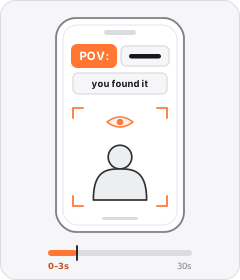
POV Hook
On-screen text starting with 'POV:' puts the viewer inside a relatable scene.
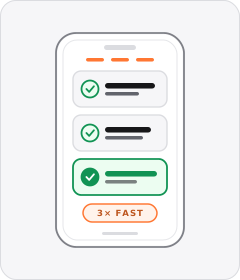
Benefit Stack
The ad rattles off a rapid-fire sequence of product benefits or specs one after another, often in a rule-of-three burst.
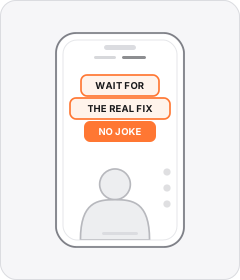
Native Text Box
On-screen copy uses the rounded-corner background pills of TikTok's or Instagram Reels' built-in text editor.

Green-Screen Reaction
The speaker's background is keyed out so their floating figure sits over B-roll, a website or replacement visuals.
Start free
Build a Native Text Overlay ad in minutes
Start with 7 days free in a ready-made demo workspace. No credit card required.