Section Header Overlay
Category or chapter headings label each segment of the ad as it shifts from one topic to the next.
How to spot it
Top-of-frame topic bars or brief chapter titles changing to announce each new subject or category.
Verified on real video ads across 86 of 240 tracked brands (365 sightings across 79,497 ads).
Creative strategy
Why use Section Header Overlay
Short chapter headers orient viewers the instant a scene cuts, preventing disorientation during quick comparisons, routines, or feature rundowns. Naming each segment visually lets muted feed scrollers follow the arc of the pitch in seconds. A steady header bar gives longer performance edits a structured editorial layout that keeps retention steady across topic shifts.
When to use it
- Use section headers for versus and contrast formats like Expectation and Reality in apparel, home gadgets, and food ads.
- Label time-of-day routines or multi-stage explainers for skincare, supplements, and SaaS tools covering distinct use cases.
- Identify individual products during fast unboxing or haul videos so shoppers track which item appears in each clip.
When to skip it
- Skip chapter bars in tight single-benefit hooks under fifteen seconds where extra top labels add clutter without aiding clarity.
- Avoid topic headers on continuous single-take testimonials that follow one unbroken story with no clear category shifts.
Production guide
How to produce Section Header Overlay
- 1
Limit header labels to one to three punchy words, such as Durability, Morning Step, or Reality, for instant scanning.
- 2
Anchor the header bar in a steady top-safe band above the speaker's head so it stays clear of lower captions.
- 3
Set the heading inside a clean pill or subtle shaded strip with strong contrast that holds up across shifting backgrounds.
- 4
Swap the chapter title on the exact frame of each scene cut so visuals, voiceover, and structure stay tightly synchronized.
Common mistakes
- Writing long full sentences inside a top header turns a quick signpost into a competing wall of text.
- Pushing headers too close to the top border lets TikTok, Meta, and YouTube Shorts navigation bars overlap the letters.
- Leaving a chapter label stuck on screen after the clip moves on creates an instant disconnect for viewers.
Field notes
Observed in real ads
- 1
Short on-screen text labels identify each item as it is pulled from the box during the comparison.
- 2
Large on-screen text labels ('Expectation' and 'Reality') clearly divide the video into its contrasting segments.
- 3
Text overlays appear on screen to label each of the six lifestyle and biological factors as they are discussed.
Also called
Cross-layer recipes
Pairs well with
Combine Section Header Overlay with patterns from other layers to assemble a complete ad.
 +1 sub
Surprising Fact Hook
The ad opens with an unexpected or little-known fact about the topic.

Superlative Claim
The ad declares the brand or product to be the number-one, first, only or most extreme option in its category.

Handheld Mini Mic
The speaker holds a tiny wireless or lapel microphone between their fingers while talking to camera instead of clipping it on.
 +1 sub
Quick-Cut Montage
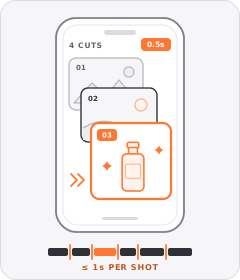
The ad strings together a rapid sequence of distinct shots lasting roughly a second or less each.
Start free
Build a Section Header Overlay ad in minutes
Start with 7 days free in a ready-made demo workspace. No credit card required.