Pointing to the Link
The speaker points toward the spot on screen where the platform's link button sits.
How to spot it
A presenter looking into the lens and pointing downward or toward a corner of the frame during the call to action.
Verified on real video ads across 11 of 240 tracked brands (38 sightings across 79,497 ads).
Creative strategy
Why use Pointing to the Link
People naturally follow a pointing hand, so a presenter who gestures downward guides eyes straight to the native action button. That visual cue connects the spoken pitch to the platform interface and mirrors familiar creator habits from organic short-form feeds. Viewers watching on mute still recognize the pointing gesture during the final seconds and know exactly where to tap next.
When to use it
- Use this gesture at the end of creator-led skincare, supplement, or apparel ads pitching a discount or starter bundle.
- Add a downward point to direct-to-camera mobile app or SaaS videos driving immediate installs, quiz starts, or free trial signups.
- Film pointing CTAs for vertical Reels, TikTok, or YouTube Shorts campaigns where the native action button sits along the bottom.
When to skip it
- Skip directional pointing when one export runs across desktop feeds and vertical mobile placements with different button locations.
- Avoid pointing gestures in luxury editorial spots or faceless product demos where direct creator cues break the visual tone.
Production guide
How to produce Pointing to the Link
- 1
Check where the native CTA bar sits in your target placement before filming so the presenter points toward the actual button.
- 2
Frame the presenter in a medium waist-up shot so their pointing hand stays clearly visible above the bottom platform overlay zone.
- 3
Time the downward point to match spoken words like tap below and reinforce the move with a short text overlay.
- 4
Hold the pointing motion for two full seconds at the end and record one neutral CTA take for mismatched placements.
Common mistakes
- Reusing one directional clip across Meta Feed, TikTok, and YouTube Shorts often leaves the speaker pointing at empty screen space.
- Dropping the pointing hand too low in the frame hides the gesture behind TikTok captions or Meta Reels action bars.
- Pointing downward before explaining the product benefit feels pushy and prompts skeptical viewers on YouTube Shorts or TikTok to scroll away.
Field notes
Observed in real ads
- 1
At the end, the speaker points her index finger downward toward the bottom of the screen while saying she linked the product below.
- 2
While saying 'Click below to get started today,' the speaker points both index fingers downward toward the platform's action button.
- 3
The speaker points both index fingers downward toward the platform's link button while saying 'Click below to get started today.'
Also called
Cross-layer recipes
Pairs well with
Combine Pointing to the Link with patterns from other layers to assemble a complete ad.
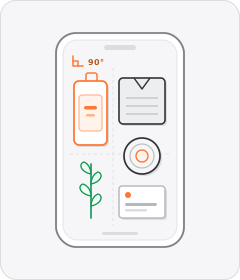
Flat Lay
The camera points straight down at 90 degrees onto a tabletop where products and props are arranged or handled.

CTA Arrow
An animated arrow or pointing-finger emoji directs the viewer's eye toward the call-to-action button or link.
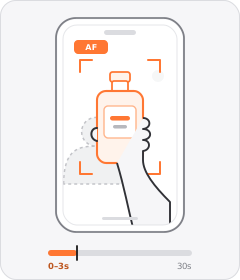
Product Held to Camera
The ad opens with a person holding the physical product straight up toward the camera lens.
 +1 sub
Effortless Convenience
The ad argues that setting up or using the product takes almost no skill or effort and fits seamlessly into daily life.
Start free
Build a Pointing to the Link ad in minutes
Start with 7 days free in a ready-made demo workspace. No credit card required.