Screen Recording
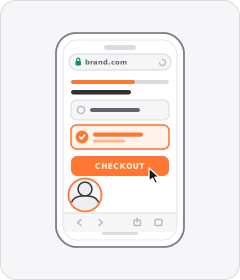
The ad plays captured screen footage of someone scrolling, tapping, and navigating an app or digital interface.
How to spot it
Direct phone or desktop screen capture showing UI menus, taps, and page transitions.
Verified on real video ads across 101 of 240 tracked brands (961 sightings across 79,497 ads).
Creative strategy
Why use Screen Recording
Direct interface footage lowers skepticism because prospects see exactly what happens after they tap download or start a free trial. Watching someone scroll, filter, and finish a task inside an app makes digital benefits concrete within seconds. Native mobile captures also fill vertical screens cleanly, letting viewers feel like they are already holding and testing the product.
When to use it
- You market mobile apps, SaaS workflows, shopping platforms, or online communities where UI clarity drives signups.
- Your product creates an immediate visual payoff inside the interface, such as AI generation, matching, or deal hunting.
- You want to walk prospects through a fast checkout, quiz funnel, or customization tool on your website.
When to skip it
- Your software interface looks dense, spreadsheet-heavy, or confusing when shrunk down onto a vertical phone screen.
- You sell a physical consumer item whose website checkout adds little persuasion beyond showing the product directly.
Production guide
How to produce Screen Recording
- 1
Mute notifications, clear status bar clutter, and populate the screen with clean, realistic sample data before recording.
- 2
Record a focused single workflow at steady speed so viewers easily follow each tap and resulting screen change.
- 3
Zoom in tightly on key buttons, search bars, or results and add a subtle tap indicator for clarity.
- 4
Pair the screen capture with a brisk voiceover or top banner headline explaining why the displayed step matters.
Common mistakes
- Showing an unzoomed desktop dashboard on mobile makes buttons and labels microscopic and impossible to read.
- Scrolling erratically or bouncing between five menus confuses viewers before they understand the main value.
- Leaving long loading spinners, login forms, or accidental notification popups in the edit breaks trust fast.
Field notes
Observed in real ads
- 1
The video shows a screen recording scrolling through the app interface to display a wide selection of discounted items.
- 2
The video cuts to a vertical screen recording scrolling through search results and tapping into a product detail page inside the shopping app.
- 3
A mobile screen recording scrolls through the online campus interface to demonstrate community features.
Also called
Specializations
Child patterns under Screen Recording
Specific variations of Screen Recording verified across multiple brands.
Cross-layer recipes
Pairs well with
Combine Screen Recording with patterns from other layers to assemble a complete ad.
Creator Voiceover
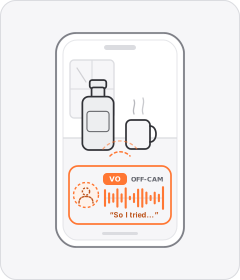
An unseen everyday speaker narrates the ad in a casual, first-person voice over product or lifestyle footage.
Black-and-White Problem Footage
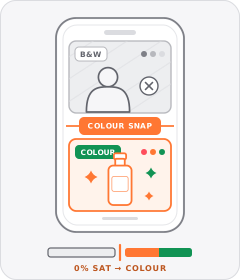
Clips depicting the viewer's hassle or the 'before' state are drained to black and white before snapping to full colour for the solution.

Native Text Box
On-screen copy uses the rounded-corner background pills of TikTok's or Instagram Reels' built-in text editor.
Static Poster Ad
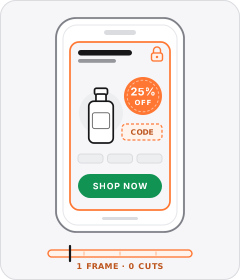
The entire video plays on a single unchanging graphic layout showing the product, offer, and call to action all at once.
Start free
Build a Screen Recording ad in minutes
Start with 7 days free in a ready-made demo workspace. No credit card required.