Review Count Callout
The ad cites a high star rating or thousands of five-star customer reviews in speech or copy.
How to spot it
Spoken or headline claims such as 'Over 15,000 five-star reviews' or 'Rated 4.9 on Trustpilot'.
Verified on real video ads across 92 of 240 tracked brands (1,262 sightings across 79,497 ads).
Creative strategy
Why use Review Count Callout
Online shoppers instinctively check star ratings before trusting an unfamiliar brand, so bringing that score directly into the video removes a key research hurdle. Pairing a high rating like 4.8 stars with thousands of verified reviews proves both consistent quality and large sample size. That rapid credibility boost eases checkout hesitation right as viewers decide whether to tap.
When to use it
- Direct-to-consumer skincare, apparel, and home goods convert cautious cold traffic with high verified review volume.
- Mobile apps and SaaS tools build quick download confidence by featuring strong app-store ratings and review totals.
- Bottom-funnel retargeting ads pair review badges with closing offers to reassure buyers weighing a purchase.
When to skip it
- New storefronts holding fewer than a few hundred ratings or an average below 4.4 lack compelling review proof.
- Ads claiming inflated review totals hurt conversion rates when shoppers see smaller counts on the landing page.
Production guide
How to produce Review Count Callout
- 1
State both the exact star score and total review count together so viewers see quality backed by volume.
- 2
Pair the spoken rating callout with a crisp star graphic and one or two short, readable review snippets.
- 3
Keep realistic ratings like 4.7 or 4.8 visible, since slight imperfection often builds stronger trust than a 5.0.
- 4
Update review totals quarterly in your ad templates so numbers stay accurate and match your product page.
Common mistakes
- Flashing a tiny wall of unreadable five-star screenshots passes too fast for mobile viewers to absorb.
- Citing a star rating without mentioning review volume leaves savvy buyers suspecting a tiny sample size.
- Showing fake-looking generic stars without naming a verified storefront or third-party review platform weakens trust.
Field notes
Observed in real ads
- 1
A third-party review badge displays five yellow stars and a '4.7 rating based on 1,222 reviews' to build trust at the close.
- 2
Real-looking written five-star testimonials are shown in bulk to back up the satisfaction claim.
- 3
The ad displays a high Trustpilot rating and tens of thousands of five-star reviews to build trust.
Also called
More under Social Proof
Sibling patterns
Close alternatives that solve a similar creative job.
Personal Testimonial
A single speaker vouches for the product from their own routine, experience or personal transformation.
Customer Count Callout
The ad cites thousands or millions of existing buyers or users to prove mass adoption.
Bestseller Callout
The ad labels the product a bestseller or cites a major units-sold milestone.

Award Callout
The ad states that the product has won an industry award, consumer test or top ranking.
Customer Testimonial
A single customer or creator speaks to the camera about their personal experience and results with the product.
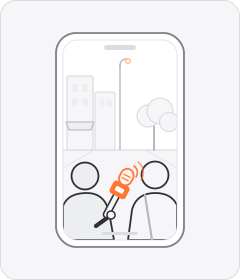
Street Interview
Someone with a microphone stops people in the street and asks them about the product.
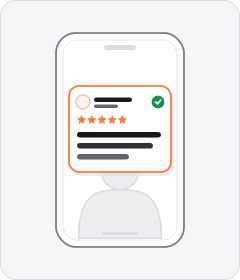
Review Screenshot
A written customer review is shown as a screenshot over the footage.
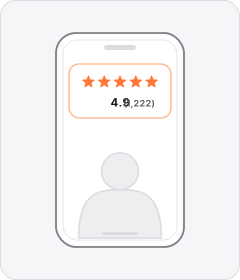
Star Rating Overlay
Stars and a review count appear over the footage.
Cross-layer recipes
Pairs well with
Combine Review Count Callout with patterns from other layers to assemble a complete ad.
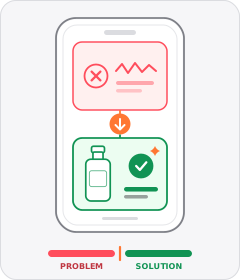 +2 sub
Problem-Solution
The ad establishes an everyday frustration in the first act and introduces the product as the fix.
 +2 sub
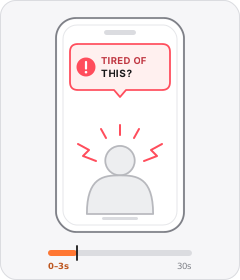
Problem Callout
The ad opens by naming or asking about a problem the viewer has.
Star Rating Overlay
Stars and a review count appear over the footage.
 +2 sub
Expert in a Coat
A qualified specialist, academic, or seasoned practitioner vouches for or explains the product on camera.
Start free
Build a Review Count Callout ad in minutes
Start with 7 days free in a ready-made demo workspace. No credit card required.