Star Rating Overlay
Stars and a review count appear over the footage.
How to spot it
A row of five filled stars, often with a score like '4.9/5' or a Trustpilot bar, floating over the video.
Verified on real video ads across 45 of 240 tracked brands (189 sightings across 79,497 ads).
Creative strategy
Why use Star Rating Overlay
Five filled stars act as visual shorthand for product satisfaction that mobile viewers recognize in half a second. Pairing the star row with an exact decimal score and high review count turns abstract popularity into believable crowd validation. Placing that proof over live usage clips reassures cold audiences while keeping the visual flow clean and uninterrupted.
When to use it
- High-volume skincare, apparel, and supplement products with hundreds of verified ratings can anchor hero shots with their score.
- Mobile apps and SaaS platforms with strong store ratings benefit from floating stars during the closing download push.
- Fast-moving slideshow or UGC montage ads work well when a compact star bar adds credibility without slowing the cut.
When to skip it
- Skip rating overlays when your product has a tiny review count that makes the brand look unproven to cold shoppers.
- Avoid claiming a perfect 5.0 score if your actual store listing shows a visibly lower average rating.
Production guide
How to produce Star Rating Overlay
- 1
Pair five crisp star icons with an exact rating like 4.8 out of 5 and the total verified review count.
- 2
Animate the stars popping in sequentially with a light chime, or pin a steady rating bar in the upper safe zone.
- 3
Use warm yellow, gold, or crisp white stars over a subtle dark pill backdrop so they stay legible over bright clips.
- 4
Update the rating graphic quarterly as review volume climbs so your social proof reflects current store numbers.
Common mistakes
- Showing five stars with zero review count or decimal score feels generic and fails to build buyer conviction.
- Pinning the star row at the very top edge puts it behind the Reels header or TikTok tab bar.
- Displaying an inflated rating that contradicts your landing page damages trust and lowers conversion rates on Meta.
Field notes
Observed in real ads
- 1
A row of five white stars sits prominently at the top center of every slide.
- 2
On-screen text displays a 4.7 rating based on 1,222 reviews to reinforce social proof.
- 3
Five yellow stars pop onto the screen one by one accompanied by sparkling chime sound effects.
Also called
More under Social Proof
Sibling patterns
Close alternatives that solve a similar creative job.
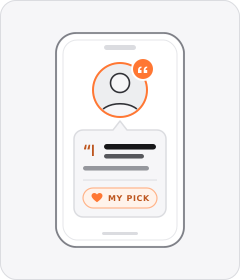
Personal Testimonial
A single speaker vouches for the product from their own routine, experience or personal transformation.

Customer Count Callout
The ad cites thousands or millions of existing buyers or users to prove mass adoption.
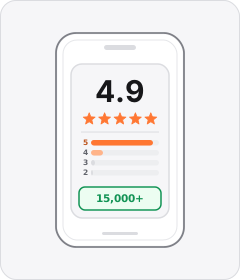
Review Count Callout
The ad cites a high star rating or thousands of five-star customer reviews in speech or copy.
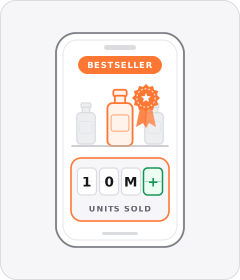
Bestseller Callout
The ad labels the product a bestseller or cites a major units-sold milestone.

Award Callout
The ad states that the product has won an industry award, consumer test or top ranking.

Customer Testimonial
A single customer or creator speaks to the camera about their personal experience and results with the product.

Street Interview
Someone with a microphone stops people in the street and asks them about the product.

Review Screenshot
A written customer review is shown as a screenshot over the footage.
Cross-layer recipes
Pairs well with
Combine Star Rating Overlay with patterns from other layers to assemble a complete ad.
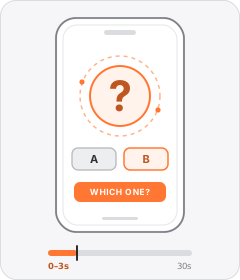
Question Hook
The ad opens by asking the viewer a direct or rhetorical question.
Review Count Callout
The ad cites a high star rating or thousands of five-star customer reviews in speech or copy.
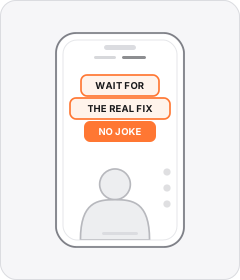
Native Text Box
On-screen copy uses the rounded-corner background pills of TikTok's or Instagram Reels' built-in text editor.
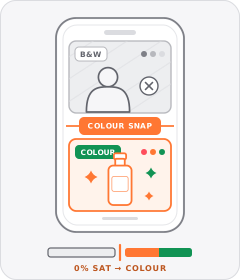
Black-and-White Problem Footage
Clips depicting the viewer's hassle or the 'before' state are drained to black and white before snapping to full colour for the solution.
Start free
Build a Star Rating Overlay ad in minutes
Start with 7 days free in a ready-made demo workspace. No credit card required.