Review Screenshot
A written customer review is shown as a screenshot over the footage.
How to spot it
Cropped review screenshots or styled quote cards with star icons popping up over the scene.
Verified on real video ads across 65 of 240 tracked brands (395 sightings across 79,497 ads).
Creative strategy
Why use Review Screenshot
Prospects trust fellow buyers more than brand voiceovers when evaluating an unfamiliar product in a busy feed. Dropping a cropped review card over active footage pairs visual proof with specific buyer language about fit, shipping speed, or results. Seeing a named buyer quote with a star row lowers skepticism right before the viewer clicks.
When to use it
- Skincare, supplements, and wellness products with strong repeat feedback can overlay quotes that address common buyer doubts.
- Higher-priced home gadgets and refurbished electronics benefit from buyer reviews praising build quality, durability, and fast delivery.
- Online courses, mobile apps, and SaaS tools can stack brief user quotes over product clips during mid-funnel retargeting.
When to skip it
- Skip review screenshots on brand-new product launches that have fewer than a handful of verified customer comments.
- Avoid dense review cards in fast-paced montage ads where clips change too quickly for viewers to finish reading.
Production guide
How to produce Review Screenshot
- 1
Select short customer quotes under twenty words that mention one concrete outcome, objection, or shipping experience.
- 2
Capture a clean screenshot or recreate the review card with a reviewer name, verified tag, and clear star icons.
- 3
Highlight the single strongest phrase inside the review with a subtle yellow marker stroke so skimmers catch it fast.
- 4
Hold each review card on screen for at least three seconds while matching the background clip to the praised benefit.
Common mistakes
- Pasting tiny uncropped screenshots forces viewers to squint and causes immediate scroll-aways on Meta and TikTok.
- Picking vague praise like 'great product' wastes prime screen space without overcoming specific buyer objections.
- Covering the main product demonstration with an oversized review box hides the visual proof viewers came to see.
Field notes
Observed in real ads
- 1
Multiple positive customer review quotes and a 4.7-star rating badge based on 1,222 reviews appear on screen.
- 2
An on-screen customer review graphic highlights fast shipping and device condition from a named reviewer.
- 3
An on-screen quote from a member praises the class for offering advice that can be used in everyday life.
Also called
More under Social Proof
Sibling patterns
Close alternatives that solve a similar creative job.
Personal Testimonial
A single speaker vouches for the product from their own routine, experience or personal transformation.

Customer Count Callout
The ad cites thousands or millions of existing buyers or users to prove mass adoption.
Review Count Callout
The ad cites a high star rating or thousands of five-star customer reviews in speech or copy.

Bestseller Callout
The ad labels the product a bestseller or cites a major units-sold milestone.

Award Callout
The ad states that the product has won an industry award, consumer test or top ranking.
Customer Testimonial
A single customer or creator speaks to the camera about their personal experience and results with the product.

Street Interview
Someone with a microphone stops people in the street and asks them about the product.
Star Rating Overlay
Stars and a review count appear over the footage.
Cross-layer recipes
Pairs well with
Combine Review Screenshot with patterns from other layers to assemble a complete ad.
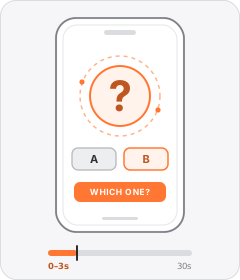
Question Hook
The ad opens by asking the viewer a direct or rhetorical question.
Review Count Callout
The ad cites a high star rating or thousands of five-star customer reviews in speech or copy.
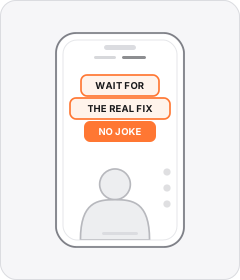
Native Text Box
On-screen copy uses the rounded-corner background pills of TikTok's or Instagram Reels' built-in text editor.
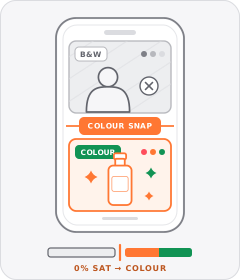
Black-and-White Problem Footage
Clips depicting the viewer's hassle or the 'before' state are drained to black and white before snapping to full colour for the solution.
Start free
Build a Review Screenshot ad in minutes
Start with 7 days free in a ready-made demo workspace. No credit card required.