Split Screen
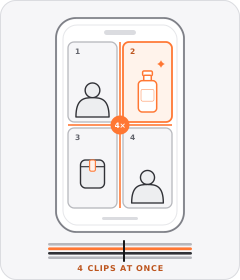
The frame is divided into two or more panels playing separate video clips at the same time.
How to spot it
A visible dividing line splits the screen so two simultaneous shots—such as a speaker and a product demo, or two states—play together.
Verified on real video ads across 146 of 240 tracked brands (1,571 sightings across 79,497 ads).
Creative strategy
Why use Split Screen
Running two edited timelines inside one vertical frame doubles visual motion without forcing the editor to cut away from the speaker. Viewers can watch a presenter react or explain an offer in one panel while continuous product action unfolds in the other. Synchronized dual playback holds wandering eyes on mobile screens and packs extra visual proof into short ad runtimes.
When to use it
- Home gadgets, beauty tools, and apps pair a talking-head narrator with nonstop close-up demo clips underneath.
- Side-by-side performance tests show speed, stain removal, or durability differences playing in real time.
- Editors salvage static talking-head footage by pairing it with dynamic food, packaging, or lifestyle B-roll.
When to skip it
- Detailed software screens or tiny text labels become unreadable when squeezed into half a mobile frame.
- Two fast-moving clips competing for equal focus overwhelm viewers and muddy the core visual takeaway.
Production guide
How to produce Split Screen
- 1
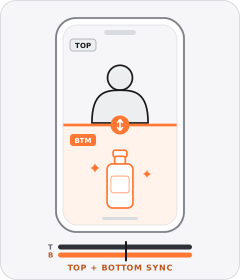
Stack panels horizontally in a top-and-bottom split so both video clips retain comfortable width inside vertical mobile frames.
- 2
Sync key demo beats in the lower clip to the exact words spoken in the upper panel.
- 3
Anchor captions or a price banner cleanly across the center seam where neither face nor product action gets blocked.
- 4
Keep one panel steadier while the second panel carries faster cuts so the viewer's eye knows where to look.
Common mistakes
- Using a vertical side-by-side split on mobile squishes subjects into narrow strips that crop out key details.
- Cutting both panels at frantic speeds at the same time creates visual chaos and hurts retention.
- Placing subtitles at the bottom edge covers the lower clip or collides with platform interface buttons.
Field notes
Observed in real ads
- 1
The opening splits the vertical frame into dynamic food B-roll on top and a static overhead meal grid on the bottom, bridged by a central price banner.
- 2
The video opens with a horizontal split screen showing the presenter speaking on top and the wall-mounted dispenser being pressed on the bottom.
- 3
A split-screen layout at the beginning shows the creator looking exhausted at her desk.
Also called
Specializations
Child patterns under Split Screen
Specific variations of Split Screen verified across multiple brands.
Cross-layer recipes
Pairs well with
Combine Split Screen with patterns from other layers to assemble a complete ad.
 +1 sub
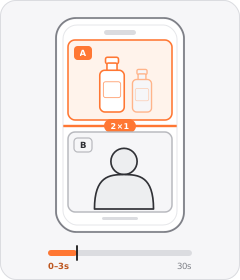
Split-Screen Hook
The ad opens with the frame divided into two panels playing or showing different visuals at once.
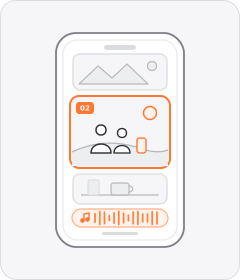
Lifestyle Montage
Short clips of people enjoying everyday or aspirational moments with the product play in sequence without an on-camera speaker.
Word-by-Word Captions
Captions appear one word or a few words at a time, in sync with the speech.
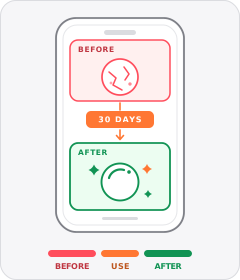
Before/After
The ad shows the same thing before and after using the product.
Start free
Build a Split Screen ad in minutes
Start with 7 days free in a ready-made demo workspace. No credit card required.