Stop-Scrolling Callout
The ad tells the viewer directly to stop scrolling or wait before swiping past.
How to spot it
An urgent opening command like 'Stop scrolling!', 'Wait!', or 'Hold on, don't skip this.'
Verified on real video ads across 46 of 240 tracked brands (153 sightings across 79,497 ads).
Creative strategy
Why use Stop-Scrolling Callout
Viewers swipe through social feeds on autopilot until a sharp command breaks that rhythm. A direct verbal or visual halt acts as a pattern interrupt that buys one extra second of focus. That brief pause gives your presenter room to pitch an urgent sale, surprising demo, or specific problem before the thumb moves on.
When to use it
- Flash sales, seasonal discounts, and bundle deals justify an urgent opener that warns shoppers before they swipe past.
- Founder or creator talking-head videos work well when the speaker pairs a spoken command with a hand gesture toward the lens.
- Problem-solving home gadgets and supplements benefit from a quick pause before revealing an unexpected demo or claim.
When to skip it
- Luxury apparel, fine jewelry, and calm wellness brands risk cheapening brand perception with shouty warning commands.
- Retargeting audiences who already saw the command often tune out when the ad lacks a clear new reason to stop.
Production guide
How to produce Stop-Scrolling Callout
- 1
Deliver the stop command within the first half-second and match it with a physical cue like a raised hand or sudden lean-in.
- 2
Place bold, high-contrast caption text in the safe center zone so muted viewers catch the interruption right away.
- 3
Pay off the command in the very next sentence with the specific deal, problem, or surprise that justifies the pause.
- 4
Test calm, conversational delivery alongside high-energy warning styles because audience tolerance varies sharply across age groups.
Common mistakes
- Yelling stop and following up with a slow intro trains TikTok and Shorts viewers to swipe away.
- Overloading the opening frame with flashing emojis and alarms can trigger ad-fatigue skepticism and low watch time.
- Repeating the same stop-scrolling opener across multiple active ads burns out your audience quickly on Meta.
Field notes
Observed in real ads
- 1
The voiceover and on-screen text directly tell viewers to stop scrolling while a creator drinks from a glass bottle.
- 2
The speaker opens by shouting "STOP!" with siren and warning-sign emojis popping on screen, then warns the viewer that scrolling past means missing the best deal of the year.
- 3
The presenter holds her hand toward the lens and firmly says 'Stopp' right after the bait clip cuts out.
Also called
Cross-layer recipes
Pairs well with
Combine Stop-Scrolling Callout with patterns from other layers to assemble a complete ad.
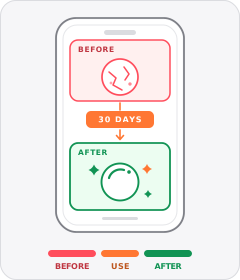
Before/After
The ad shows the same thing before and after using the product.
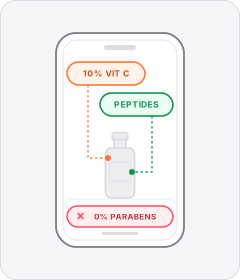
Ingredient Callout
On-screen labels or lists highlight the active ingredients inside the formula or the unwanted ones left out.
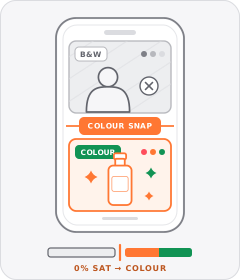
Black-and-White Problem Footage
Clips depicting the viewer's hassle or the 'before' state are drained to black and white before snapping to full colour for the solution.
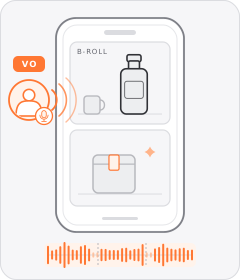
Creator Voiceover
An unseen speaker narrates their personal experience in a casual, friend-to-friend voice over footage of the product or daily life.
Start free
Build a Stop-Scrolling Callout ad in minutes
Start with 7 days free in a ready-made demo workspace. No credit card required.