Comment Reply
The ad opens by answering a viewer's comment shown on screen as a social media comment bubble.
How to spot it
A platform-styled comment box with a username, avatar and question or remark floating over the opening shot while the speaker replies to it.
Verified on real video ads across 82 of 240 tracked brands (825 sightings across 79,497 ads).
Creative strategy
Why use Comment Reply
Viewers love watching creators respond directly to skeptical or curious commenters because the format mimics an active community thread. Floating a platform-styled comment bubble at the top of the hook signals that other shoppers already asked the same question about your product. Answering that prompt immediately lets you dismantle a top buying objection while keeping the opening grounded in native feed behavior.
When to use it
- Skincare, supplements, and home gadgets with skeptical buyers work well when the opening bubble voices a common doubt.
- Apparel fit checks and food taste tests convert strongly when framed as direct replies to sizing or flavor questions.
- SaaS tools and mobile apps can stage a quick feature question to jump straight into a focused screen demo.
When to skip it
- Skip comment reply bubbles when the opening question sounds like wooden marketing copy that no human would type.
- Avoid stacking long multi-sentence comment boxes over busy action footage where viewers struggle to scan the prompt quickly.
Production guide
How to produce Comment Reply
- 1
Pull actual buyer questions or skeptical objections straight from your ad comments, support inbox, or product reviews.
- 2
Render the comment bubble with an authentic platform layout, small avatar, natural username, and concise ten-word question.
- 3
Start the creator mid-reply within the first second, pointing briefly toward the bubble while demonstrating the answer.
- 4
Remove the comment sticker after three to five seconds so viewers can focus completely on the product demonstration.
Common mistakes
- Writing an overly flattering fake comment triggers instant skepticism and makes viewers scroll past on TikTok and Meta.
- Leaving the comment bubble pinned for thirty seconds clutters the frame and blocks demonstrations on YouTube Shorts.
- Using an outdated or mismatched platform sticker style breaks the native illusion across Reels and TikTok placements.
Field notes
Observed in real ads
- 1
Facebook-style comment cards with blurred avatars, 'Invite as follower', timestamps, and 'Author' badge are overlaid sequentially to stage a comment-section exchange.
- 2
An on-screen text graphic imitates a social media user comment from User123.
- 3
Social media style comment bubbles pop up over the footage, imitating native platform user engagement.
Also called
More under Social Proof
Sibling patterns
Close alternatives that solve a similar creative job.

Personal Testimonial
A single speaker vouches for the product from their own routine, experience or personal transformation.

Customer Count Callout
The ad cites thousands or millions of existing buyers or users to prove mass adoption.

Review Count Callout
The ad cites a high star rating or thousands of five-star customer reviews in speech or copy.

Bestseller Callout
The ad labels the product a bestseller or cites a major units-sold milestone.

Award Callout
The ad states that the product has won an industry award, consumer test or top ranking.

Customer Testimonial
A single customer or creator speaks to the camera about their personal experience and results with the product.

Street Interview
Someone with a microphone stops people in the street and asks them about the product.

Review Screenshot
A written customer review is shown as a screenshot over the footage.
Cross-layer recipes
Pairs well with
Combine Comment Reply with patterns from other layers to assemble a complete ad.
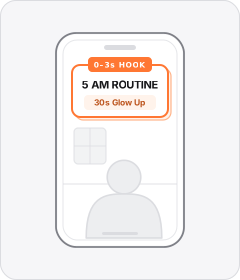
Opening Hook Banner
A bold static headline or title box sits over the opening shot to frame the topic in the first few seconds.
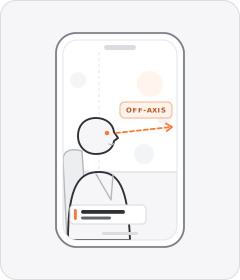
Studio Interview
A speaker is filmed seated on a lit set answering an off-camera interviewer in documentary style.
 +2 sub
Expert in a Coat
A qualified specialist, academic, or seasoned practitioner vouches for or explains the product on camera.
 +2 sub
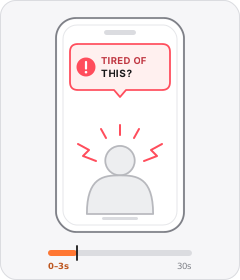
Problem Callout
The ad opens by naming or asking about a problem the viewer has.
Start free
Build a Comment Reply ad in minutes
Start with 7 days free in a ready-made demo workspace. No credit card required.